Fonctionnalité FolioSort Pro
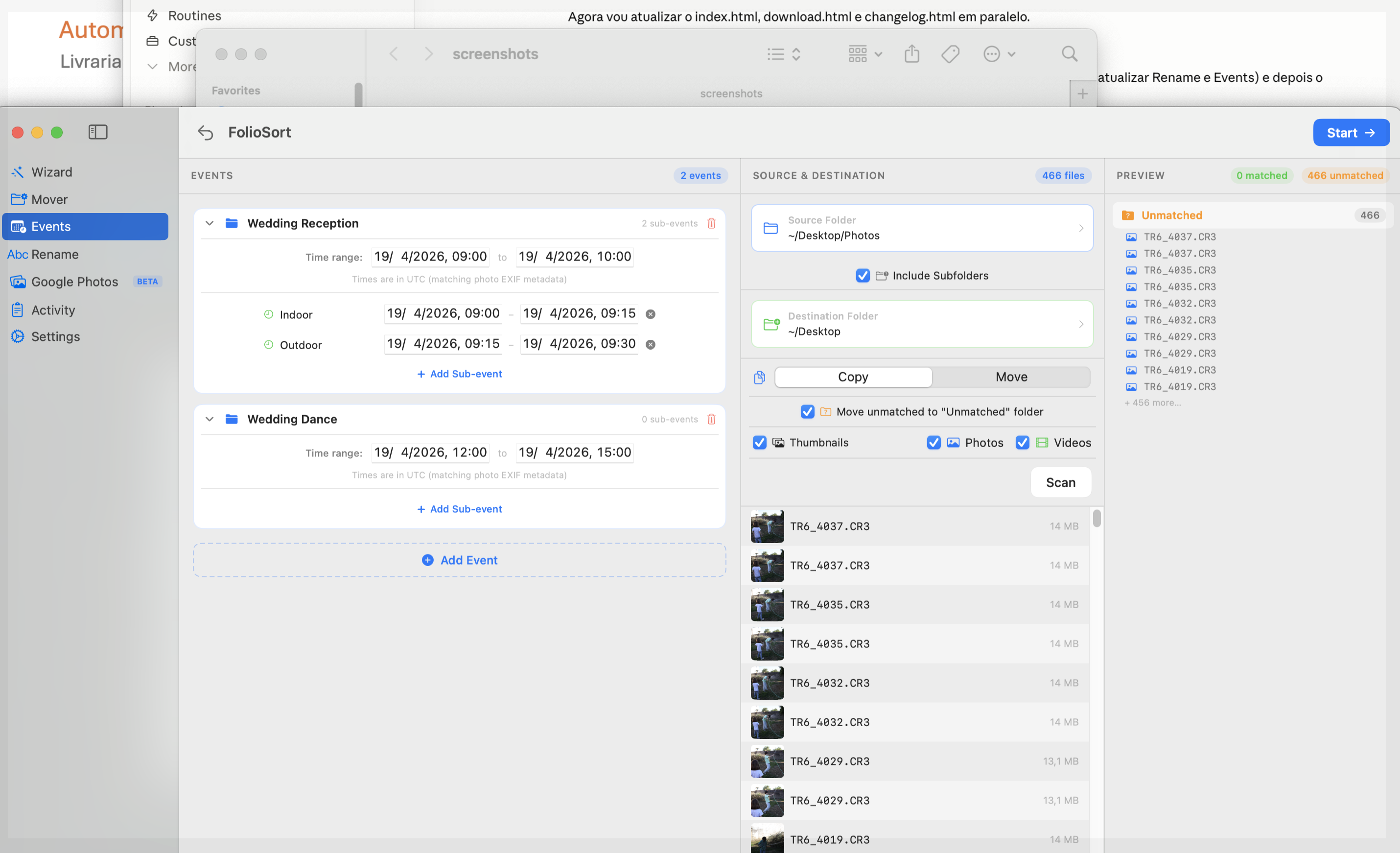
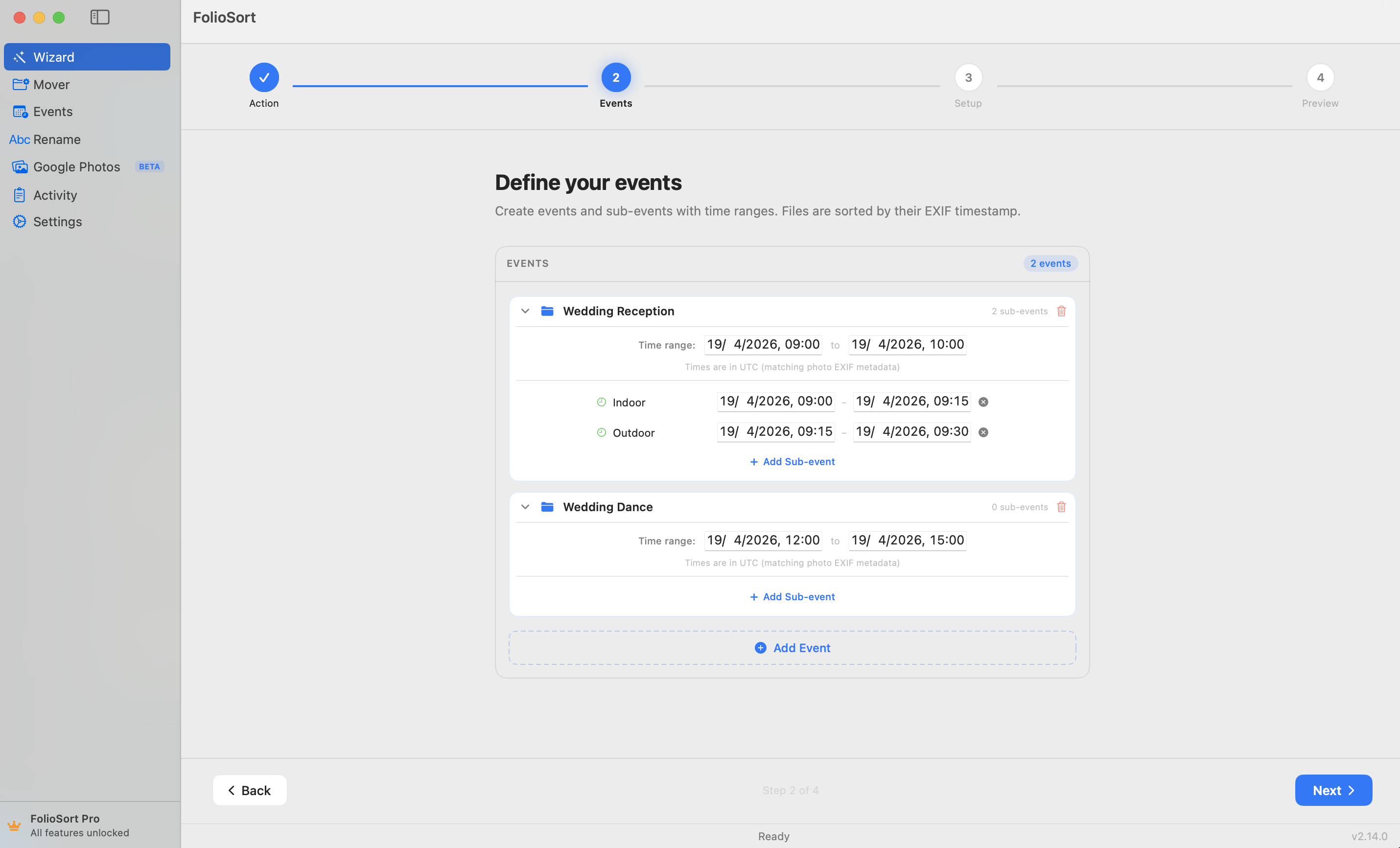
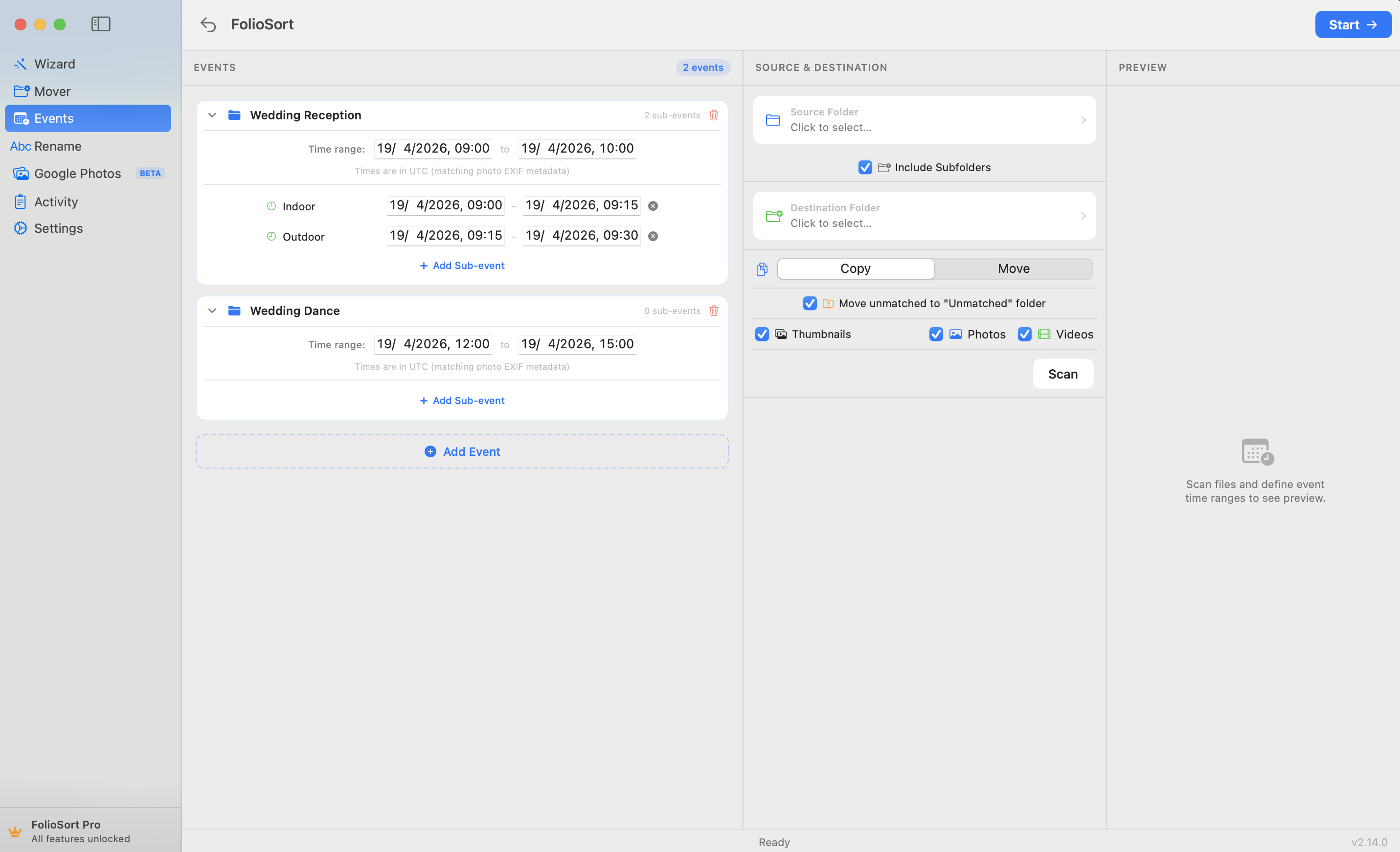
Define the start and end time of each event. FolioSort reads the EXIF timestamp of every photo and video, matches it to the right event window, and places it there — with no manual sorting, no naming, no dragging.
Définissez vos événements une fois. Chaque photo trouve sa place automatiquement.
Give each event a name, a start time, and an end time. Any photo taken within that window is assigned to that event. Overlapping events are handled gracefully — you decide the priority.
Organize complex shoots: group "Wedding Day" into sub-events like "Ceremony", "Cocktail Hour", "Reception". Photos are nested in the right subfolder automatically. No manual splitting.
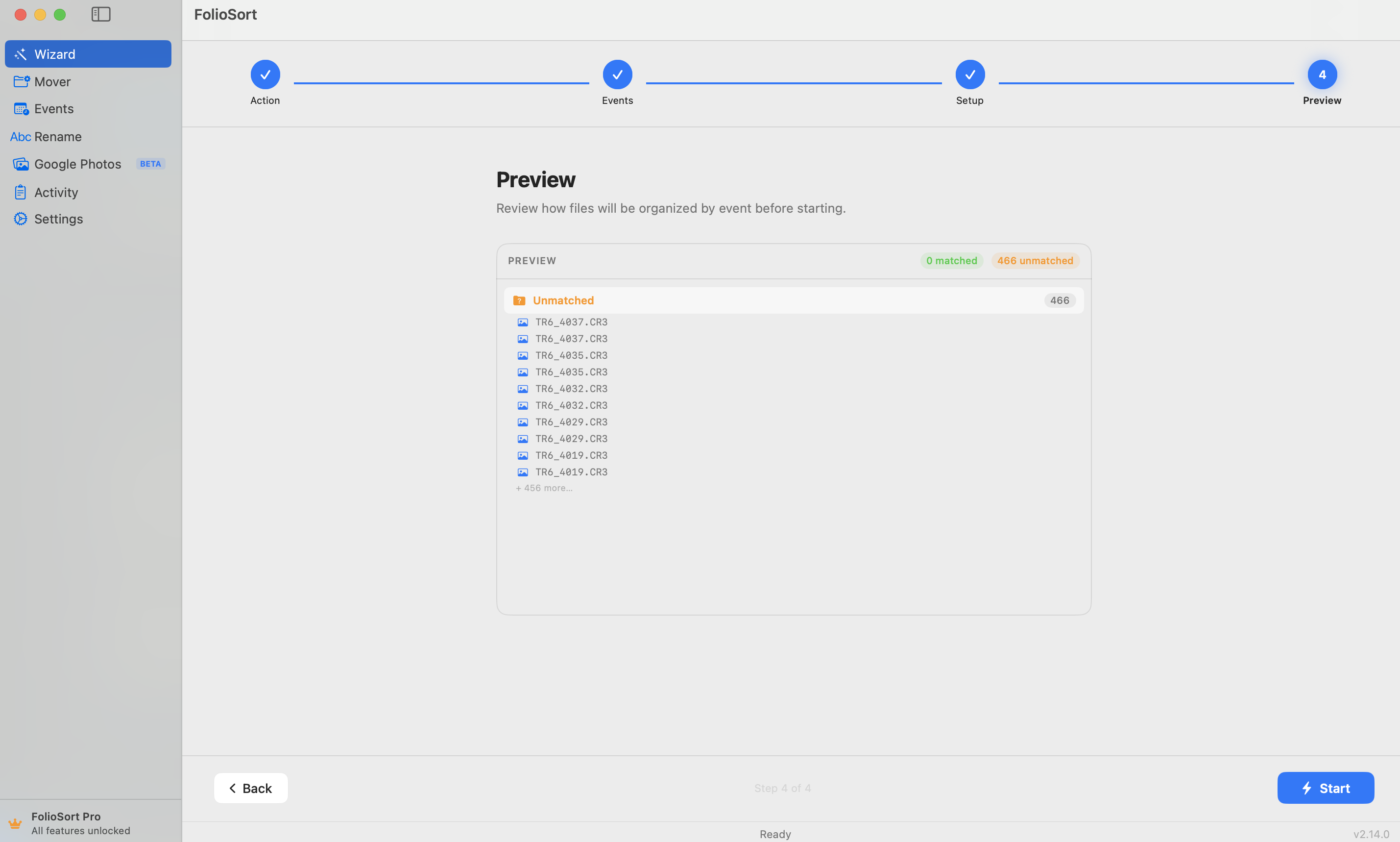
After scanning your source folder, see a summary strip — total files, photos, videos, RAW files, and total size — broken down by event. Know exactly what's assigned before you start.
Made a mistake? Press ↩ to reverse the last batch. Files overwritten during the operation go to Trash, so recovery is always possible. Undo history persists across launches.
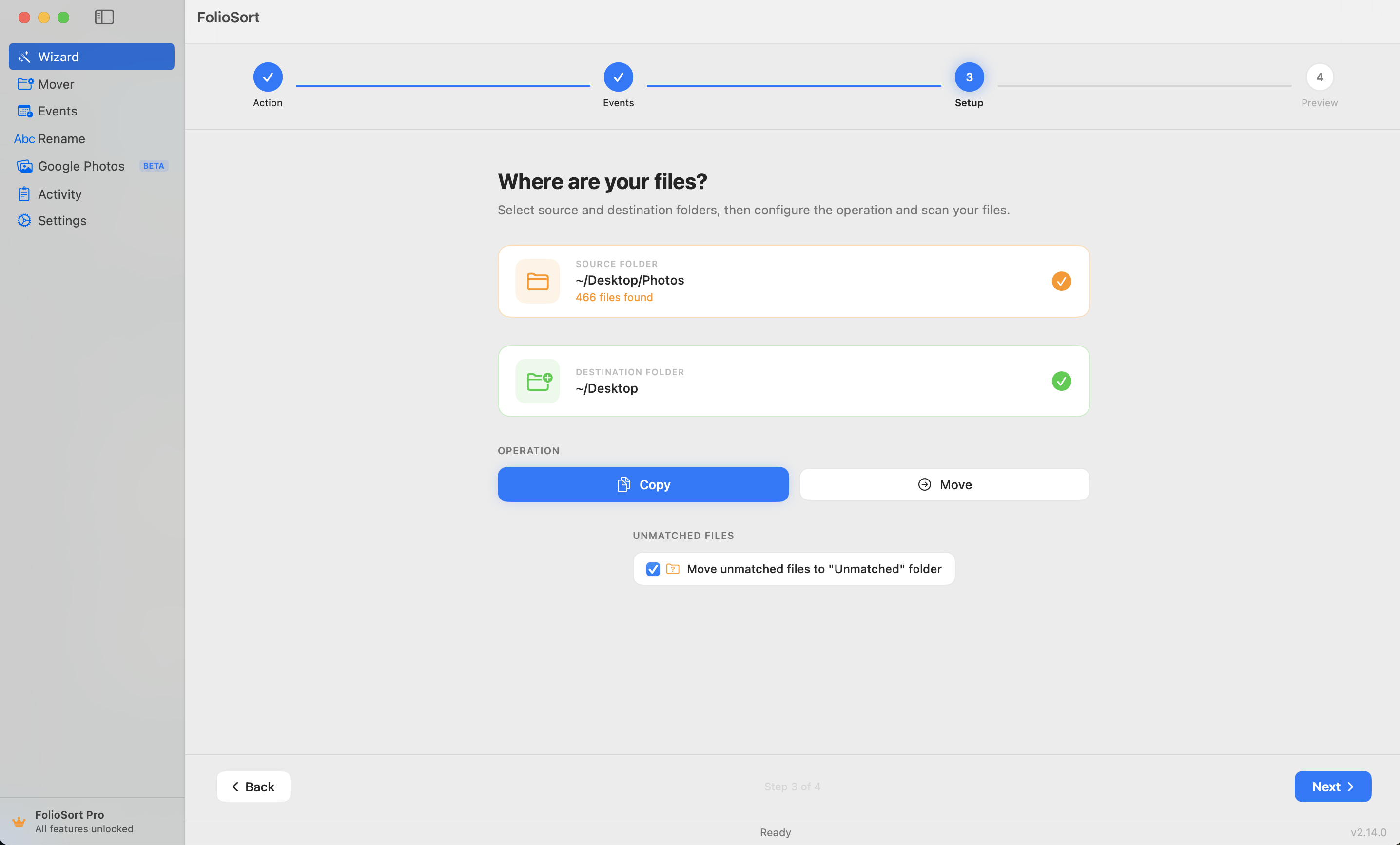
Photos taken outside any defined event window are placed in a configurable "Unmatched" folder rather than silently discarded. Nothing is lost; everything is accounted for.
Keep originals in place with Copy, or reclaim disk space with Move. Both modes verify file integrity with XXHash64 checksums before removing originals.
Nouveau dans Events ? L'Assistant vous guide pour définir vos événements, choisir les dossiers et prévisualiser les affectations avant qu'un seul fichier ne soit déplacé.
Open Events to a clean slate and define your first event group, or load a previously saved profile. Photographers who shoot recurring event types — weekly CrossFit competitions, monthly corporate events — save their event templates and reuse them every time.
See more event-specific guides: Wedding photography · Conferences · Sports tournaments · Travel
S'il y a des plages horaires et des photos, Events s'en occupe.
Separate ceremony, cocktail hour, portraits, and reception into their own folders — automatically. No more manual culling by timestamp. Wedding guide →
Multi-day conferences with keynotes, workshops, and networking sessions? Define each slot as a sub-event and every photo lands in the right session folder. Conference guide →
Shoot multiple races or matches in a single day? Define each competition as its own event. Files from the morning qualifier never mix with the afternoon final. Sports guide →
Organize a two-week trip by day and destination. Define each city or activity as an event and let FolioSort separate Barcelona day 1 from Valencia day 3 without manual review. Travel guide →
Téléchargez FolioSort gratuitement et essayez Events — l'Assistant vous guide dans votre première organisation d'événements en quelques minutes.
Télécharger GratuitementmacOS 14 or later · Apple Silicon & Intel · Events requires Pro upgrade