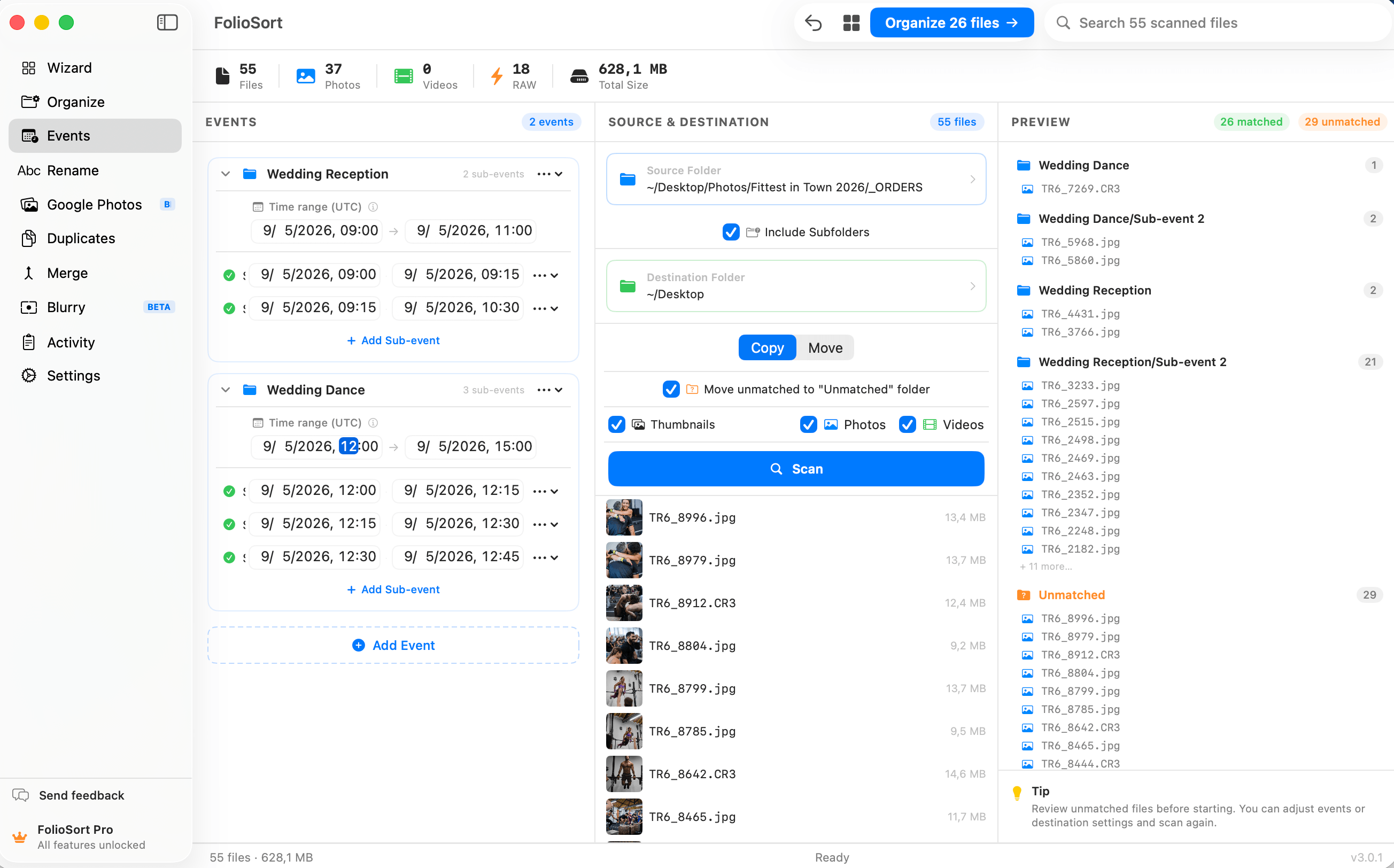
Events · Pro
Define the start and end time of each event. FolioSort reads the capture timestamp inside every photo and video, matches it to the right event window, and files it there — no manual sorting, no naming, no dragging.
You shoot a wedding: ceremony, portraits, cocktail hour, reception. A conference with back-to-back keynotes and
workshops. A tournament with a morning qualifier and an afternoon final. It all lands as one undifferentiated
dump of IMG_4821 next to DSC00218, and separating it by eye means squinting at
timestamps for an hour.
The information to split it perfectly is already there — every file knows exactly when it was taken. It just sits unread inside each photo and video.
Events lets you name each event and give it a start and end time — or press Auto-group and have the windows proposed for you, split wherever you stopped shooting, on a gap you choose from one minute to three days. FolioSort reads the capture timestamp inside every photo and video, matches it to the window it falls in, and drops it into that event's folder. Multi-camera shoots merge automatically: anything inside the window lands together, whichever card it came from.
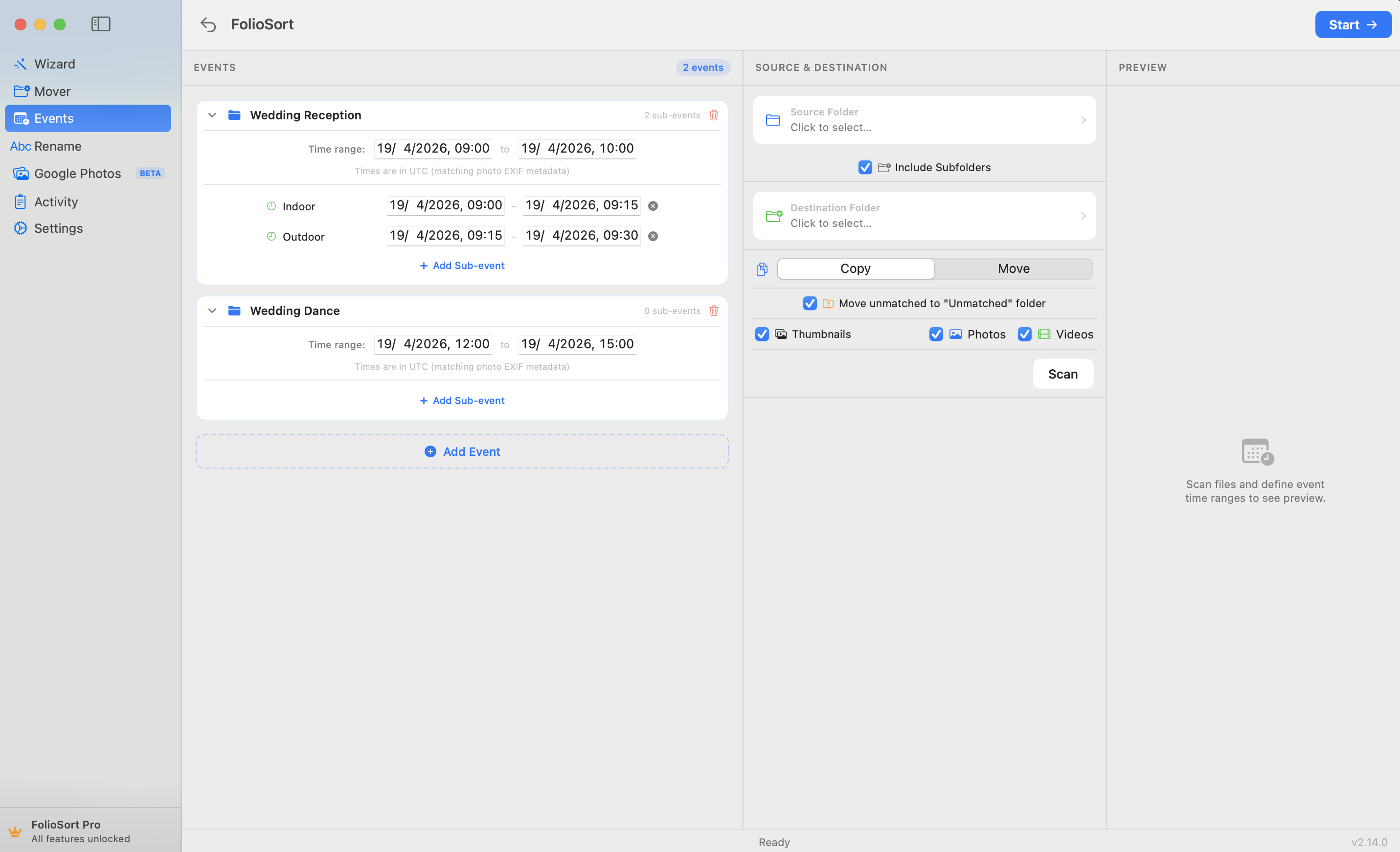
Group a big day into sub-events — Ceremony · Cocktail Hour · Reception — and each shot nests in the right subfolder. Copy or move with checksum verification, preview everything first, and undo any batch.
How it works
Give each event a name, a start time and an end time. Or press Auto-group and FolioSort reads the timeline and proposes the windows itself, splitting wherever you stopped shooting. Rename and adjust from there.
FolioSort reads the real capture time inside every photo and video, from any camera or phone in the mix.
Each file is matched to the event window it falls in — and you preview exactly where every file will go before anything moves.
Run it. Files are placed checksum-verified, with one-click undo. Anything outside a window goes to an Unmatched folder.
What it does
Start anywhere
Wedding photographers split ceremony, portraits and reception without culling by timestamp. Corporate teams file each keynote and workshop of a multi-day conference into its own session folder. Sports shooters keep the morning qualifier from mixing with the afternoon final.
Travel photographers organize a two-week trip by day and destination — Barcelona day 1 never bleeds into Valencia day 3. If there are time windows and photos, Events handles it.
Photographers who shoot recurring event types — a weekly CrossFit competition, a monthly corporate mixer — save their event set once and load it every time, so the same windows and sub-events are ready before the cards are even copied.
And it all runs 100% on-device: no cloud, no account, no upload of your work. Verified transfers, reversible batches, and a full preview before a single file moves.
A full wedding used to mean an evening of dragging files into ceremony, cocktail and reception folders by hand — and my second shooter's card made it worse. Now I set three windows, hit go, and both cards come out split into the right event folders in minutes. I preview it first and can undo the lot if I want.
Events builds on the FolioSort Organizer. Split a shoot into event folders by time, refine it into precise time blocks, or sort by where each photo was taken — real folders, on-device.
Batch-sort tens of thousands of photos and videos by EXIF date, camera and folder templates.
Explore the Organizer →Group photos and videos into per-event folders using custom start-and-end time windows.
This pageSlice a single day into precise time blocks — sessions, sets, heats — down to the minute.
Explore Time Blocks →FAQ
Events is a Pro feature. Pro is a one-time €19.99 with no subscription. The free tier lets you try Events on up to 100 files per batch so you can see it work before you upgrade; Pro removes the limit and unlocks the whole app.
You define the start and end time of each event. FolioSort reads the capture timestamp inside every photo and video, matches it to the event window it falls in, and files it into that event's folder — no manual sorting, naming or dragging.
Yes. Because Events matches on the capture timestamp rather than the file or the folder it came from, photos and videos from multiple cameras that fall inside the same window are merged into that one event automatically — the second shooter's card and yours land together.
Files taken outside any defined event window are placed in a configurable Unmatched folder rather than silently discarded. Nothing is lost — everything is accounted for, and you can review the Unmatched folder afterward.
Your choice, per session. Copy mode leaves the originals in place; move mode relocates them. Both verify every file with an XXHash64 or SHA-256 checksum, and every batch is reversible with one click. Any file that would be overwritten goes to the Trash instead, so nothing is permanently lost.
Download FolioSort free and try Events — set your windows, preview where every file lands, and let each shot fall into the right event folder. Checksum-verified, fully undoable, never uploaded.