See it in Action
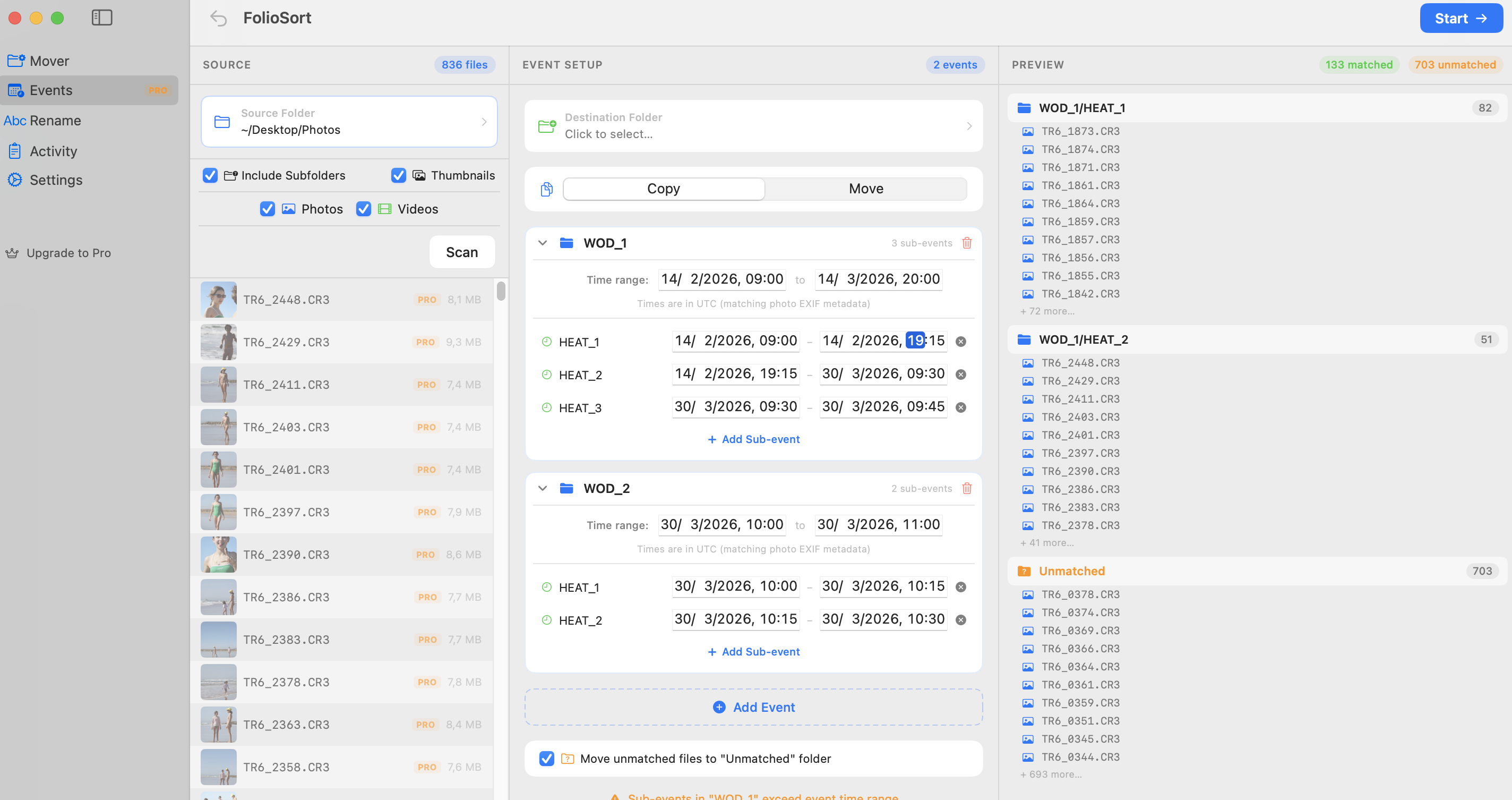
Event Workflow: CrossFit
Sorting through thousands of chaotic photos from multiple cameras is the worst part of crossfit event photography. FolioSort instantly groups your multi-cam dumps into precise Time Blocks—automatically structuring chronological folders for you. Reclaim your weekend.
Why traditional sorting kills your productivity
Event media moves fast. Every hour spent manually dragging photos into WOD 1 / Heat 3 folders is an hour you aren't editing, sleeping, or delivering to paying athletes.
When shooting with two bodies—or alongside a second shooter—intertwining the timelines visually in Lightroom or Finder is incredibly prone to errors and extreme frustration.
Let EXIF logic do the heavy lifting automatically.
Plug in your SD cards and drag the raw dumping folder into FolioSort to be scanned natively and safely.
Create a "WOD_1" parent event, and add your specific sub-events (Heat_1: 09:15-09:30, Heat_2: 09:30-09:45).
FolioSort analyzes every frame's EXIF capture time and seamlessly moves it into the exact nested folder structure.
See how FolioSort handles other sports events
Stop manually sorting files after an exhausting day. Auto-group your massive crossfit event dumps instantly with FolioSort.