How do I migrate Google Photos to a Synology NAS?
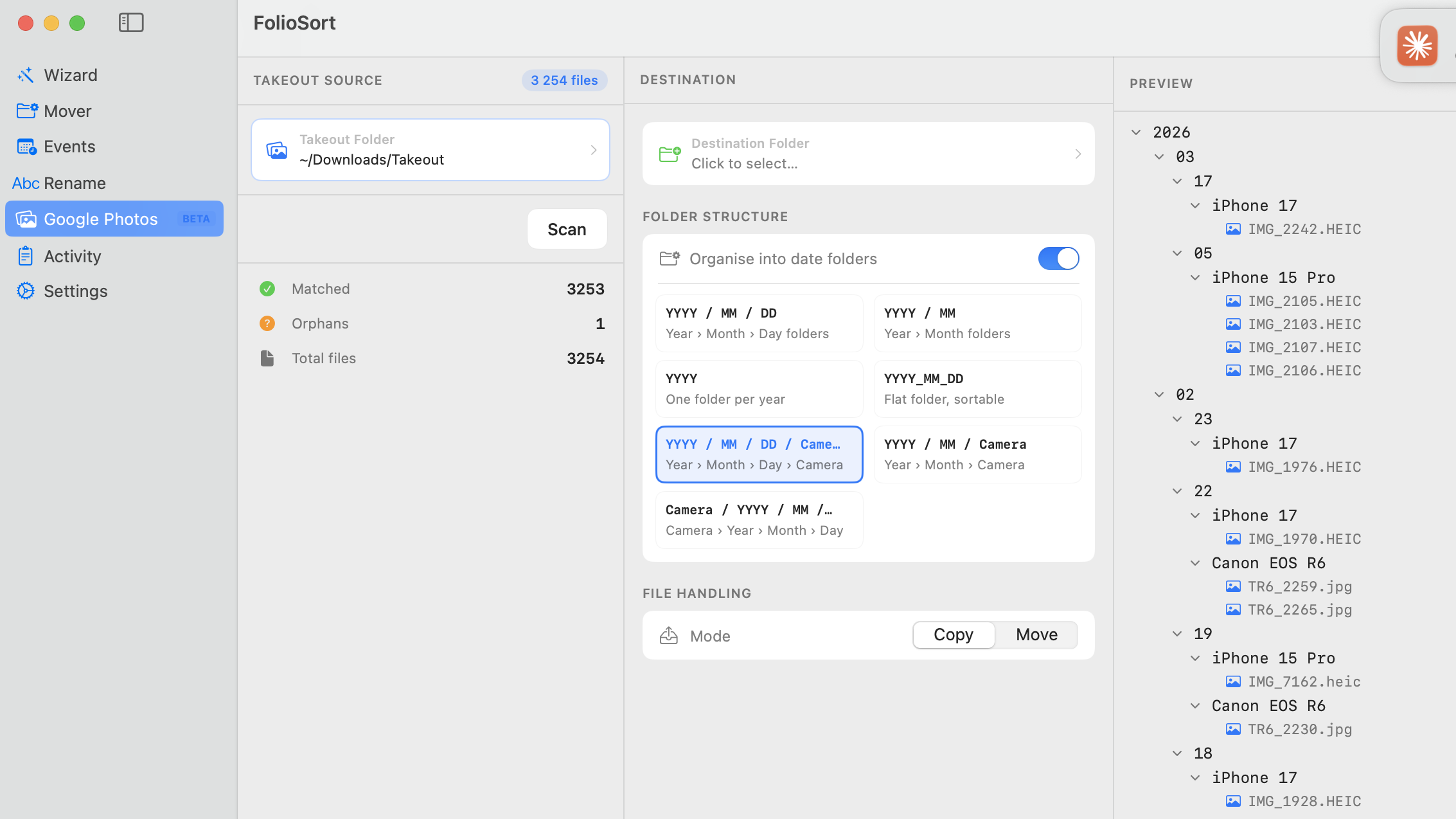
Export your photos with Google Takeout and extract the .zip files into one folder on your Mac or PC. Open FolioSort, select Google Photos (Beta) in the sidebar, point it at the Takeout folder and click Scan to restore the real dates and GPS from the JSON sidecars. Mount your Synology share in Finder (⌘K → smb://your-nas-ip), set that share as the destination, toggle Organise into date folders, pick a template, choose Copy or Move and click Process.
Why do my Google Photos show today's date after uploading to Synology?
Takeout stores the real capture date in separate .json sidecar files, not in the photo's EXIF. When the zip is extracted every file is stamped with the extraction date, so Synology Photos shows them all as "taken today". FolioSort reads those sidecars and writes the correct DateTimeOriginal back into each file before transfer — so your Synology timeline is correct.
Is FolioSort free?
Yes. FolioSort is free to download and the free tier processes up to 100 files per operation, so you can test the full workflow end to end. Pro (€19.99, one-time — no subscription) removes the limit for large libraries, adds duplicate detection and direct SMB/AFP NAS transfer.
Does FolioSort upload my photos anywhere?
No. FolioSort runs 100% locally on your Mac or PC. It only transfers files to your Synology over your own network — nothing is ever uploaded to any FolioSort server or third-party cloud.
Can I transfer straight to my Synology share?
Yes. Mount your Synology share in Finder with ⌘K and smb://your-nas-ip, then set the mounted share as FolioSort's destination. FolioSort writes directly to the NAS over SMB with real-time speed display and automatic retry if the connection drops.
Will FolioSort modify my original files?
No. FolioSort uses a copy-then-verify approach: it copies each file to the Synology destination, reads it back and verifies the checksum matches, and only removes the source if you explicitly choose Move. Your raw Takeout files stay untouched until you confirm the result.
Does this work on Windows too?
Yes — FolioSort runs on both macOS 14+ and Windows 10+, with the same Google Photos (Beta) import and SMB transfer. This guide is written for Mac, but every step applies on a Windows PC as well.