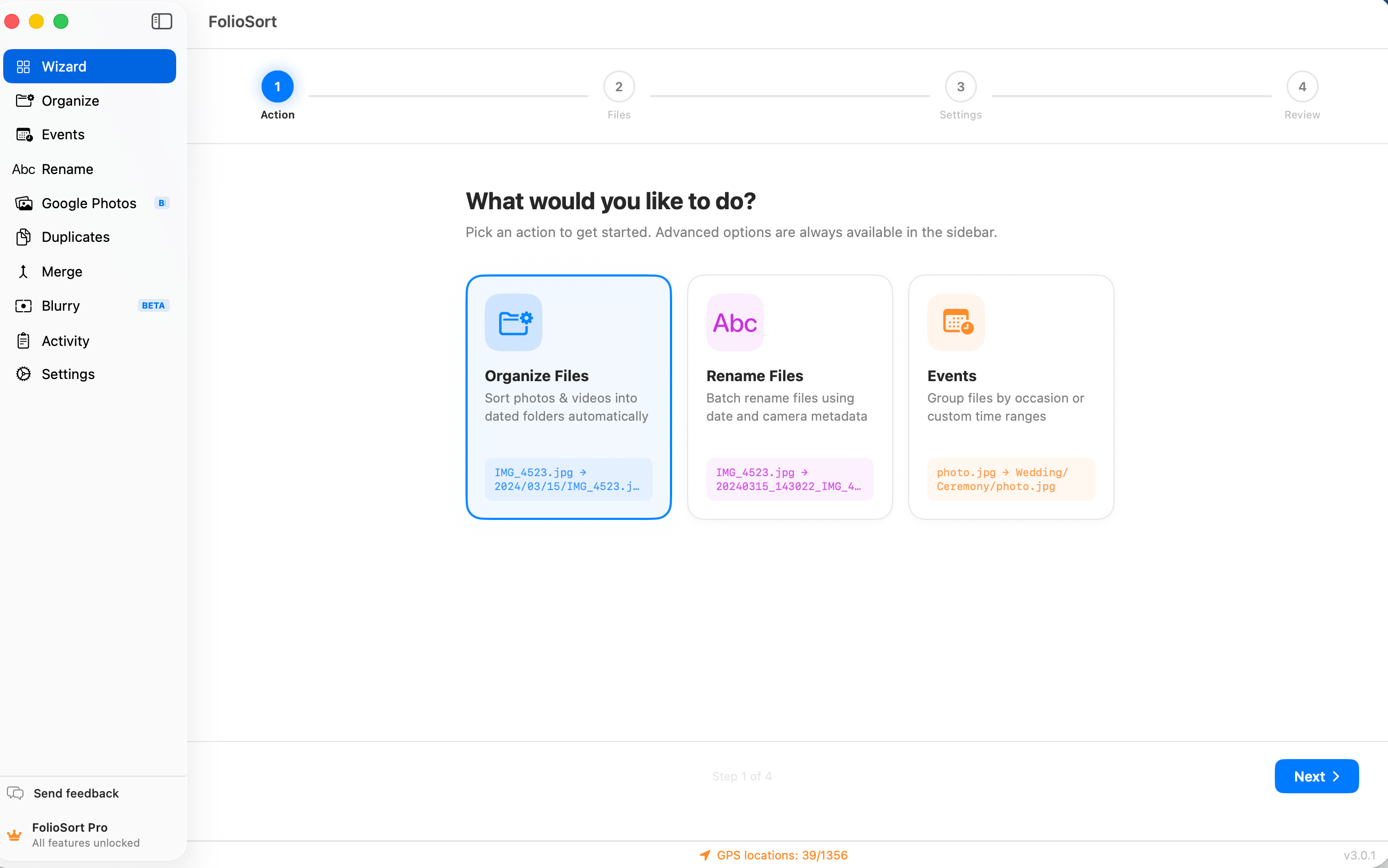
The Get Started Wizard
The Get Started hub opens with one question — what do you want to do today? — and every answer has a guided flow: organize into dated folders, import a Google Photos Takeout, remove duplicates, clean out blurry shots, find every photo of a person, sweep away screenshots. Pick folders from quick-pick chips, keep the safe defaults, press Start. Done.
Most photo tools drop you straight into tabs, toggles and template fields — with no idea which one you need. You just wanted to sort a folder, or clear the duplicates, or import that Google Photos export, and instead you're staring at options you'd have to read a manual to understand.
So the download sits unused. Not because the app can't do the job, but because the first screen never told you where to start.
The Get Started Wizard opens with one plain-language question — what do you want to do? — and every major feature is listed as a goal you can recognise: organize my photos, remove duplicates, find a person. Pick one, and the right guided flow opens with nothing irrelevant in it.
From there it's four familiar beats every time: choose a task, point it at your folders, keep or tweak the safe defaults, preview and run. The Wizard is free — it's how everyone gets started — and the full feature is always one link away when you want it.
How it works
The Get Started hub lists every major feature as a plain-language goal — "organize my photos", "remove duplicates", "find a person". Pick one and the flow adapts to it.
Quick-pick chips offer Pictures, Downloads, Desktop and recent folders — one click each. Or drag any folder in. FolioSort scans and tells you how many files it found.
Each flow arrives preconfigured with the safe choice — copy mode, checksum on, a sensible date-folder template. Keep it, tweak it, or jump to the advanced options.
A preview shows your actual files with their before → after result. Press Start — and like everything in FolioSort, the operation is checksum-verified and undoable.
What it covers
The Wizard scans first and shows you the numbers — total files, photos, videos, combined size — before a single thing moves. Then it displays a preview of your actual files with their before → after name and path, so there are no surprises when it runs.
You press Start only when the preview looks right. Until then, your library is untouched — the Wizard is just reading, not writing.
Guided flows don't change FolioSort's safety model. Every copy or move is checksum-verified — XXHash64 or SHA-256 — so not one file is corrupted in transit, and every batch is undoable with one click, up to 50 operations back.
Any file that would be overwritten goes to the Trash instead, so nothing is ever permanently lost. And it all runs 100% on-device: no cloud, no account, no upload of your library.
I'm not a "settings" person. I opened FolioSort, it asked what I wanted to do, I clicked "organize my photos", picked my Pictures folder from a chip, and it showed me exactly what would happen before I hit go. That was the whole learning curve — about ninety seconds.
The Get Started Wizard is the front door to FolioSort — it drops you into the right tool with safe defaults. From there, the Organizer sorts by real capture date and camera, and Rename cleans up filenames in bulk.
Pick a goal in plain language and a guided flow walks you from folders to finished — free onboarding.
This pageBatch-sort tens of thousands of photos and videos by EXIF date, camera and folder templates.
Explore the Organizer → Pairs withRename thousands of files by date, camera, counter or regex — with a live preview.
Explore Rename →FAQ
Yes. The Get Started Wizard is part of onboarding and is completely free — it's how every new user gets going. It walks you through picking a task, choosing folders, configuring a template and previewing the result. Some of the flows it opens (like GPS geocoding or RAW formats) have Pro features, but the Wizard itself never costs anything.
No. Each flow arrives with safe defaults preselected — copy mode, checksum verification on, a sensible date-folder template. You can change anything you like, or just keep the defaults and press Start. If you want the full controls, every step links straight to the advanced options.
Every major feature: organize photos into dated folders, import a Google Photos Takeout, remove duplicates, clean up blurry shots, find every photo of a person, and clear out screenshots. Pick your goal in plain language and the matching guided flow opens — no hunting through tabs.
No. Nothing touches your files until you review the preview and press Start. The Wizard scans your folders, shows how many files it found, and displays a sample of your actual files with their before → after result. You commit only when you're ready.
Yes. Guided flows don't change FolioSort's safety model — every operation run through the Wizard is checksum-verified, non-destructive by default, and fully undoable, up to 50 batches back. Any file that would be overwritten goes to the Trash instead.
Download FolioSort free. Open Get Started. Say what you want to do — organize, import, de-dupe, de-blur, find a person — and the guided flow walks you there, checksum-verified and fully undoable.