See it in Action
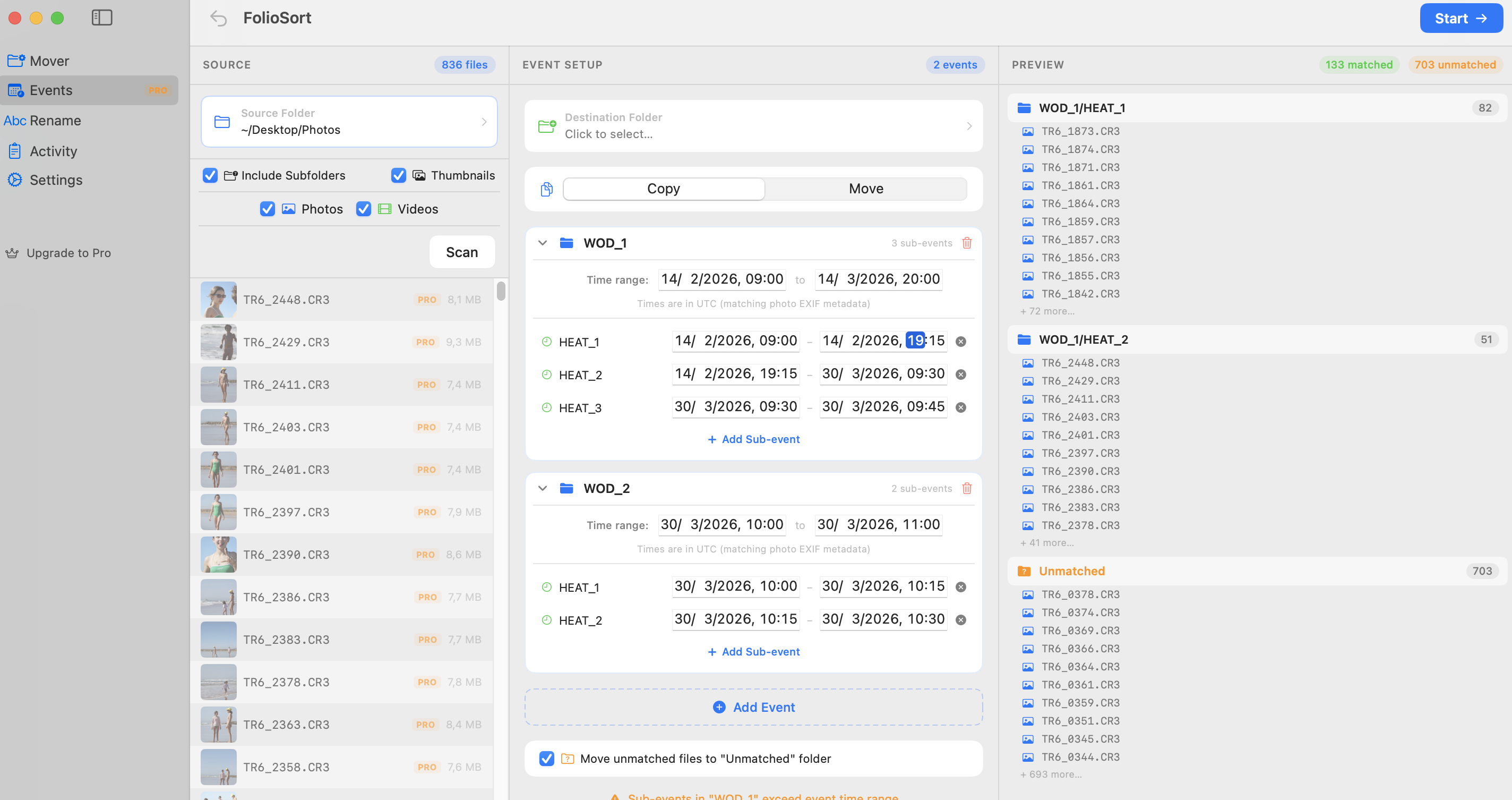
Event Workflow: Travel
Sorting through thousands of chaotic photos from multiple cameras is the worst part of travel photography. FolioSort instantly groups your multi-cam dumps into precise Time Blocks—automatically structuring chronological folders for you. Reclaim your weekend.
Why managing vacation photos is a chore
Returning home with a 512GB SD card full of photos feels daunting. Breaking out your entire month into folders for "Tokyo", "Kyoto", and "Osaka" manually means analyzing EXIF dates manually.
Your smartphone clock auto-updates when travelling, but your mirrorless sensor might still be on your home timezone. Trying to interweave both chronologically often leads to massive timeline gaps.
How to unpack your digital bags in seconds
Transfer the raw camera dump straight to your laptop and drag it right into FolioSort.
Create the Main Event "Japan", and sub-events: Tokyo (Days 1-4), Kyoto (Days 5-8). Setting precise timeframes fixes the timezone discrepancy effortlessly.
FolioSort reads the native creation dates and parses every single city into correct folders without you ever having to open an image preview.
See how FolioSort handles other photography types
Stop manually sorting files after an exhausting trip. Auto-group your massive travel dumps instantly with FolioSort.