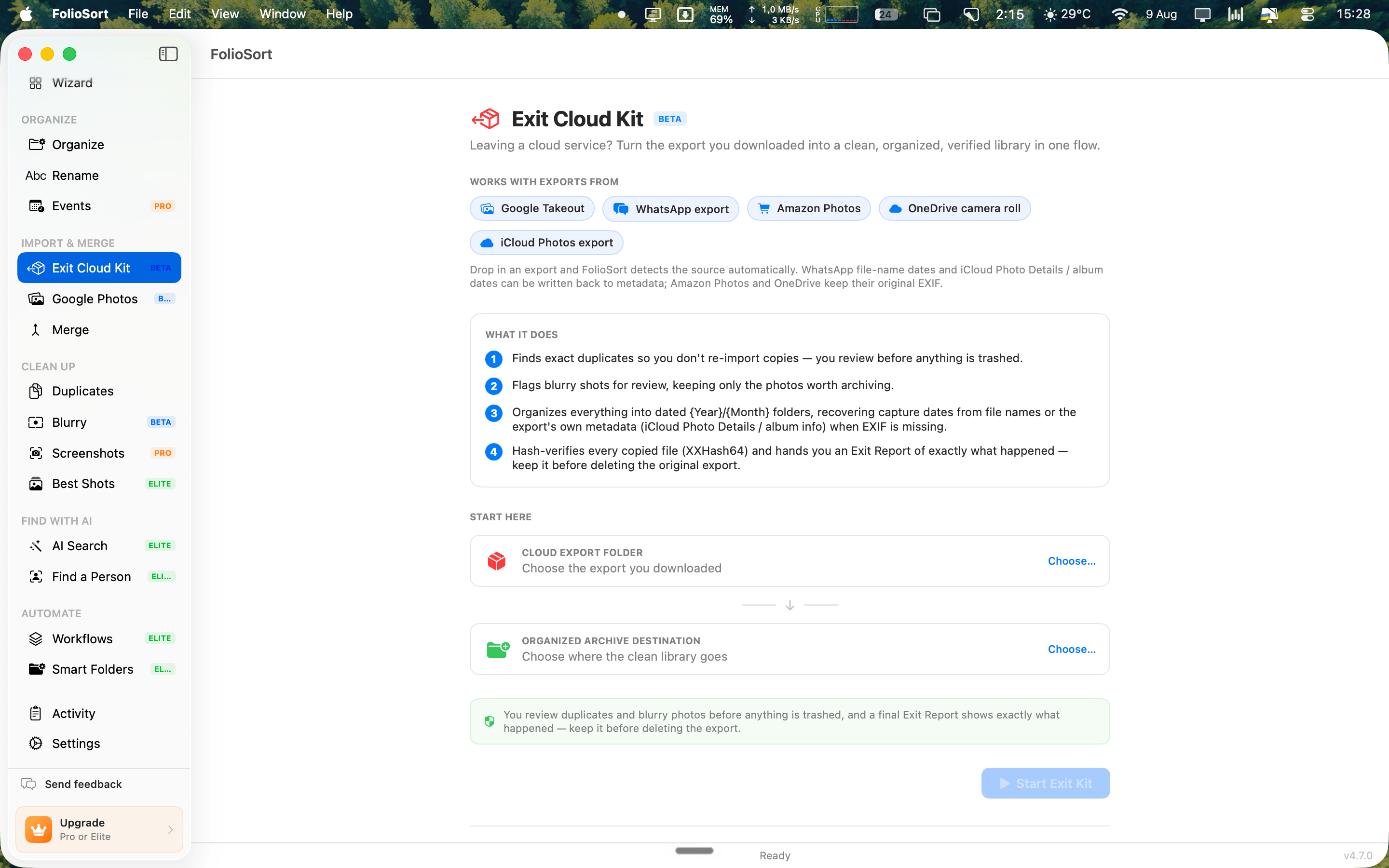
Exit Kit
Google Takeout, WhatsApp, iCloud, Amazon Photos, OneDrive — FolioSort recognizes the export you downloaded, restores lost dates, clears the duplicates and blurry shots you approve, organizes everything into dated folders, and hands you an Exit Report that proves the archive is complete. All on your computer.
You did the hard part — you asked for your photos back. What lands on your drive is a mess unique to each
service: Google Takeout scatters dates into .json sidecars, WhatsApp strips EXIF so everything
looks like it was taken today, iCloud and Amazon and OneDrive each have their own quirks. Duplicates pile up
across archives, blurry throwaways sit next to keepers, and there's no clean structure.
So the export sits on a drive for a year, and you keep paying the cloud bill because deleting it feels like gambling with your memories.
Point FolioSort at what you downloaded and it walks a single, reversible path: Import → Clean → Organize → Verify. It auto-detects the export type, recovers the dates that service hid or stripped, lets you clear duplicates and blurry shots after you approve them, and rebuilds one clean, dated library.
Then it verifies every moved file with a checksum and produces an exportable Exit Report — files, recovered dates, duplicates removed, bytes. Keep the report, confirm the archive is whole, and cancel the subscription with confidence. Everything runs locally; nothing is uploaded.
And if Google keeps sending you exports on a schedule, Takeout Auto-Sync merges each new delivery into the same library — skipping everything you already have.
How it works
FolioSort auto-detects Google Takeout, WhatsApp, iCloud, Amazon Photos and OneDrive exports, and reads the metadata each one carries.
Exact duplicates and blurry shots are flagged — you review before anything is removed, and every step is undoable.
Rebuild one clean library sorted into dated folders (2019/04/…), with NAS presets available for Synology or Immich.
Every moved file is hash-checked, and a final Exit Report lists files, recovered dates, duplicates removed and bytes — exportable. Keep it before deleting the export.
Auto-detected exports
iCloud exports
An iCloud export hands you folders of JPEGs and, off to the side, a CSV and a pile of
AlbumInfo.json files holding everything you spent years doing: which album each photo was filed
under, which ones you hearted, the original capture dates. Open the export in anything else and all of that
is gone — it never made it into the files.
Albums become keywords. The album a photo was filed under is written as an
XMP:Subject keyword, so Lightroom, Bridge, Capture One and digiKam can filter by it — and the
{Album} token can file it into a folder of that name at the same time.
Favourites become stars. A hearted photo comes out with a five-star rating. A photo you never hearted is left strictly alone — no rating tag is written at all, so stars you set in Lightroom years ago are never overwritten with a zero.
It is one checkbox, off by default, because writing metadata into your files is the one step here that
cannot be undone. Run it twice and the keyword does not stack; file dates survive; no _original
copies are left beside your photos.
Why it's safe
Scanning your export, reviewing the cleanup, and generating the Exit Report are all free — you can see exactly what FolioSort will do before you decide anything. The free version organizes the first 100 files per run; Pro removes the limit for a one-time payment, with no subscription and no account.
The Exit Kit works with every major export — but if you know where your photos are coming from, start with the guide built for it.
Years of photos all dated today? Recover the real dates straight from the file names.
Leave WhatsApp → LeavingThe full Takeout walkthrough: restore .json dates and rebuild a clean library.
Land your archive on Synology Photos or Immich with a NAS-ready folder layout.
NAS guide →FAQ
FolioSort auto-detects Google Takeout, WhatsApp, iCloud, Amazon Photos and OneDrive exports. Point it at the folder you downloaded and it recognizes the export type and the metadata that comes with it — no manual configuration.
Never. The Clean step flags exact duplicates and blurry shots, but you review and confirm before anything is removed — and every step is undoable. Removed files go to the Trash or Recycle Bin, not oblivion.
After the Verify step, FolioSort produces an exportable Exit Report listing the files processed, dates recovered, duplicates removed and total bytes. Keep it as proof your archive is complete before you delete the original cloud export.
No. The Exit Kit runs 100% on your Mac or PC. There are no accounts and nothing is uploaded — you're leaving a cloud, not moving to another one.
The whole Exit Kit runs free — scanning your export, reviewing the cleanup, and generating the Exit Report. The free version organizes the first 100 files per run; Pro removes that limit for a one-time payment, with no subscription or account.
Download FolioSort, point the Exit Kit at your cloud export, and get one clean, verified library — with a report that proves it's all there before you delete a thing.