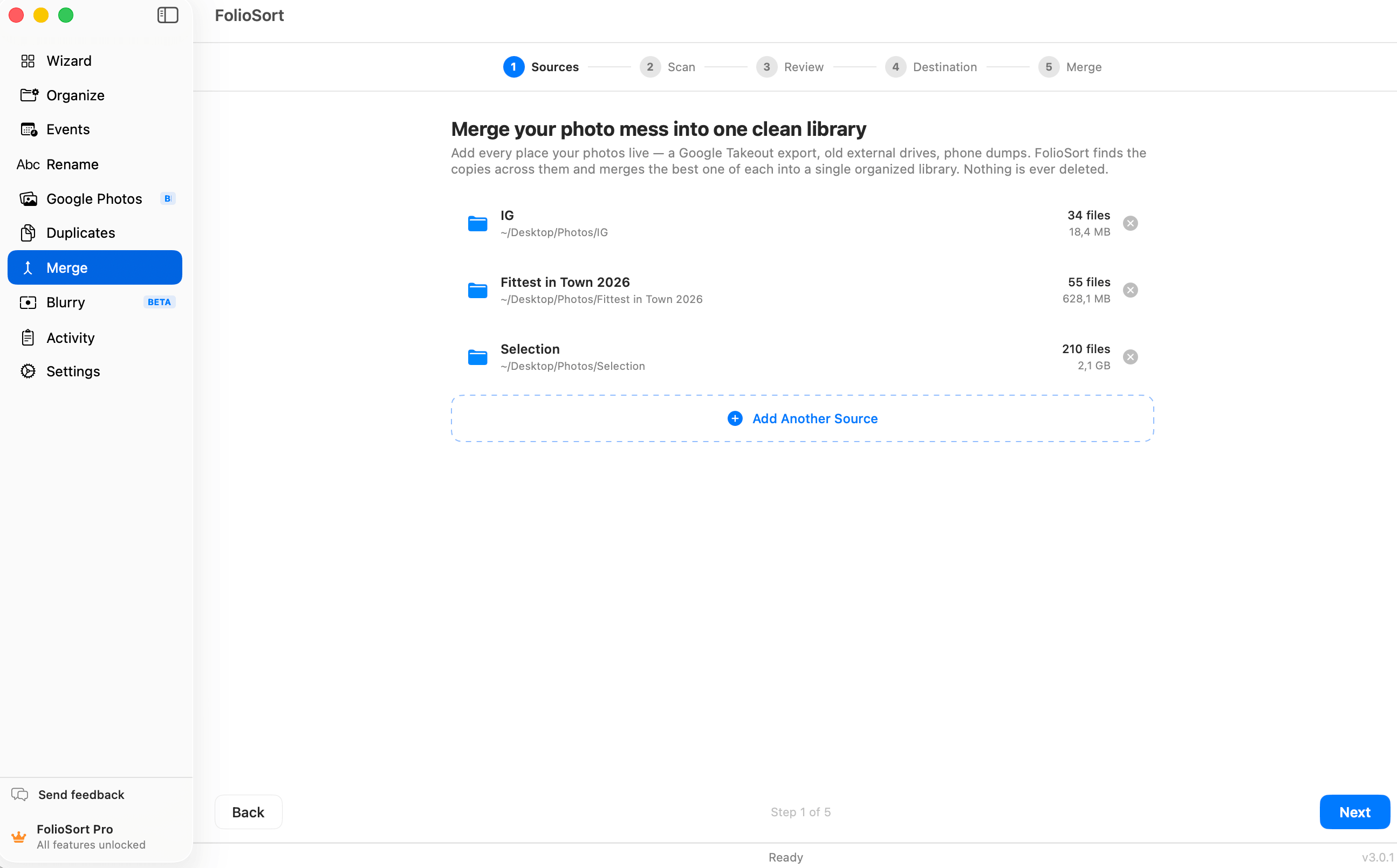
Merge Sources
For anyone whose photos are scattered across an old laptop, two external drives, a Google Takeout export and a "Photos_FINAL_v2" folder — FolioSort merges them into one library, keeps the best copy of each shot, and leaves your originals untouched.
A typical library has been copied, backed up, half-imported and re-exported so many times that nobody knows which folder is the "real" one. You're afraid to delete any of them, so they all sit there — three drives, four folders, the same wedding in all of them, and no way to tell what's unique.
The usual fixes make it worse. Dragging folders together in Finder just stacks duplicates. Cloud services want a subscription and your originals. Lightroom builds a catalog but won't physically consolidate files, or tell you which copy is the good one. So the merge never happens — and the mess grows another drive every year.
Merge Sources is a guided wizard that takes any number of source folders — drives, exports, that one chaotic Desktop folder — and merges them into a single destination library. It identifies which files are the same photo, keeps the best version of each, and copies everything into one clean, de-duplicated archive.
It decides "best copy" with a deterministic rule set you can trust: a RAW beats a JPEG, higher resolution beats lower, larger beats smaller, an original beats an "-edited" copy, and an older capture date breaks ties. You see every decision before anything moves — and can override any of them.
Crucially, the merge deletes nothing. Files it considers redundant are skipped — left exactly where they are — until you explicitly decide otherwise.
How it works
Point FolioSort at as many folders or drives as you want — internal, external, or a Google Takeout export.
FolioSort finds exact byte-for-byte copies, visually similar near-duplicates, and blurry shots across every source at once.
Three clear sections — Exact copies, Similar photos (with a match %), and Blurry photos — each with a suggested keeper. Accept the suggestions, pick differently, or hit Keep All to merge every file untouched.
FolioSort copies the keepers into your destination library, perfectly organized, and writes a full report.
One click can move the now-redundant exact duplicates still sitting in your sources to the Trash — opt-in, confirmed, and undoable.
Why it's safe
I had the same 12 years of photos on a MacBook, a Time Machine drive, and an old Google Takeout I was scared to delete. FolioSort merged all three into one folder on my NAS in an afternoon, kept the RAWs over the JPEGs automatically, and didn't touch the originals until I told it to. I finally have one library.
FolioSort doesn't just sort your photos — it cleans them up. Merge brings every scattered copy together; Duplicates removes the copies merging exposes; Blurry clears the shots you'd never keep.
Collapse every scattered copy of your library into one clean, de-duplicated archive.
This pageFind exact and visually similar copies — even resized and re-edited ones — and reclaim the space.
Explore Duplicates → ThenScore every shot for sharpness, surface the blurriest first, and clear the throwaways.
Explore Blurry →FAQ
No. Merge Sources is non-destructive by default. In copy mode every source file stays exactly where it is — redundant files are skipped in place, not deleted. After a clean merge you can optionally, with one confirmed and undoable click, move the now-redundant exact duplicates to the Recycle Bin or Trash.
With a deterministic rule set you can see and override: a RAW file beats a JPEG, higher resolution beats lower, a larger file beats a smaller one, an original beats an "-edited" copy, and an older capture date breaks ties. You approve every keeper before anything moves.
Unlimited. Point FolioSort at as many folders or drives as you want — internal disks, external drives, NAS shares, or a Google Takeout export — and it merges them all in a single pass.
Yes. Every copied file is hash-checked so nothing is silently corrupted in transit, and the whole operation is undoable. FolioSort also writes a full text report of every keep and skip decision.
One click. The Review step has a Keep All button next to Accept All Suggestions: it rejects every suggestion and merges every file — duplicates, similar shots and blurry photos included — into the destination. Nothing is skipped and nothing is deleted.
Free to try — the free tier processes up to 100 files per batch. Pro removes the limit for a one-time €19.99, with a 14-day money-back guarantee. No subscription, no account.
Point FolioSort at your scattered drives and folders, and bring every copy of your photos into one clean archive — with your originals safe the whole way.