Press kit

FolioSort press & media kit

Everything you need to cover FolioSort: fact sheet, story angles, press release, high-resolution screenshots and logos. Free to use in any article, video or review — no permission needed.

Boilerplate

About FolioSort

Short (≈45 words): FolioSort is a native macOS and Windows app that organizes decades of photos and videos into clean, dated folders using their EXIF metadata — and repairs the broken dates Google Photos Takeout leaves behind. Everything runs on-device: no cloud, no account, no subscription.

Long: FolioSort reads the metadata inside each photo, video and RAW file — capture date, camera, GPS location — and sorts entire libraries into any folder structure the user chooses, with checksum-verified copies and full undo. It fixes the capture dates that Google Takeout strips into JSON sidecar files, merges scattered collections without duplicates, batch renames, and flags duplicate, blurry and screenshot junk. Its Elite tier adds 100% on-device AI: search photos in plain language, find text inside images, find every photo of a person, and automate it all with workflows and watch folders. FolioSort is built in Lisbon, Portugal by indie developer Tiago Trindade, and sold as a one-time purchase with a free tier.

Fact sheet

The facts, ready to paste

NameFolioSort (one word, capital F and S)
What it isOn-device photo & video organizer: EXIF-based sorting, Google Takeout date repair, de-duplication, batch rename, local AI photo search
DeveloperTiago Trindade, indie developer — Lisbon, Portugal
PlatformsmacOS 14 (Sonoma) or later — Apple Silicon & Intel
Windows 10 (1809) or later — 64-bit
Current version4.1.0 (see the changelog for the latest)
PricingFree tier (every feature, 100 files per operation)
Pro — €19.99 one-time, 1 computer
Elite — €29.99 one-time launch price (regularly €49.99), adds all on-device AI, automation, 3 devices
No subscription, ever.
Privacy100% local processing, including all AI, face and OCR search. No account, no cloud upload. Only telemetry: anonymous, EU-hosted install counts (Aptabase)
Distributionfoliosort.app/download (macOS DMG, Windows ZIP) · Microsoft Store
LanguagesEnglish, French, Spanish
Press contacthello@foliosort.app — review licenses, demo material and interviews available on request

Story angles

Three ways to tell this story

Consumer pain

Google Takeout quietly breaks your photo dates

When people export their library with Google Takeout, the real capture dates are stripped into JSON sidecar files — thousands of photos arrive "taken today", and most people never find out why. FolioSort merges the dates back into the files. We can provide a sample broken Takeout archive so you can demo the before/after without exporting your own library.

Local-first AI

Google-grade photo search, without the cloud

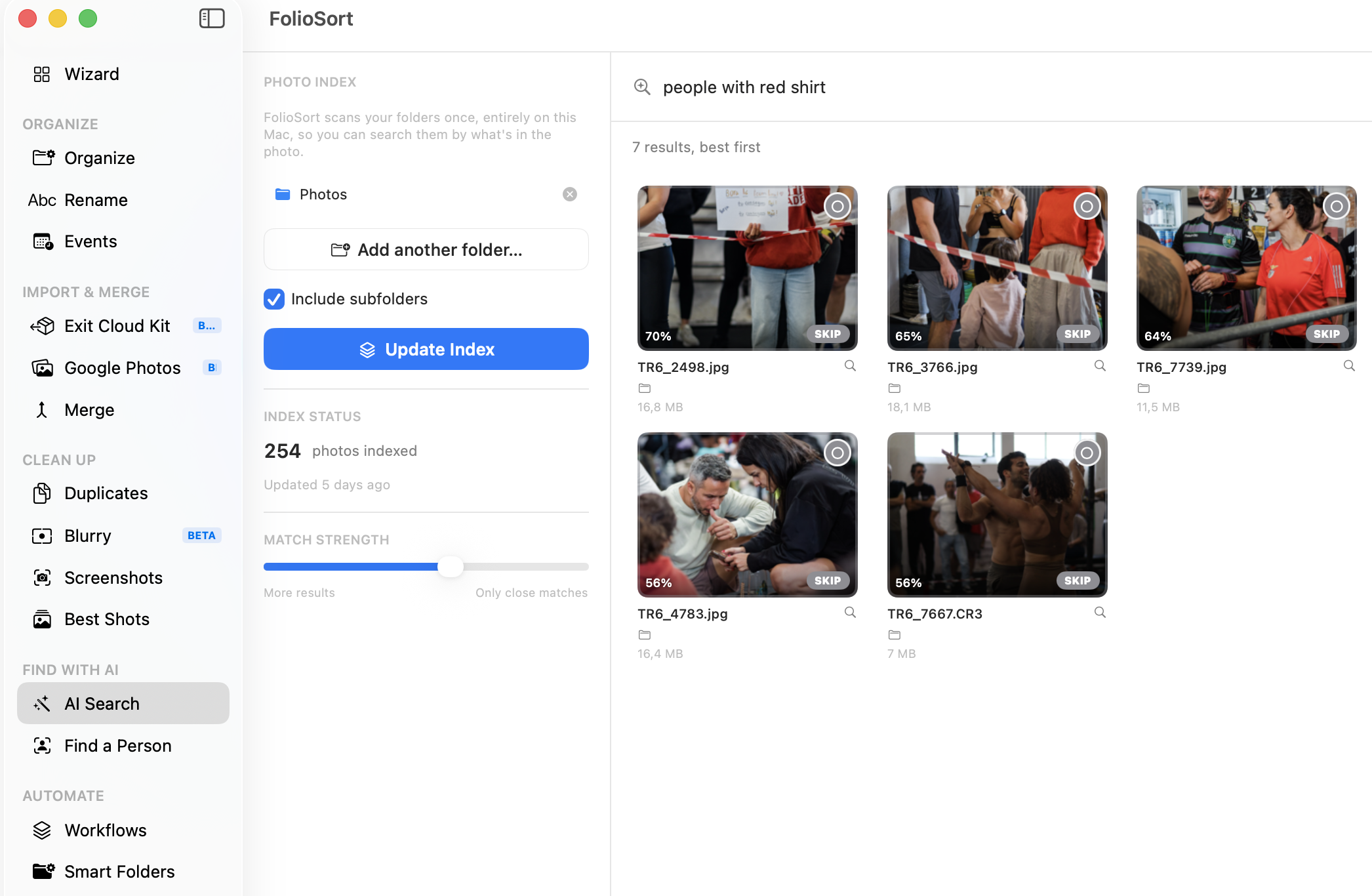
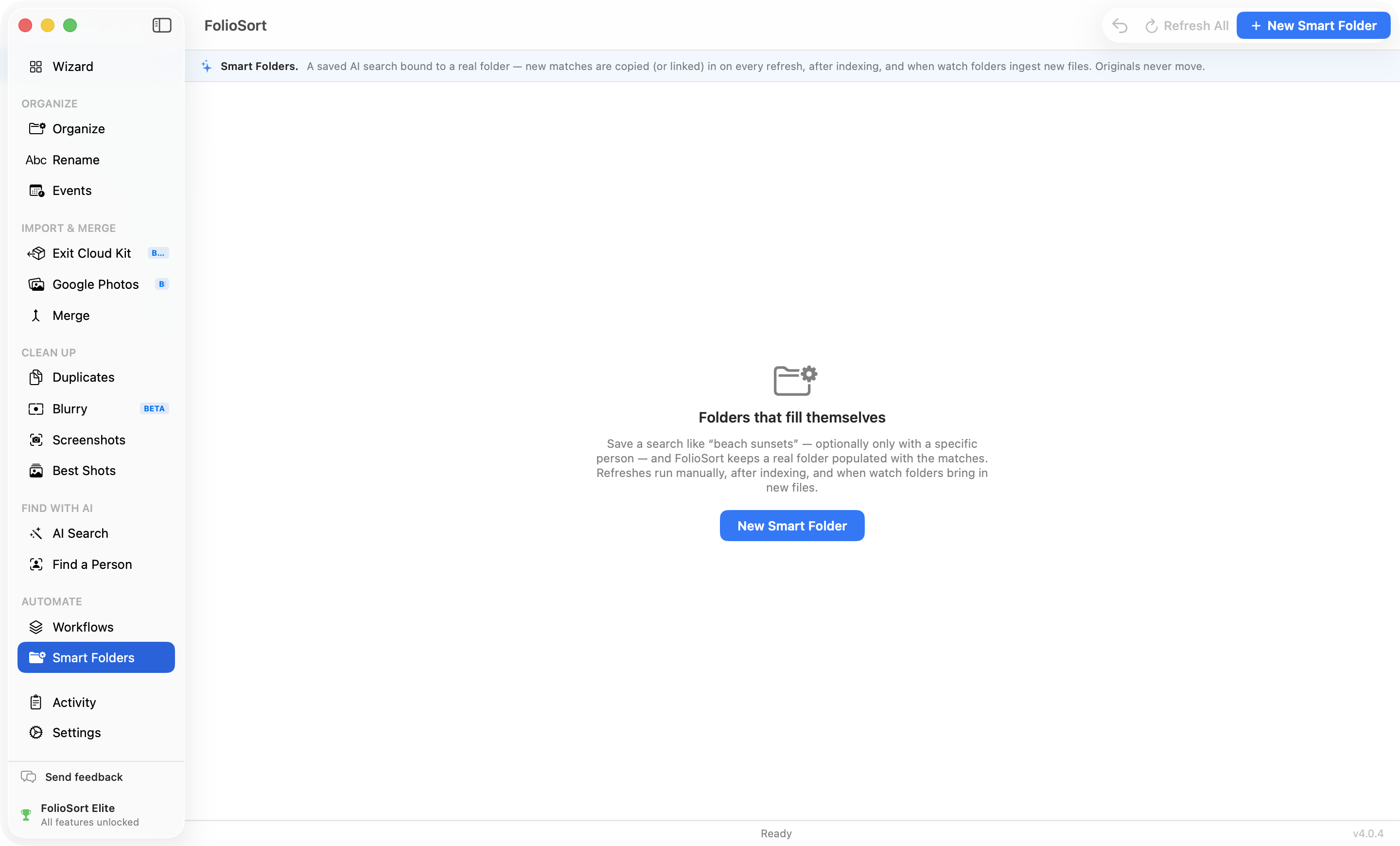
The reason most people stay on Google Photos isn't storage — it's search. FolioSort runs semantic search, face search and text-in-photo OCR entirely on-device (Apple Neural Engine on Mac, local ONNX on Windows). Type "beach sunset", get the photo — and nothing ever leaves the machine.

Indie / anti-subscription

"File over app" applied to 20 years of photos

Instead of another library database, FolioSort leaves you with plain, portable, dated folders you own — organized by a one-time-purchase indie app with a free tier, built by a solo developer in Lisbon. The Excire-class competitors charge $149–189 for less.

Press release

Ready-to-run announcement

FOR IMMEDIATE RELEASE

FolioSort brings Google-grade photo search and organization fully on-device — no cloud, no subscription

The indie Mac & Windows app organizes decades of photos into dated folders, repairs the dates Google Takeout breaks, and now searches photos in plain language without uploading a single file.

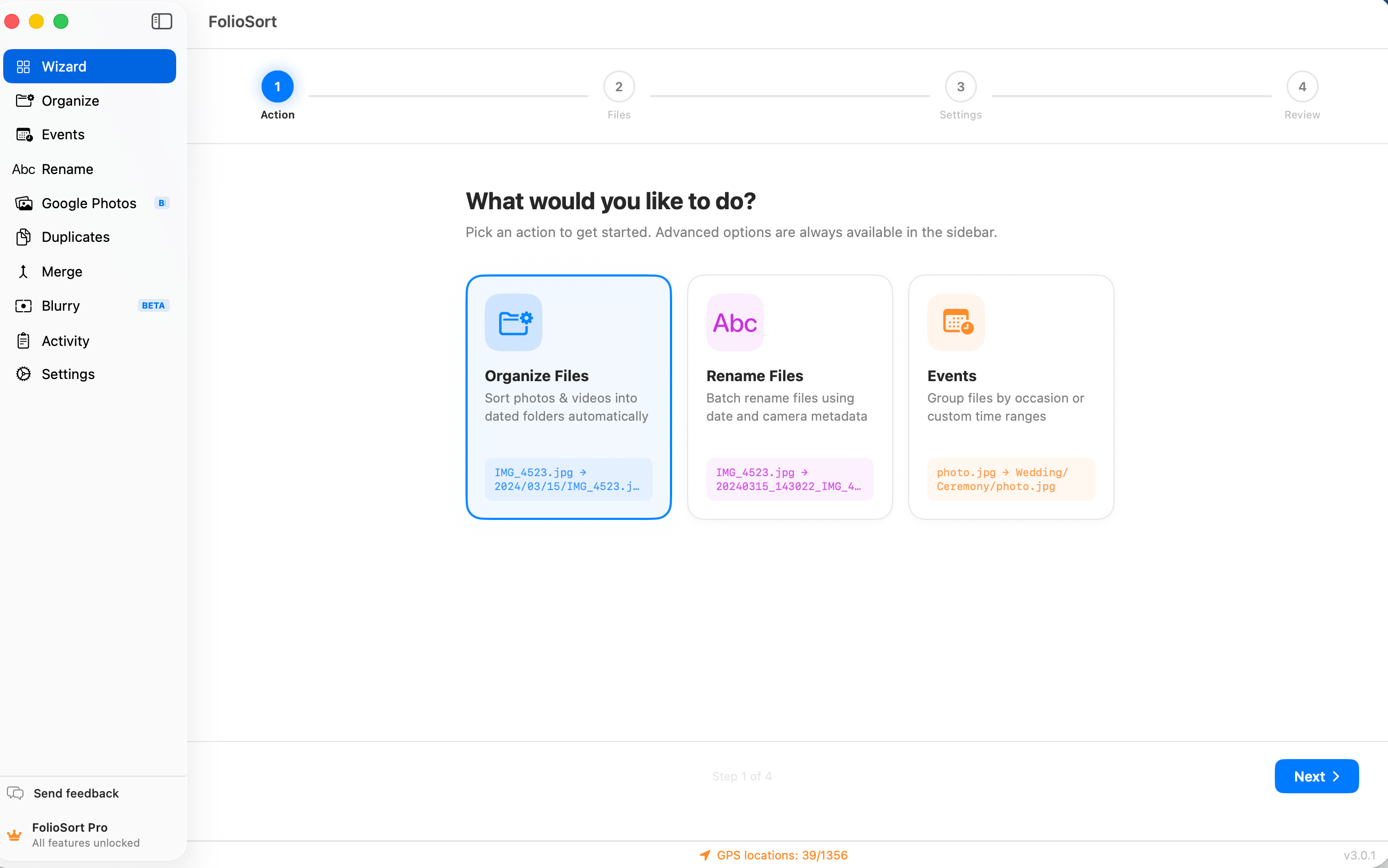
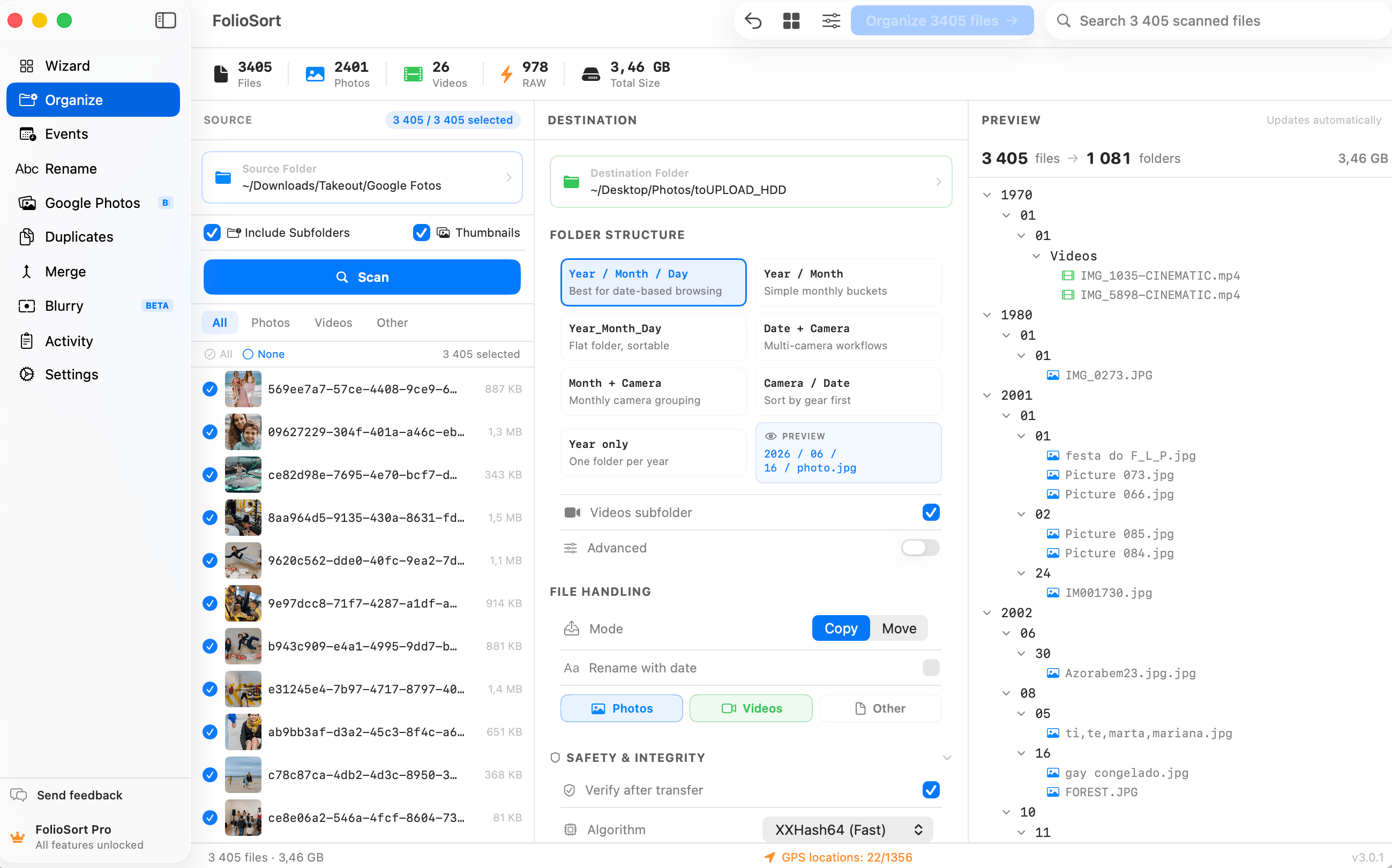
LISBON, Portugal — Indie developer Tiago Trindade today announced FolioSort 4, the latest release of the on-device photo organizer for macOS and Windows. FolioSort turns years of scattered photos — SD cards, old drives, phone backups, Google Takeout archives — into clean, dated folders the user owns, organized by the metadata inside each file.

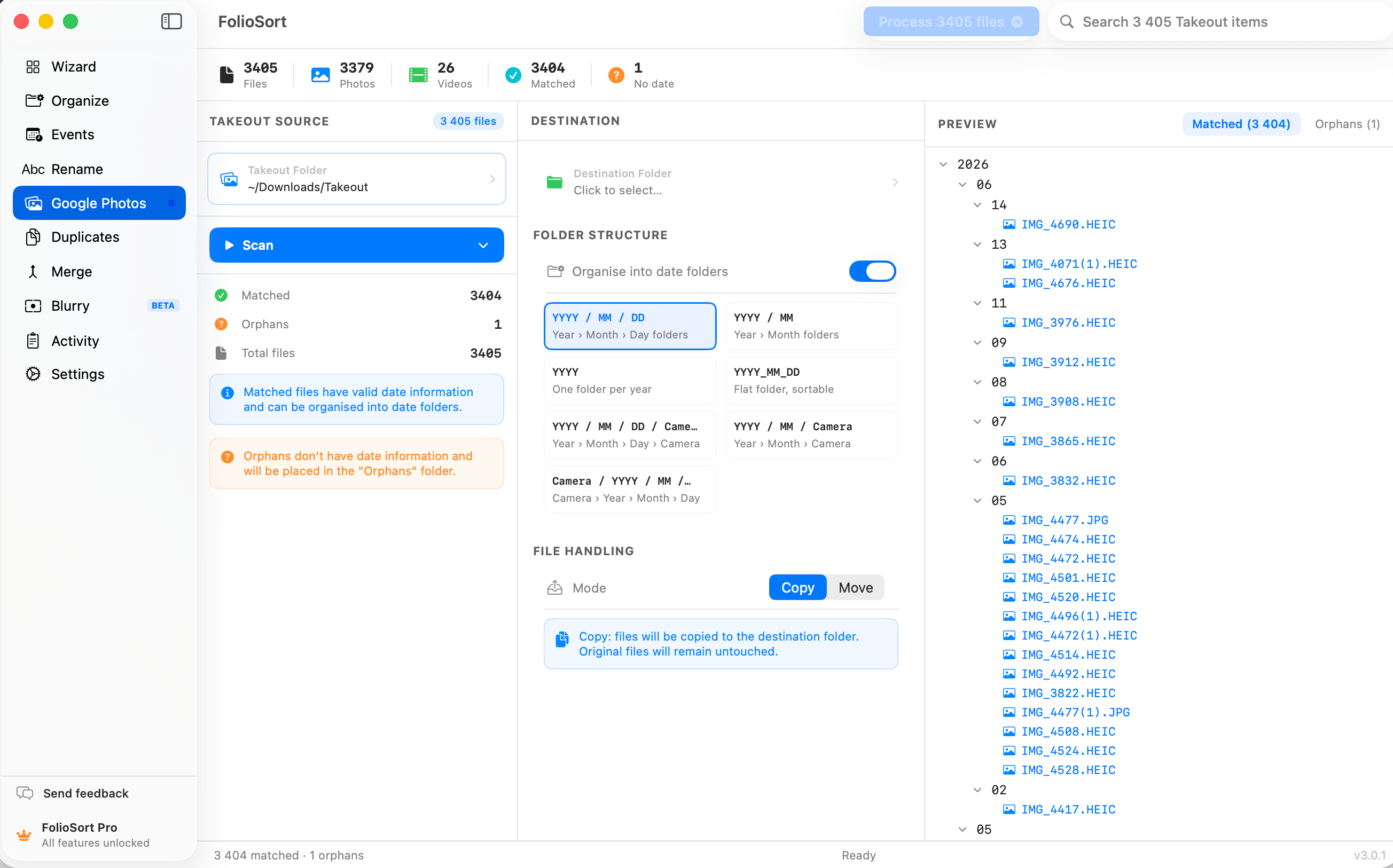
FolioSort's signature fix addresses a problem millions hit when leaving Google Photos: Takeout exports strip the real capture dates into JSON sidecar files, so entire libraries arrive "taken today". FolioSort merges that metadata back into the photos and sorts everything by the true date, camera and GPS location — with checksum-verified transfers and full undo.

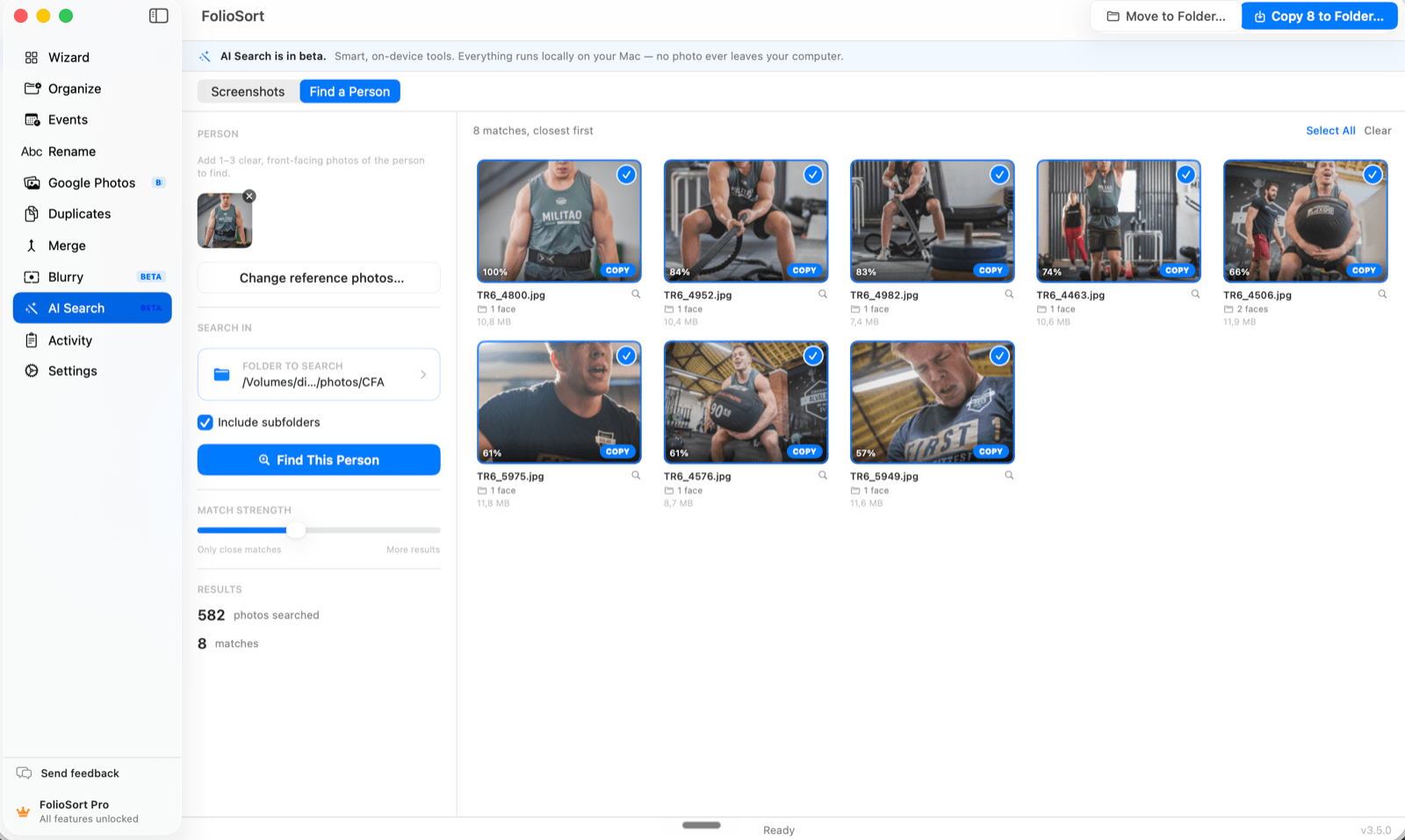
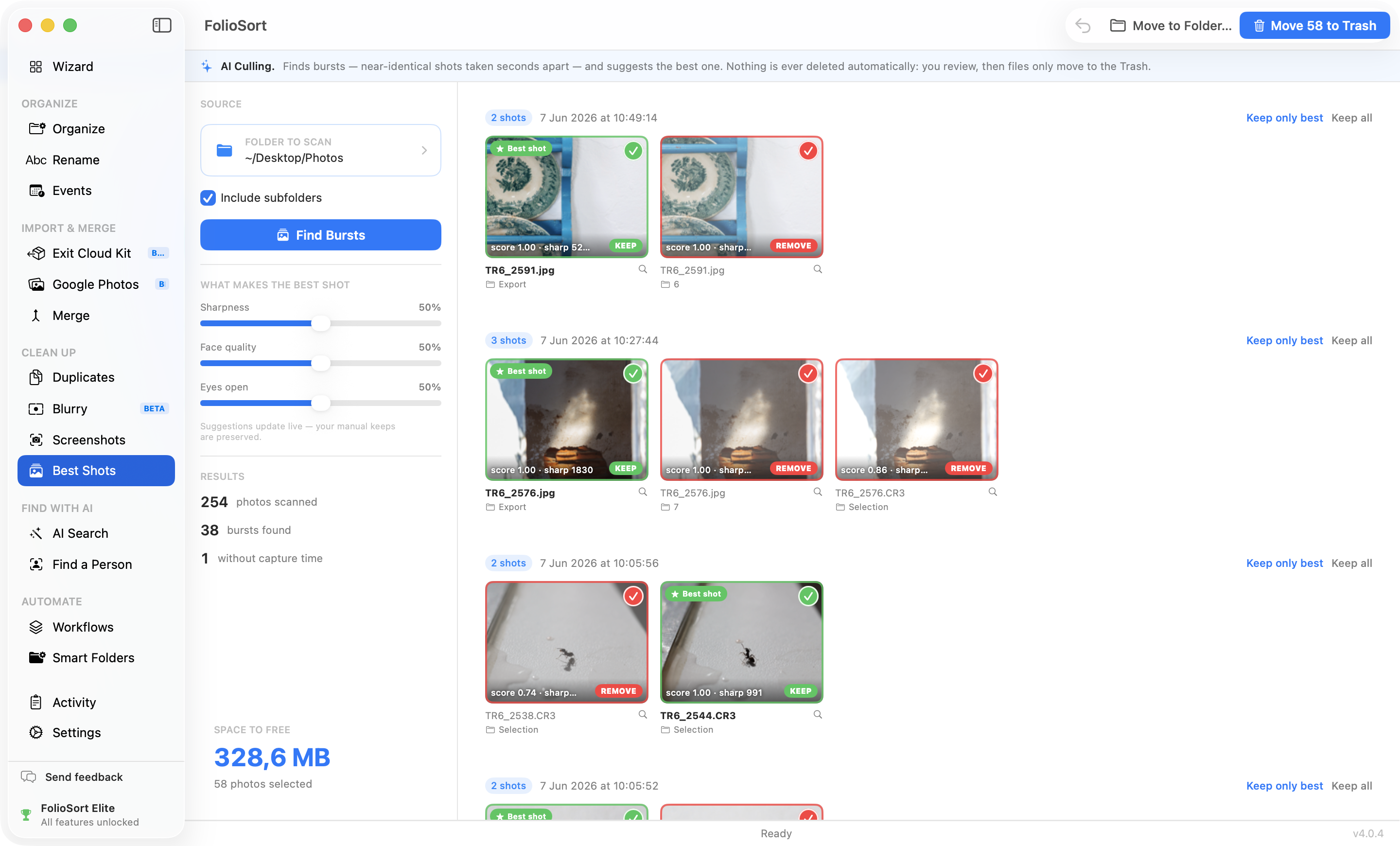
With version 4, FolioSort adds a complete on-device AI layer: search photos by describing them in plain language, find the text inside screenshots and documents, find every photo of a person, group shots into automatic events, and pick the best frame of a burst — all running locally on the Apple Neural Engine or Windows ONNX runtime, with no account and no cloud upload.

"The reason people stay locked into cloud photo services isn't storage — it's search. I wanted to prove you can have that same magic on your own machine, on your own folders, with photos that never leave your computer." — Tiago Trindade, developer of FolioSort

FolioSort is available today for macOS 14+ and Windows 10+ at foliosort.app and on the Microsoft Store. The free tier includes every feature with per-operation limits; Pro is a €19.99 one-time purchase, and the Elite tier with all AI features is €29.99 at launch. There is no subscription.

Press contact: hello@foliosort.app — review licenses, high-res screenshots and a sample broken Takeout archive available on request.
Press FAQ

Questions journalists ask

What exactly does Google Takeout do to photo dates?

Google Photos stores each photo's real capture date in its database, not always in the file. When you export with Takeout, that date often ships in a separate .json sidecar file instead of the photo's EXIF — so file managers and photo apps read the export date, and thousands of photos appear "taken today". FolioSort reads the sidecars and writes the real capture date (and GPS) back into each file's EXIF. This repair is part of the free tier and runs entirely offline. We can provide a sample broken Takeout archive for a hands-on demo.

Does anything leave the user's computer?

No. All processing — organizing, de-duplication, and every AI feature including semantic search, face search and OCR — runs locally (Apple Neural Engine on macOS, ONNX runtime on Windows). There is no account and no cloud upload. The only telemetry is anonymous install/usage counts via Aptabase, hosted in the EU, with zero personal data.

Can photos be lost during organizing?

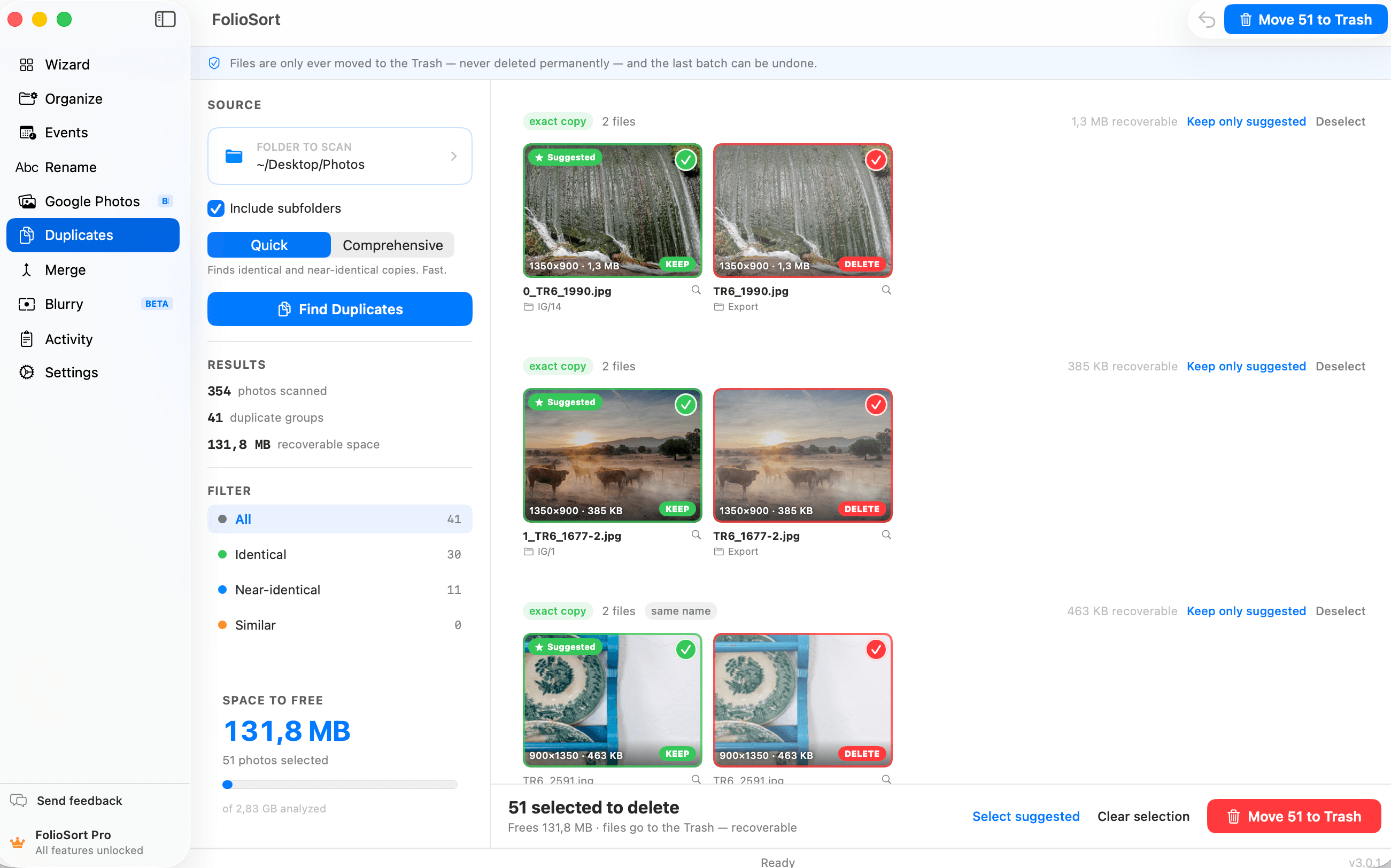
Every copy and move is checksum-verified before the source is touched, and every operation is undoable. Cleanup features (duplicates, blurry, screenshots) send files to the system Trash, never delete directly.

How does it compare to Lightroom, PhotoMove or Excire?

Lightroom manages a catalog for editing; FolioSort organizes the actual files and folders (and slots in before Lightroom). PhotoMove does date-based moving on Windows only, without GPS, renaming or verification. Excire Foto is the closest competitor on AI search at $149–189; FolioSort's Elite tier covers that ground for €29.99 as a one-time purchase.

What's the business model?

Freemium with one-time purchases — no subscription. Free covers every feature with a 100-files-per-operation limit. Pro (€19.99) unlocks unlimited organizing on one computer. Elite (€29.99 launch price) adds the on-device AI suite, automation, and use on three devices.

Who is behind FolioSort?

FolioSort is built by Tiago Trindade, a solo indie developer based in Lisbon, Portugal. Interviews and technical walkthroughs (e.g. exactly what Takeout does to files, or how the on-device AI pipeline works) are available — write to hello@foliosort.app.

Can we get a license to review the app?

Yes — lifetime review licenses are available to journalists, YouTubers and bloggers, no strings attached. Ask at hello@foliosort.app and you'll have a key the same day, plus demo material: sample Takeout archive, screen recordings, or anything else useful.

Can we use these screenshots and logos?

Yes. Everything on this page and in the kit ZIP may be used freely in articles, videos and reviews. Attribution to foliosort.app is appreciated but not required. Please don't alter the logo or use it to imply endorsement.

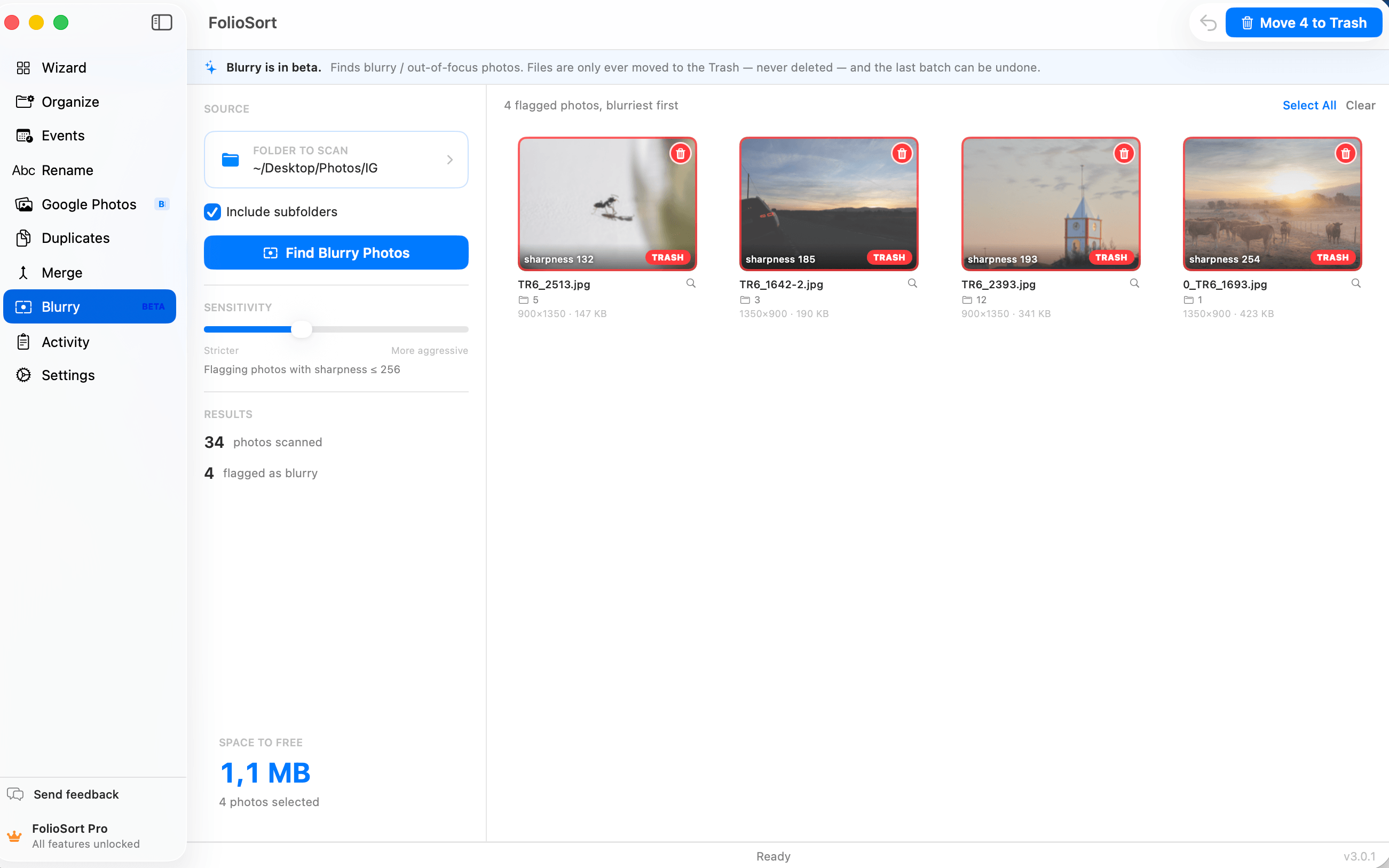
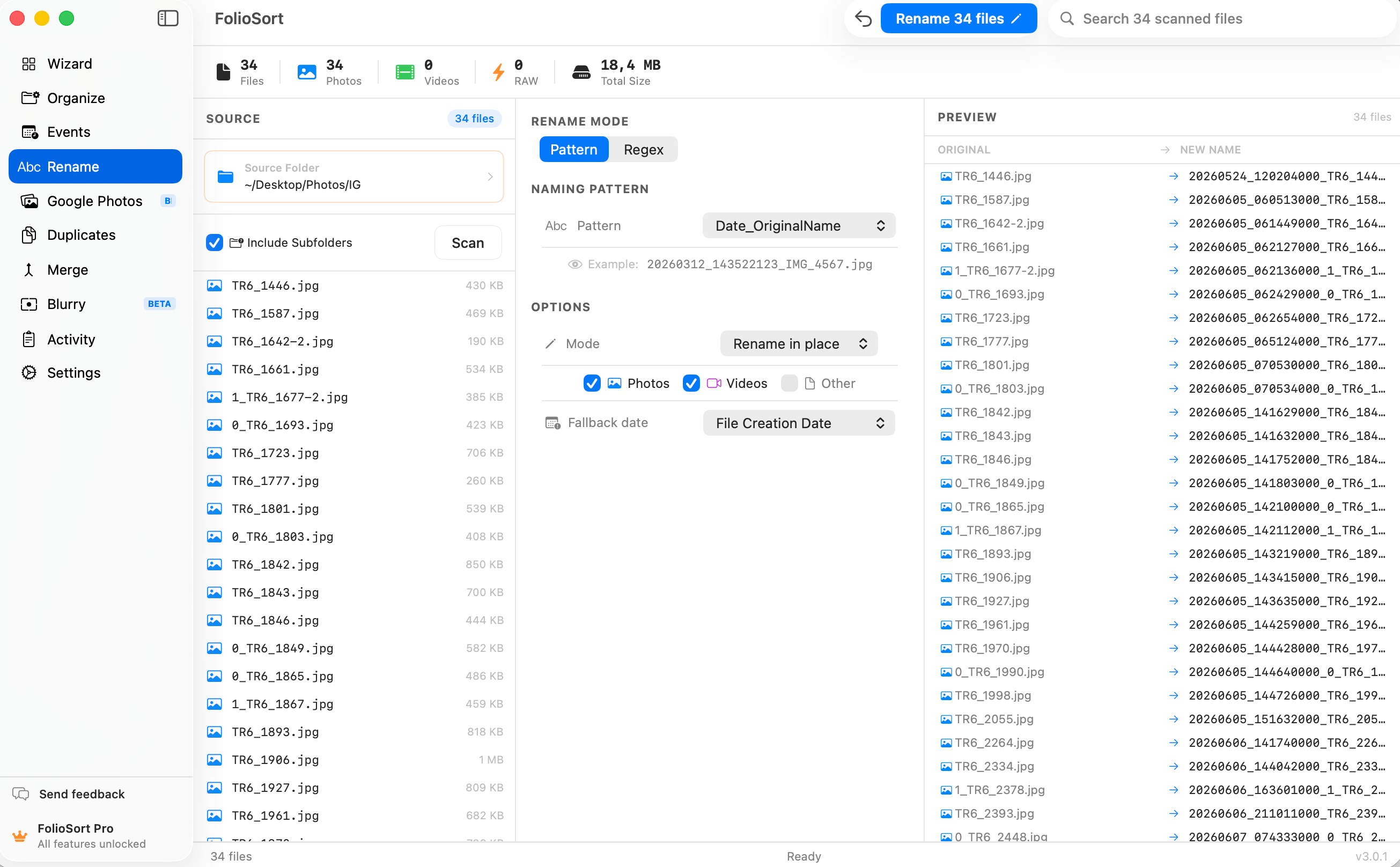
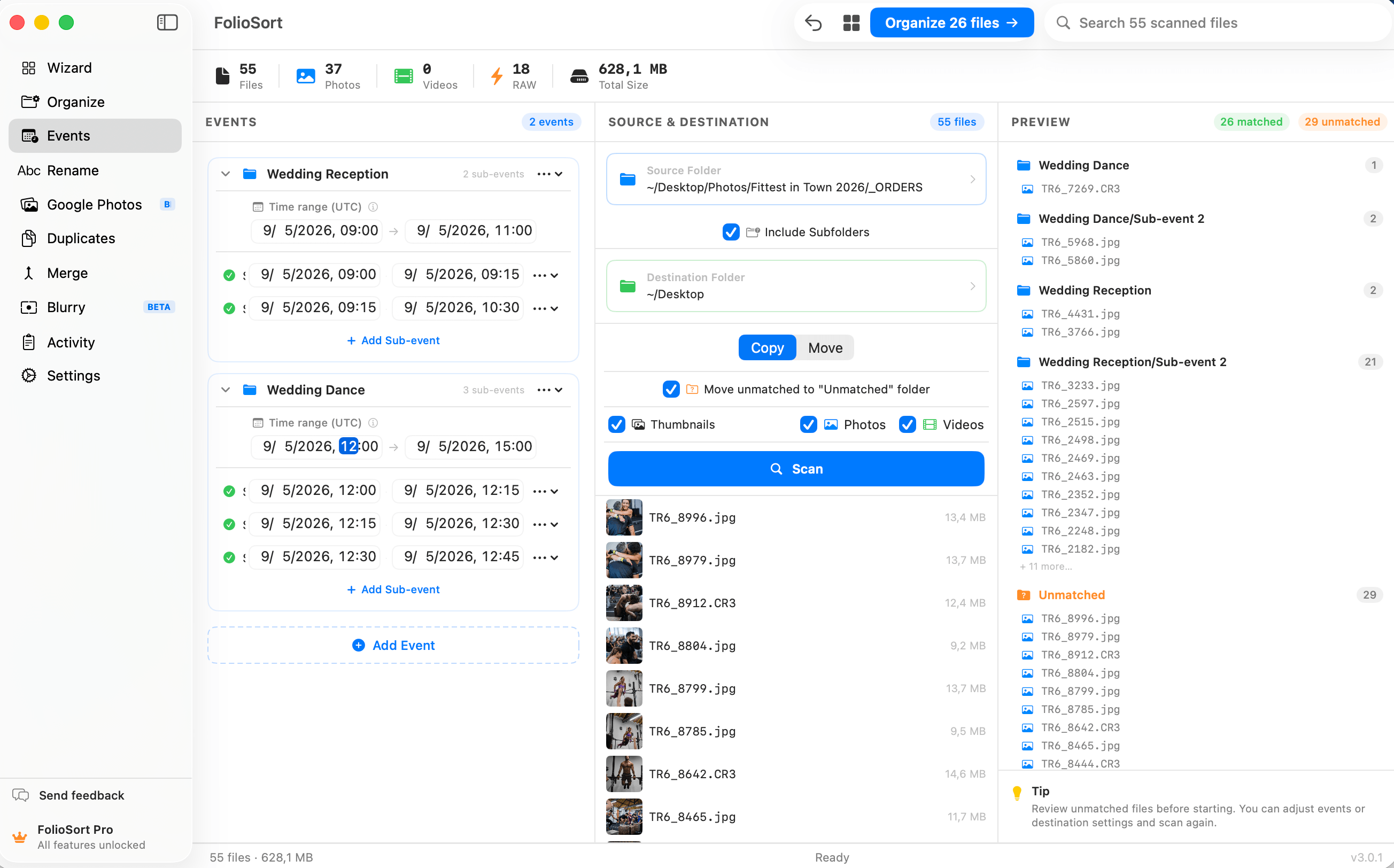
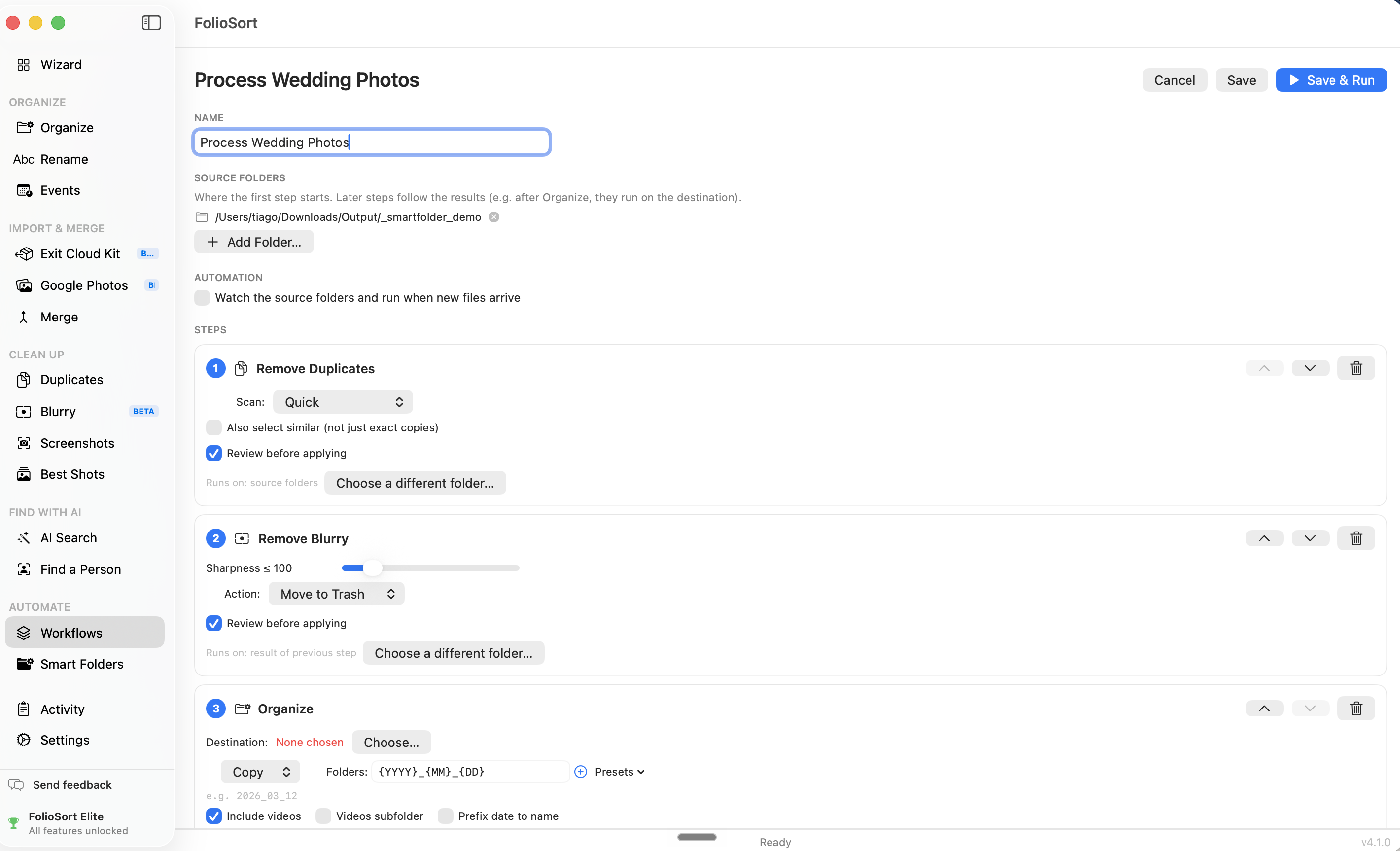
Screenshots

High-resolution screenshots

All 2598 × 1620 PNG. Click any image for the full-resolution file, or download everything as a ZIP.

Brand

Logos

Write the name as FolioSort — one word, capital F and S. Please don't stretch, recolor or add effects to the logo.