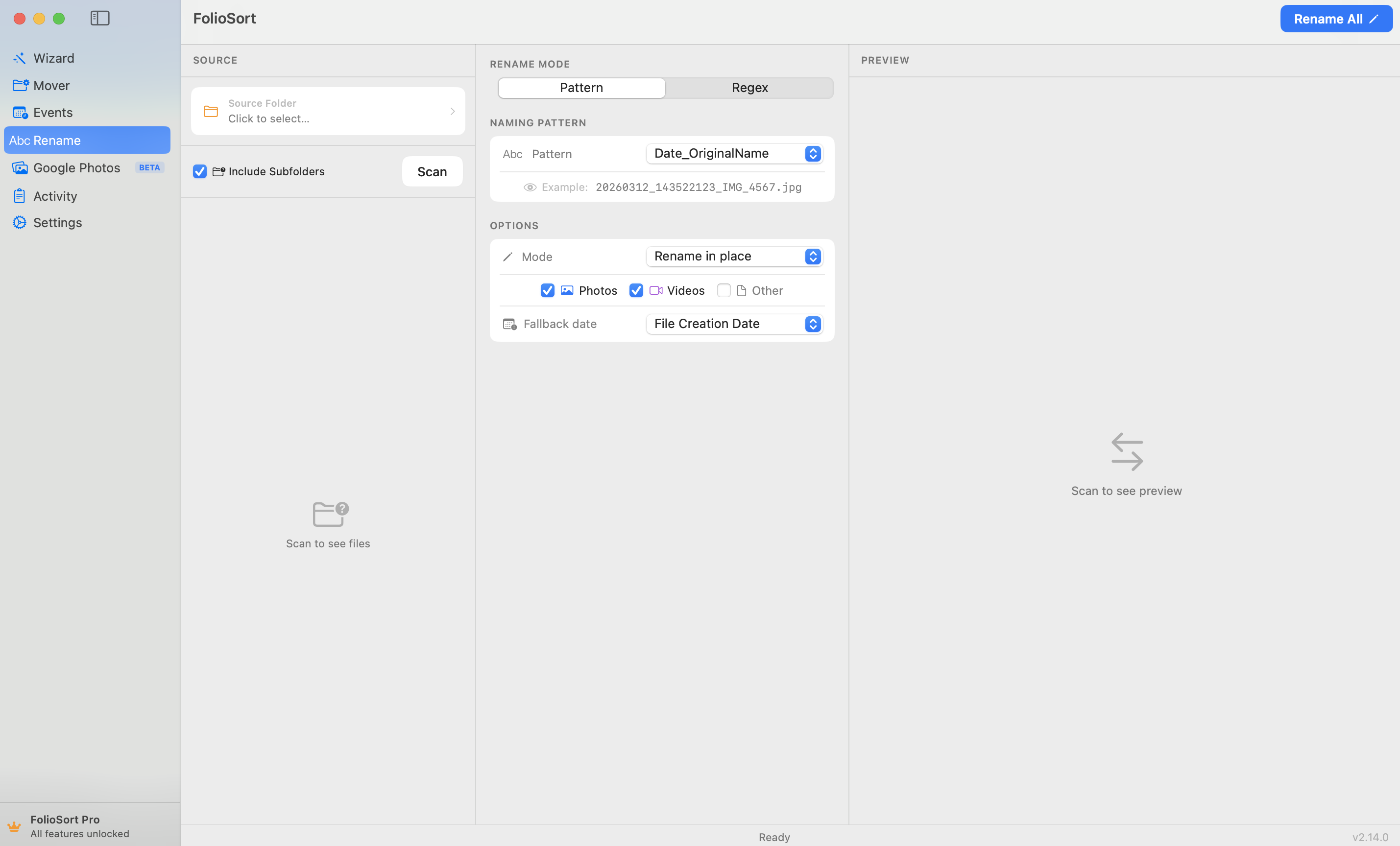
The Rename module
The Rename module reads the EXIF metadata inside every file and renames it exactly as you specify. Use simple tokens, write regex patterns with capture groups, or pick from 7 pre-built naming strategies. A live preview shows every result before a single file is touched.
IMG_0001 tells you nothing about the photo.Every camera and phone spits out the same meaningless names — IMG_4523.jpg, DSC00218,
PXL_20260503 — so a folder of a thousand photos is a wall of numbers you can't search, sort or
skim. Rename them by hand and it's an evening lost; get one wrong and there's no going back.
Yet each file already knows exactly when and how it was taken. That information sits unread inside the EXIF, waiting to become a filename that actually means something.
The Rename module reads the EXIF from every file and builds the filename you define:
the capture date, camera tokens like {Camera} or {Lens}, an auto-incrementing counter,
a prefix or suffix. Three engines, your pick: seven fixed presets for the common jobs, a
free-text token field when none of them is quite your naming convention, or a full
regex with capture groups. Watch the live preview, run it.
It handles 91 formats — JPEG, HEIC, video and 45 RAW and cinema types — updates a live match count as you type, and every batch is fully undoable. Thousands of files renamed while you finish your coffee.
How it works
Choose the folder, drive or SD card to rename — mix cameras, phones and formats freely.
One of seven presets, your own token template typed out in full, or a regex with capture groups. Save the settings under a name and the next job is one click.
See the before → after for every file and a live match count. Nothing renames until you're happy.
Run it in place, or copy-rename to a new destination and leave originals untouched. Full undo, one click.
What it does
2026-05-03_143022.jpg or 2026-05_wedding.jpg. Custom separators, time precision and date ordering.{Camera}, {Lens}, {ISO}, {Aperture} and {ShutterSpeed} in patterns — ideal for identifying the body on multi-camera shoots.$1, $2 references. Turn IMG_4523.jpg into 4523_holiday.jpg. Back-reference validation catches bad groups first.holiday_001.jpg, holiday_002.jpg. Control start number, padding width and step; reset per folder or run continuously.{YYYY}-{MM}-{DD}_{Camera}_{Counter:3} — using the same 28 tokens the folder templates use, with the same live preview. The engine could always do this; now there is a field for it.Preview first
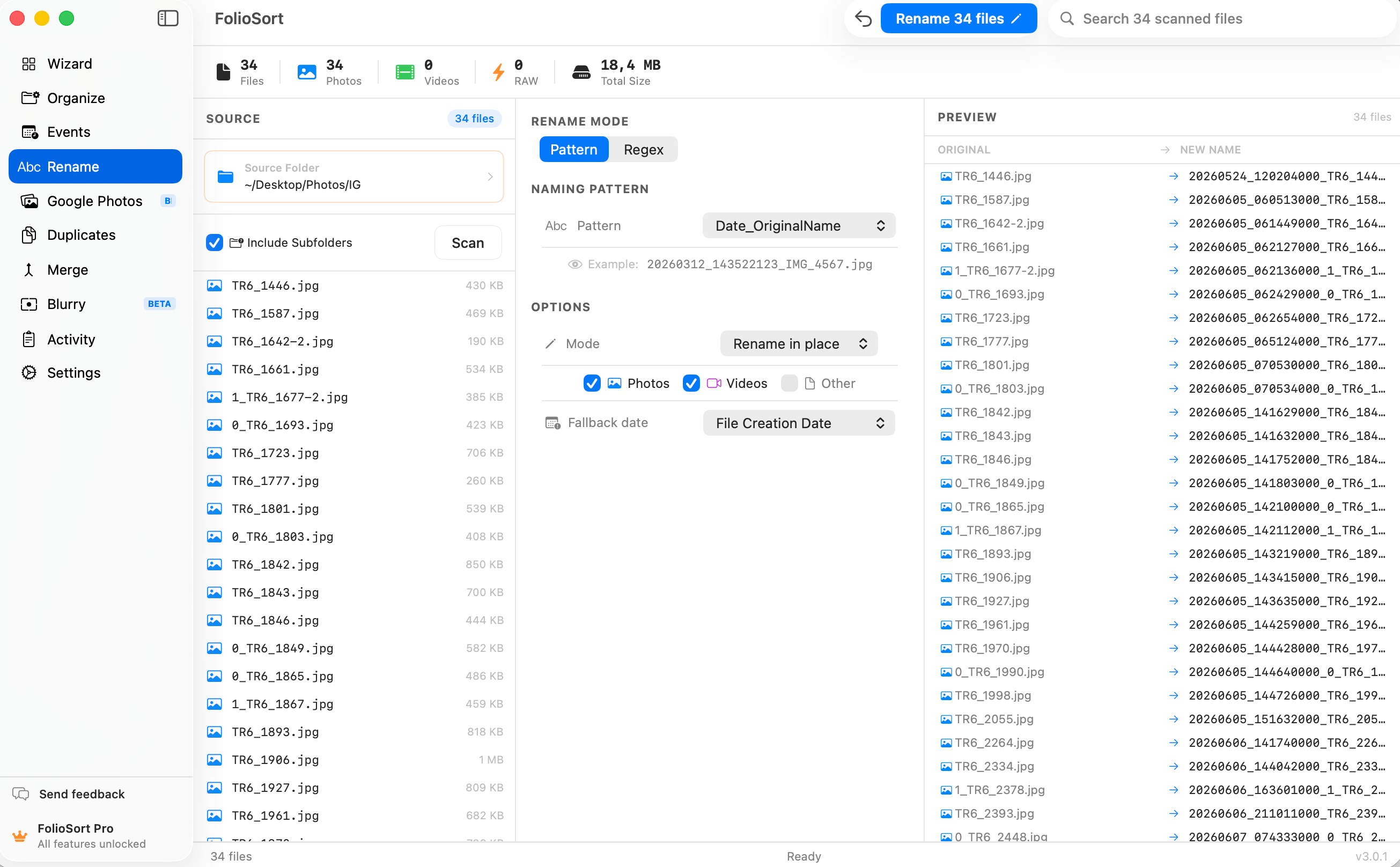
Regex renaming gives you find-and-replace with capture-group references — $1,
$2 — and a match count that updates live as you type, so you see exactly how many files a pattern
will touch before you commit.
Back-reference validation catches a reference to a group that doesn't exist and blocks the run, and a live stats strip shows totals as you configure — you never rename blind.
Renaming thousands of files is high-stakes, so every batch is fully undoable with one click — roll a whole run back if the pattern wasn't what you wanted.
Prefer to keep the originals? Copy-rename mode writes renamed copies to a new destination and never touches the source. And it all runs 100% on-device: no cloud, no account, no upload of your library. Ever.
I deliver galleries to clients and the IMG_ names always looked amateur. I built a
date-then-counter pattern, previewed the whole shoot, and renamed 900 files in one pass — with a copy so my
originals stayed put. The live preview means I never guess what I'm about to do.
Rename works hand in hand with the FolioSort Organizer. Sort by real capture date and camera, geocode by place, and rename in bulk — build the exact archive your workflow needs.
Batch-sort tens of thousands of photos and videos by EXIF date, camera and folder templates.
Explore the Organizer → Pairs withReverse-geocode GPS into city and country folders — on-device, in real folders.
Explore Location →Rename thousands of files by date, camera, counter or regex — with a live preview.
This pageFAQ
Yes — Rename is free to start, with EXIF date, camera-token, sequential and prefix/suffix naming, plus live preview and full undo. Regex with capture groups and advanced patterns are a Pro feature. Pro is a one-time €19.99, no subscription.
Yes. FolioSort shows a live before → after preview for every file in the list, and a match count updates as you type a pattern or regex. Nothing is renamed until you press Start, so you always see the exact result first.
Yes. It reads the EXIF metadata embedded in each file — capture date and time, camera make and model, lens, ISO, aperture and shutter — and can build filenames from those true values using tokens like the date taken or {Camera}. It works across JPEG, HEIC, video and 45 RAW and cinema formats.
Yes. Every rename batch is tracked and reversible with one click, so you can roll a whole run back if a pattern wasn't what you wanted. There is also a copy-rename mode that writes renamed copies to a new destination and leaves your originals completely untouched.
Write a find pattern and a replacement using capture-group references like $1 and $2. Turn IMG_4523.jpg into 4523_holiday.jpg with a single regex, with the live match count updating as you type. Back-reference validation catches references to non-existent groups before any file is renamed. Regex is a Pro feature.
FolioSort is free to start. Pick a naming strategy, preview every result, and let Rename turn a wall of camera numbers into filenames you can actually read — fully undoable, never uploaded. Regex and advanced patterns come with Pro.