Organize RAW Photos
Your RAW shots carry the same rich EXIF as any JPEG — FolioSort reads it and files Canon CR3, Nikon NEF, Sony ARW, Fujifilm RAF, Adobe DNG and 20+ other formats into clean folders by real capture date and camera. Cinema footage — BRAW, R3D, ARRI — too.
You come back from a shoot with hundreds of CR3s or ARWs across three SD cards. The generic "sort by date" tools either don't recognise the format at all, or they fall back to the file's modified date — which gets rewritten the moment the file is copied, scattering a single day's shoot across the wrong folders.
So the RAWs pile up in dated dump folders like Card1_import, waiting for an edit session that
keeps getting postponed, while the metadata that could organize them perfectly sits unread inside each file.
FolioSort reads the EXIF embedded in each RAW file — real capture date, camera make and model, lens, ISO and GPS — and sorts by those true values, exactly as it does for a JPEG. No unreliable file-modified dates — here's how sorting by the real capture date works.
It handles over 20 RAW photo formats — Canon CR2/CR3, Nikon NEF, Sony ARW, Fujifilm RAF, Adobe DNG, Panasonic RW2, Olympus ORF and more — plus cinema RAW: Blackmagic BRAW, RED R3D, ARRI, Canon Cinema. Shoot RAW+JPEG and both stay together — or split them: the file type filter lets you copy just the RAWs and leave the JPEGs where they are. The original file is never edited or converted, only moved or copied into place.
How it works
Choose the folders, drives or SD cards holding your RAW files — mix formats and cameras freely.
FolioSort reads the real capture date, camera, lens and GPS from inside each RAW file, whatever the brand.
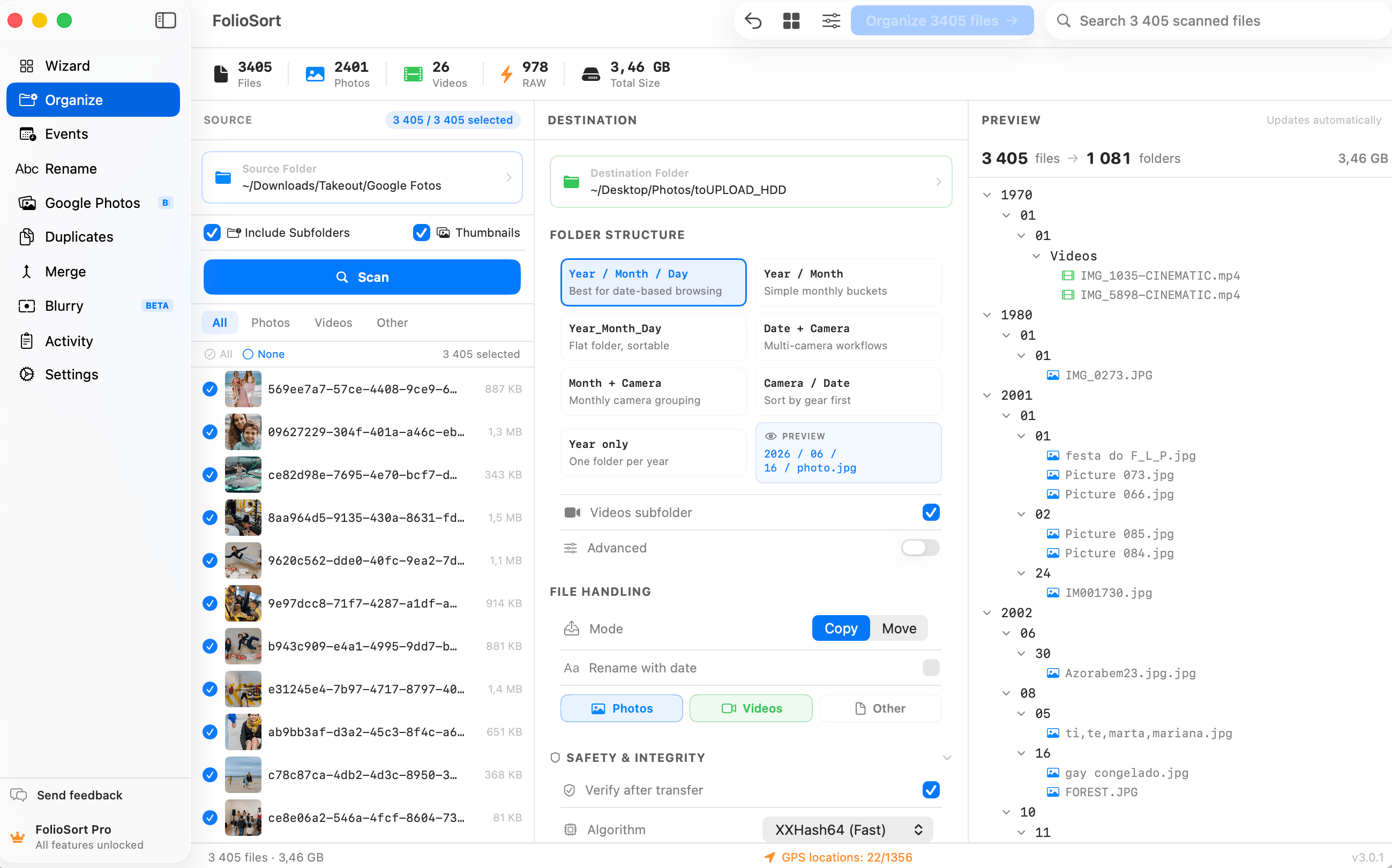
Sort by {YYYY}/{MM}, {Camera}, {Lens} — any structure — and preview the tree before anything moves.
Run it. Originals are placed untouched, checksum-verified, with one-click undo. Then open Lightroom or Capture One on a library that's already organized.
Formats
.xmp between them, moving the RAW must not carry the sidecar away from the JPEG that still needs it. FolioSort counts who is left in the folder before it decides, so the sidecar goes when the last of its parents does and not before.FolioSort never develops, converts or alters a RAW file. It reads the metadata and moves or copies the untouched original — nothing more. Your negatives stay exactly as your camera wrote them.
That's the point: sorting, culling, de-duplicating and finding all happen in FolioSort, so your editor only has to do what it is for. When it is time to develop, Lightroom, Capture One, Photo Mechanic or FastRawViewer opens a library that is already in order.
Big RAW files mean big transfers, so every copy or move is checksum-verified — XXHash64 or SHA-256 — to guarantee not a single file is corrupted in transit, even to a NAS or external drive.
Every batch is undoable with one click, up to 50 operations back. And it all runs 100% on-device: no cloud, no account, no upload of your irreplaceable originals.
I shoot Canon R5 and a Sony A7 IV on the same jobs, so my imports were always a mess of CR3s and ARWs. FolioSort read the capture date and body out of every RAW and split a whole wedding into date-then-camera folders before I even opened Capture One. It doesn't touch the files — it just sorts them.
RAW support is part of the FolioSort Organizer. Sort by real capture date and camera, geocode by place, and rename in bulk — build the exact archive your editing workflow needs.
Batch-sort tens of thousands of photos and videos by EXIF date, camera and folder templates.
Explore the Organizer → Pairs withReverse-geocode GPS into city and country folders — on-device, in real folders.
Explore Location →Sort CR3, NEF, ARW, RAF, DNG and cinema RAW by real EXIF — originals untouched.
This pageFAQ
Canon CR2, CR3 and CRW; Nikon NEF and NRW; Sony ARW, SR2 and SRF; Fujifilm RAF; Panasonic RW2; Olympus ORF; Pentax PEF; Adobe DNG; plus Sigma X3F, Phase One IIQ, Hasselblad 3FR/FFF, Leica RWL and more — over 20 RAW photo formats in all. Cinema RAW is also covered: Blackmagic BRAW, RED R3D, ARRI ARI/ARR and Canon Cinema CRM.
Yes. It reads the EXIF metadata embedded inside each RAW file — capture date, camera make and model, lens, ISO and GPS — and uses those real values to sort, exactly as it does for JPEG or HEIC. No relying on unreliable file-modified dates.
Yes. When you shoot RAW+JPEG, both files share the same capture time and camera, so they sort into the same date and camera folders and stay side by side. You can also route RAW files to their own subfolder using a format token if you prefer to separate them.
No. FolioSort is an organizer, not an editor. It never develops, converts or alters a RAW file — it only reads the metadata and moves or copies the untouched original into the folder structure you define. It pairs perfectly with Lightroom, Capture One or Photo Mechanic: organize first, then edit.
RAW and cinema format support is a Pro feature. Pro is a one-time €29.99 with no subscription and a 14-day money-back guarantee. Standard photo formats like JPEG and HEIC are free to try up to 100 files per batch. No account.
Point FolioSort at your imports, pick a date-and-camera template, and let it file every CR3, NEF, ARW and BRAW into place — originals untouched, checksum-verified, and never uploaded.