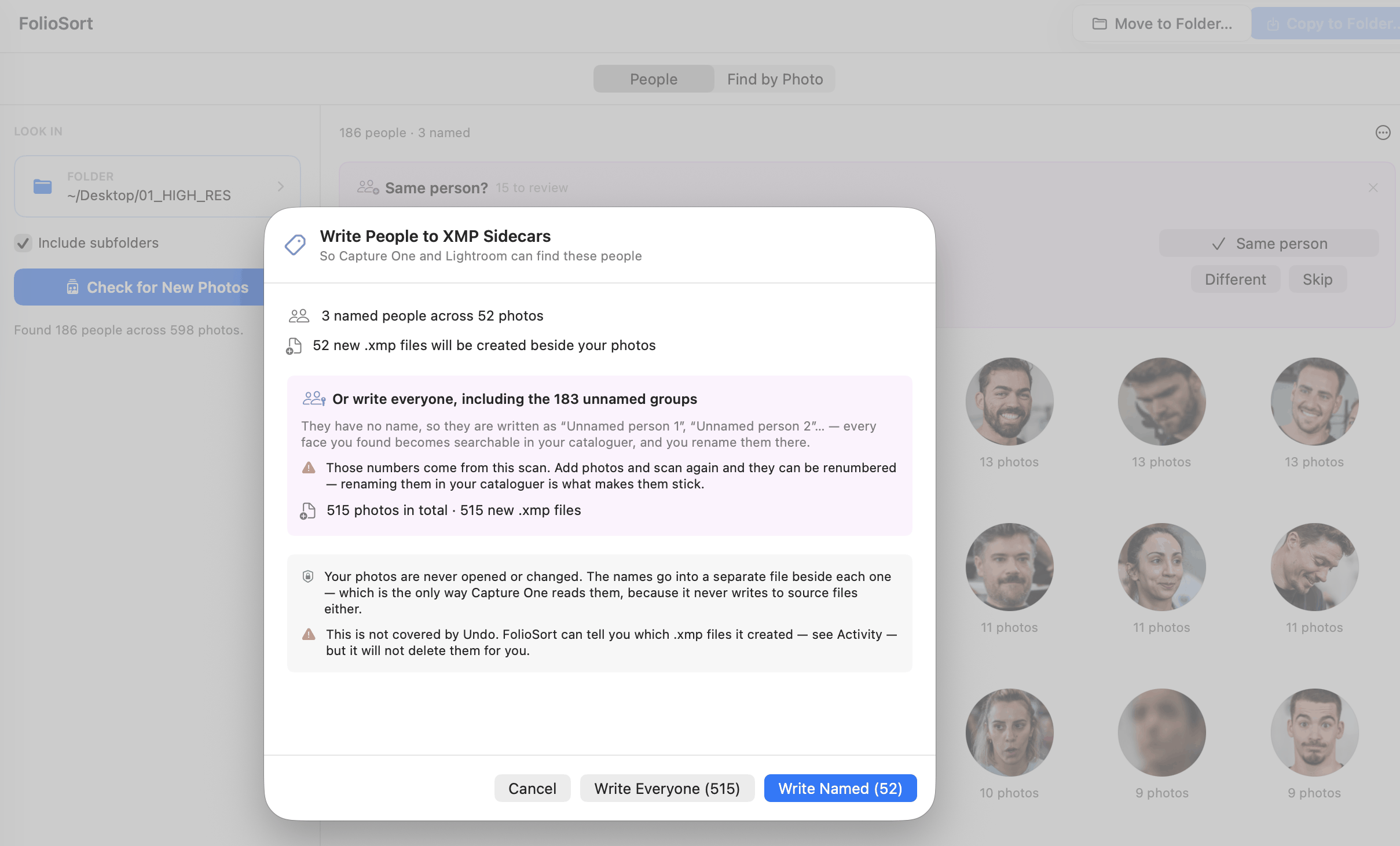
Capture One has no face recognition. FolioSort finds the people in your library, you give them names, and it writes those names into XMP sidecars your cataloguer already knows how to read — without ever modifying a RAW file.
Photographers who moved to Capture One after Aperture closed lost one specific thing and never got it back: the ability to ask “show me every photo of this person” across a RAW archive. Capture One is superb at almost everything and has no face recognition at all.
So the names live in your head. You remember roughly which shoot someone was at, and you scroll. For a professional archive spanning years, that is not searchable — it is just storage.
FolioSort groups the faces in your folders into people and lets you name them. Then it writes those names into a .xmp file beside each photo, as ordinary keywords.
Capture One reads sidecars automatically and merges them with what it already knows. Suddenly your existing catalogue searches by person, using the tool you already use, with no plugin and no new library.
The recognition happens on your machine, and the writing never touches your originals. If you later decide you do not want the keywords, the sidecars FolioSort created can simply be removed.
For keywords about what is in the photo, AI Tags writes them the same way; to change titles, captions, copyright or keywords by hand on many photos at once, see Edit metadata.
How it works
Point it at a folder and it works out who is in it — no example photos needed. RAW, HEIC and JPEG are all read directly.
Give each person a name. Where two piles look like the same person, FolioSort asks you rather than guessing.
Each named person is written as a flat keyword and under a People > Name hierarchy, into Photo.xmp beside Photo.NEF. Existing sidecars are updated, never replaced.
In Capture One, enable sidecar syncing (or use Image > Load Metadata) and search by keyword. Lightroom and digiKam read the same tags.
Why it is safe
The tags written
Finding and naming the people is the People feature; this page is what happens after. If you only want to pull one person's photos into a folder, People does that on its own — sidecars are for when you want the names to live in your catalogue permanently.
Because the tags are standard XMP, nothing here locks you to FolioSort. The keywords stay readable by any tool, including whatever you migrate to next.
Naming people, using them, and getting a messy library into shape first.
Group the faces in your library into people, automatically and on-device.
People → RelatedHave a photo of someone already? Find every other photo of them.
Find by photo → RelatedGet a RAW archive into dated folders before you start tagging it.
Organise RAW →Questions
No. FolioSort writes a separate .xmp file next to the photo and never opens the original for writing. Capture One works the same way — its own documentation states it will never write metadata to source files — so a sidecar is not a compromise, it is the way cataloguers expect names to arrive.
Anything that reads standard XMP keywords: Capture One, Lightroom Classic, digiKam, Bridge, and most asset managers. FolioSort writes both a flat keyword and a People > Name hierarchy, so a catalogue that supports hierarchical keywords files everyone neatly under People, and one that does not still gets the plain name.
Because that is what Capture One expects — the extension is replaced, not appended. Its documentation is explicit: ImageName001.NEF and ImageName001.jpg share the same ImageName001.XMP. FolioSort follows that rule so the sidecar is picked up rather than ignored.
Both files share one sidecar, by Capture One's rule above. FolioSort writes the people from both into it rather than letting one overwrite the other, and tells you how many photos shared a sidecar.
It is updated, not replaced. Existing keywords, ratings and everything else your cataloguer put there are left alone; only the people are added, and adding the same person twice does not duplicate the keyword.
Sidecars FolioSort created can be removed. Ones it updated cannot be safely reverted — your cataloguer's own data is in them — so the Activity log records the two as separate actions and tells you which is which before you write.
Only named people are written; an unnamed pile has nothing to say. Naming is quick because FolioSort groups the faces for you first and asks about the ambiguous pairs itself.
Name the people FolioSort finds, write the sidecars, and let Capture One do what it does best — with your originals untouched.