 Folio
FolioFolioSort 5 · macOS + Windows · pay once, own forever
20 years of photos.
One messy drive. Sorted in an afternoon.
FolioSort is a photo manager for Mac and Windows that works on the folders your photos are already in. It reads the real capture date, camera and place inside every photo, video and RAW, files them into clean, dated folders — then lets you browse, search and back up the whole library. Nothing imported, nothing uploaded.
What does your mess look like?
You're on a phone. FolioSort is a Mac and Windows app — there is nothing to install here. Send yourself the link and pick it up on your computer.
✉︎ Email me the download linkmacOS and Windows — see both builds →Free — no account, no card
Act 01 — Organize
Organize photos by date, camera and place — automatically
Every photo already knows when and where it was taken. FolioSort reads the EXIF inside each file and builds your folder structure from it — you just pick the template. And when a file is wrong about its date or its place, FolioSort fixes it inside the file.
- Folder templates with 28 tokens —
{YYYY}/{MM}/{Camera}/{City},{Maker},{Quarter},{ParentFolder}. Four presets, or build your own. - Regex mass rename with live preview — date prefixes, camera models, capture groups.
- Event time-blocks — Getting Ready, Ceremony, Reception: every camera's photos land in the right act.
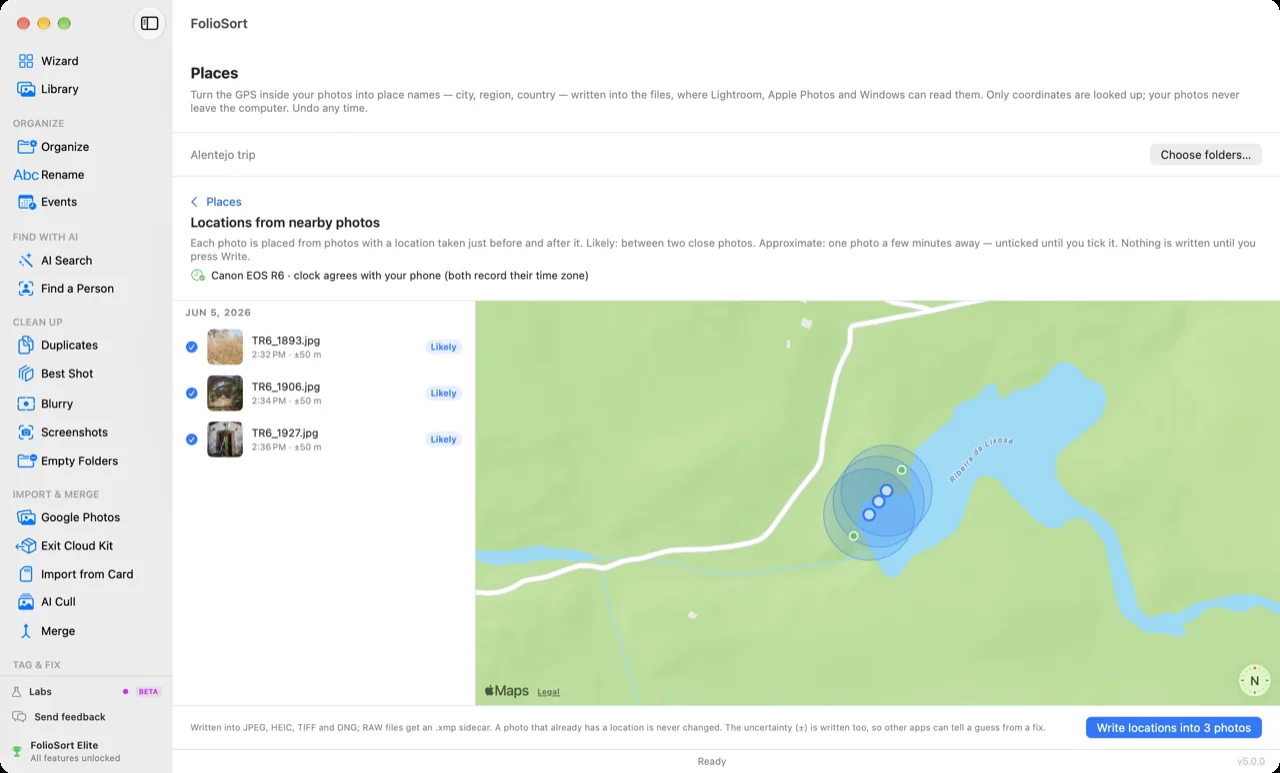
- PlacesNEW — GPS turned into city, region and country, written into the photo. Camera photos without GPS get a location from the phone photos you took around them, shown on a map before anything is written.
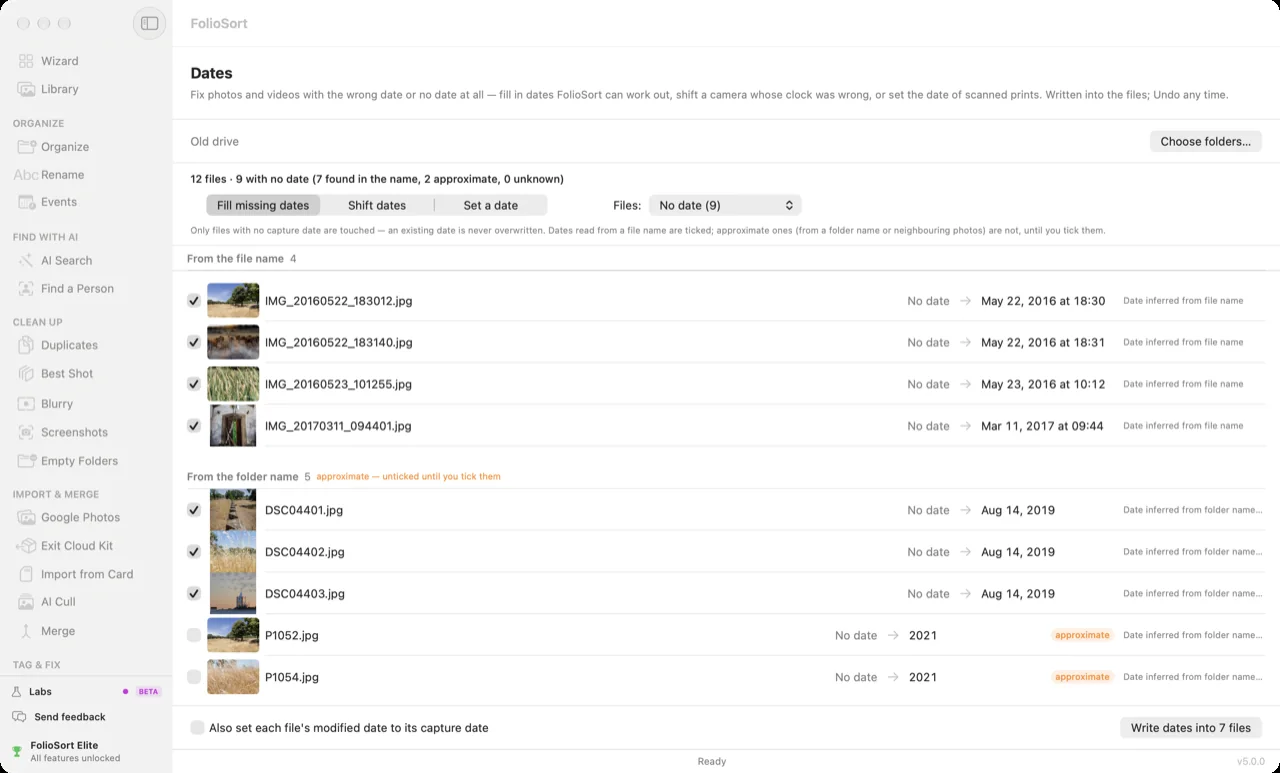
- DatesNEW — fill in missing capture dates from the file or folder name, shift a camera whose clock was wrong, set the date of scanned prints. Fill never overwrites a date that exists.
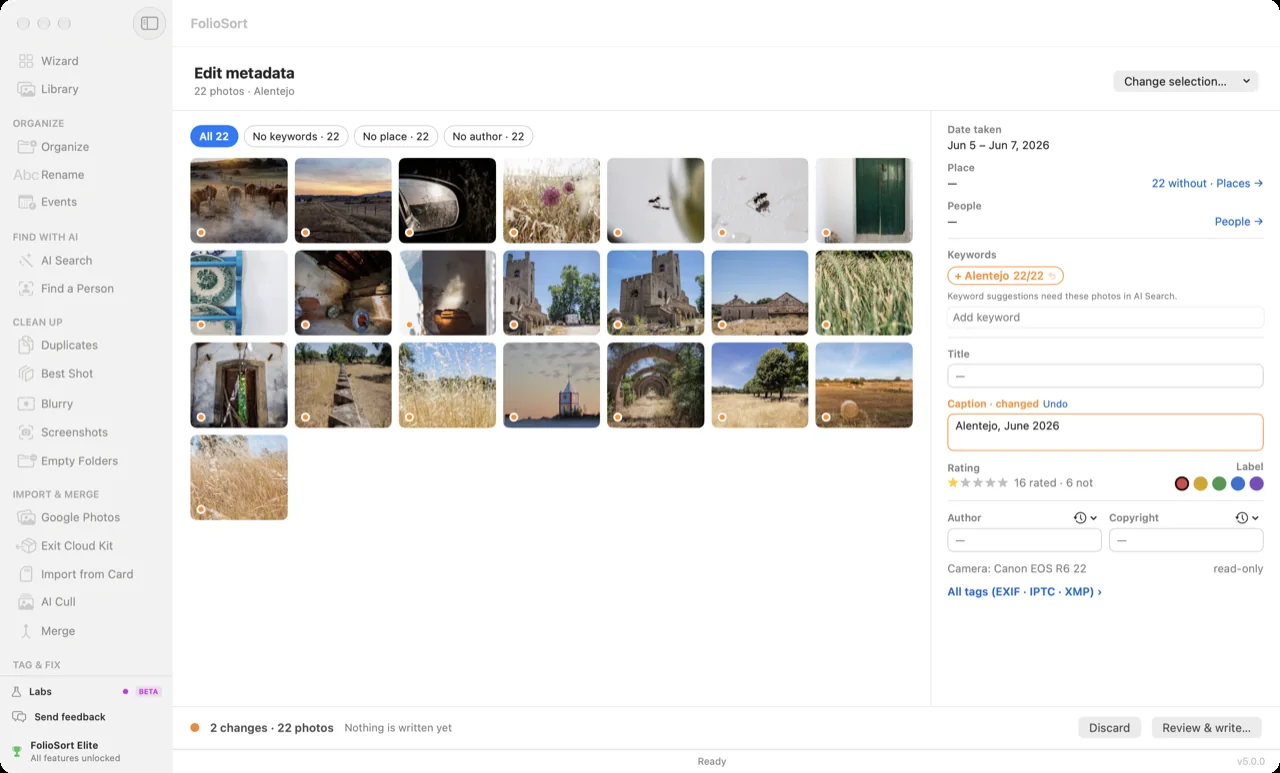
- Edit metadataNEW — see every title, caption, keyword, author, copyright and rating across a selection, change them in one go, undo in one click.
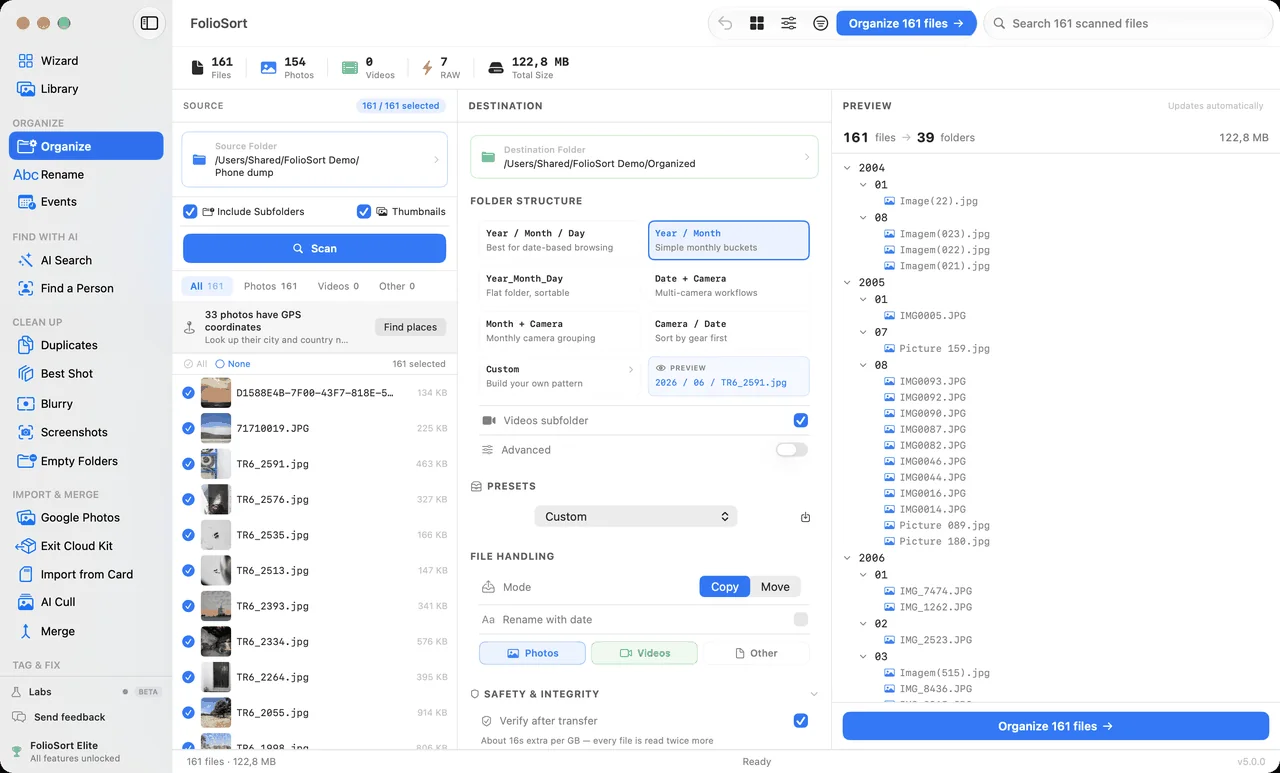 real app · FolioSort 5
- 161 files
- 39 folders
- 122.8 MB
- Verify after transfer on
Those are the app's own numbers, from the screenshot above. The right-hand column is the exact folder tree you will get — shown before a single file moves.
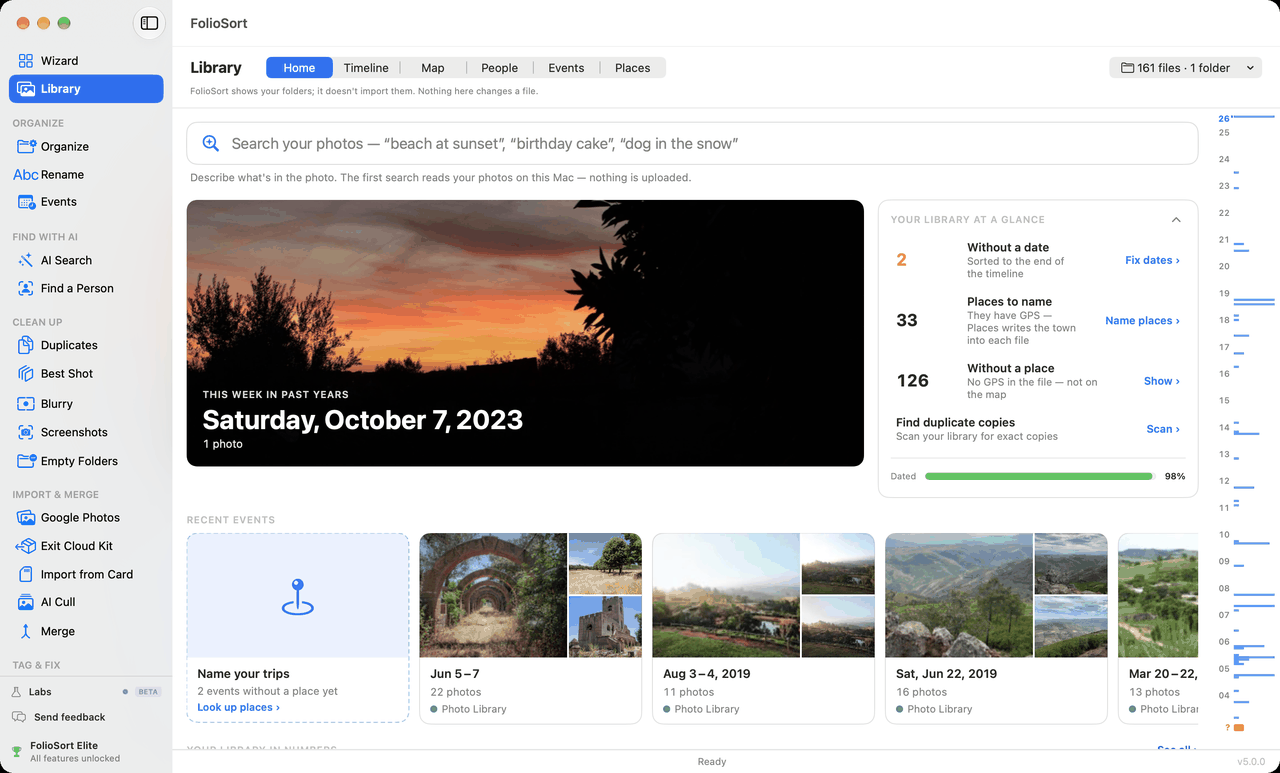
Act 02 — Library
One photo library across all your drives — even the unplugged ones
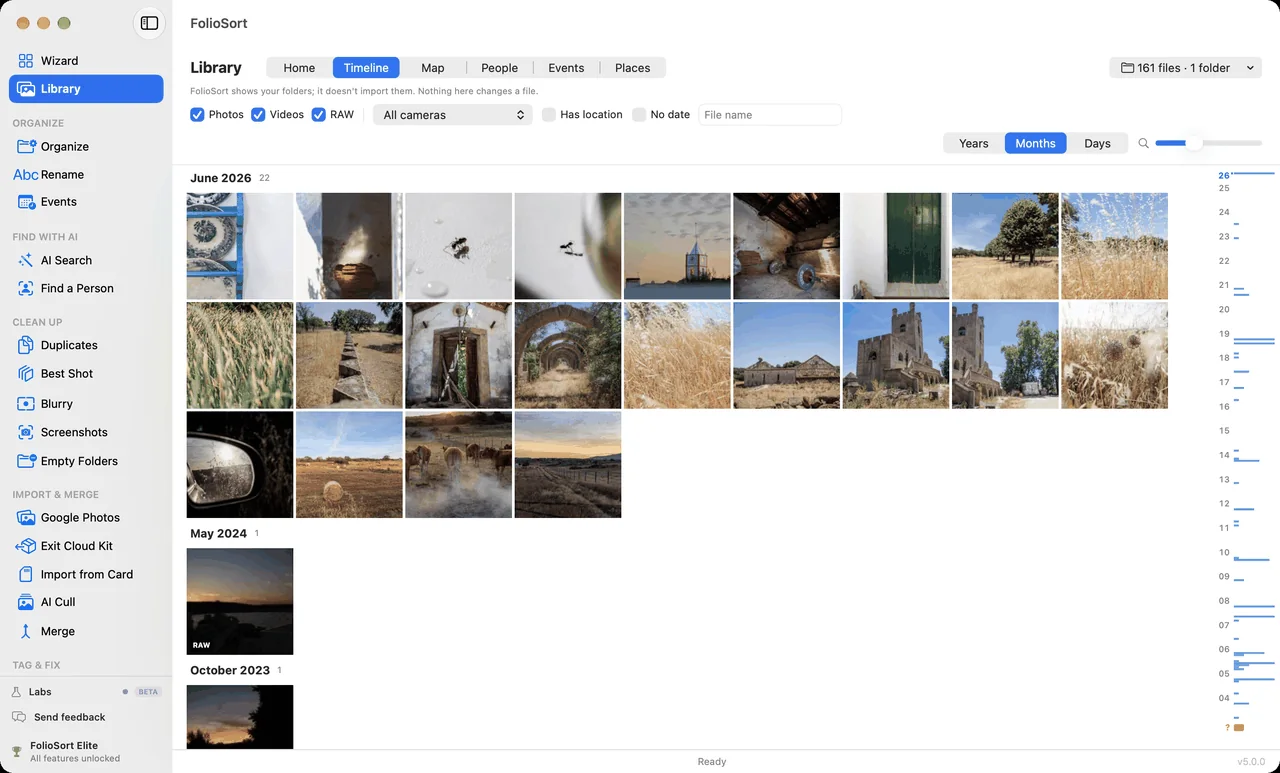
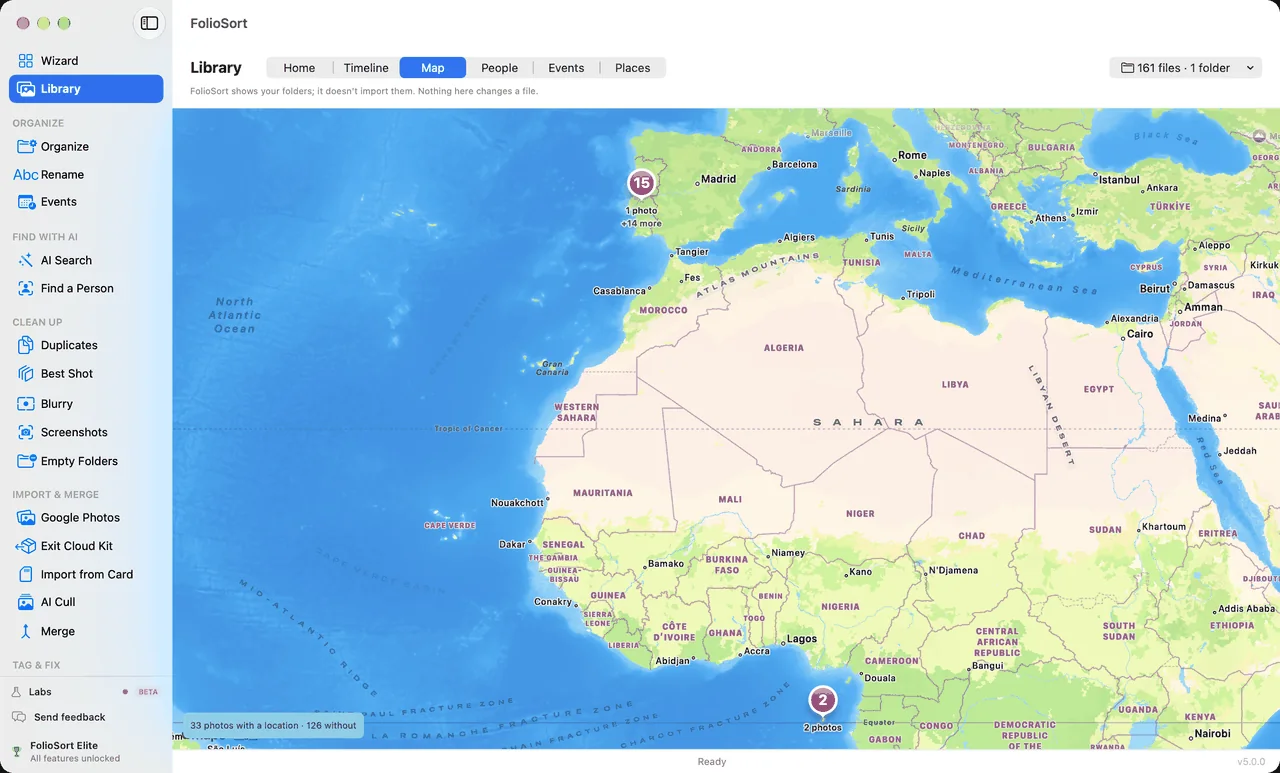
FolioSort reads the folders and drives your photos are already on and shows them as one library: by year, month and day, on a map, by person and by event. Nothing is imported or copied. Unplug a drive and its photos stay on screen, greyed, with the name of the drive to go and get.
- Six views — Home, Timeline, Map, People, Events and Places. Zoom from years to days; every folder gets its own colour.
- Ghost tiles — a drive in the drawer still shows its photos. Plug it back in and they fill in, in place, with no rebuild.
- RAW + JPEG as one photo, and a Live Photo's video behind its still.
- Your library in numbers — space used, most-used camera, busiest day. Every number opens the photos it counts.
- Free on every tier — browsing has no limit. People with faces is Elite.
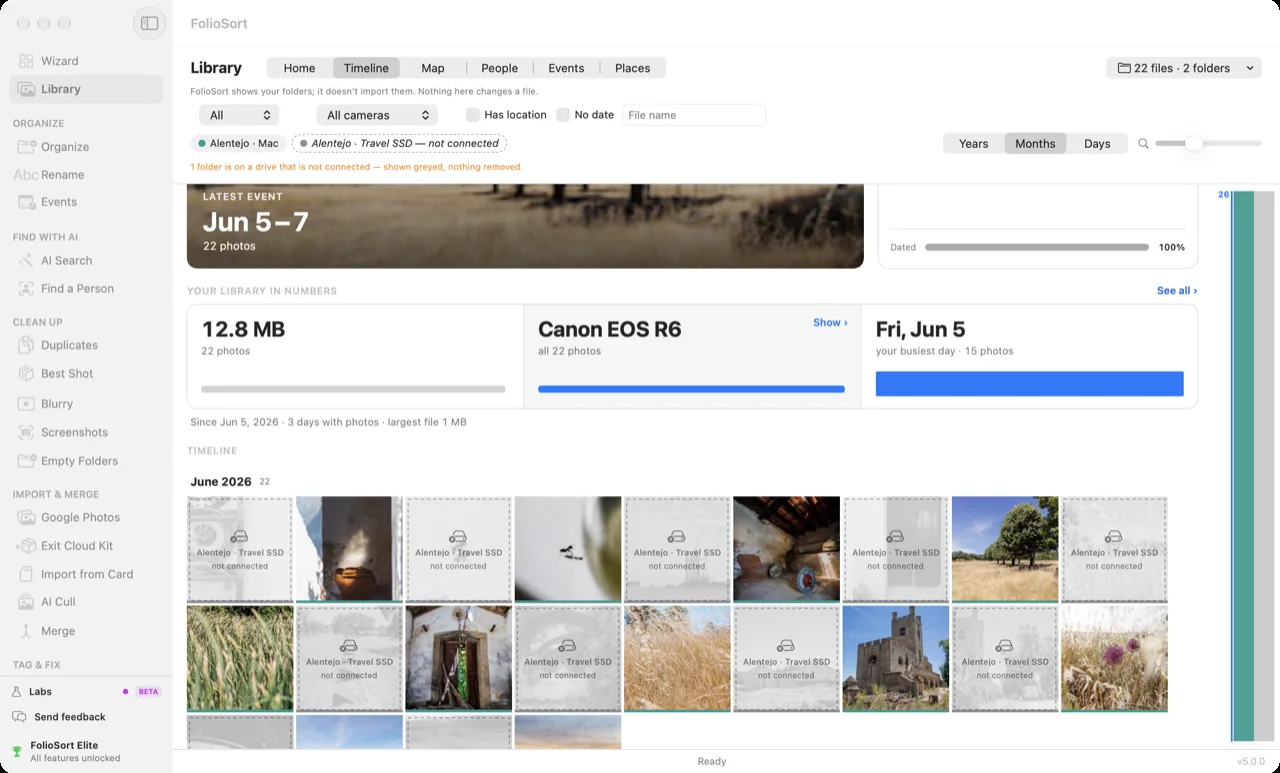 real app · one drive unplugged
Act 03 — Clean
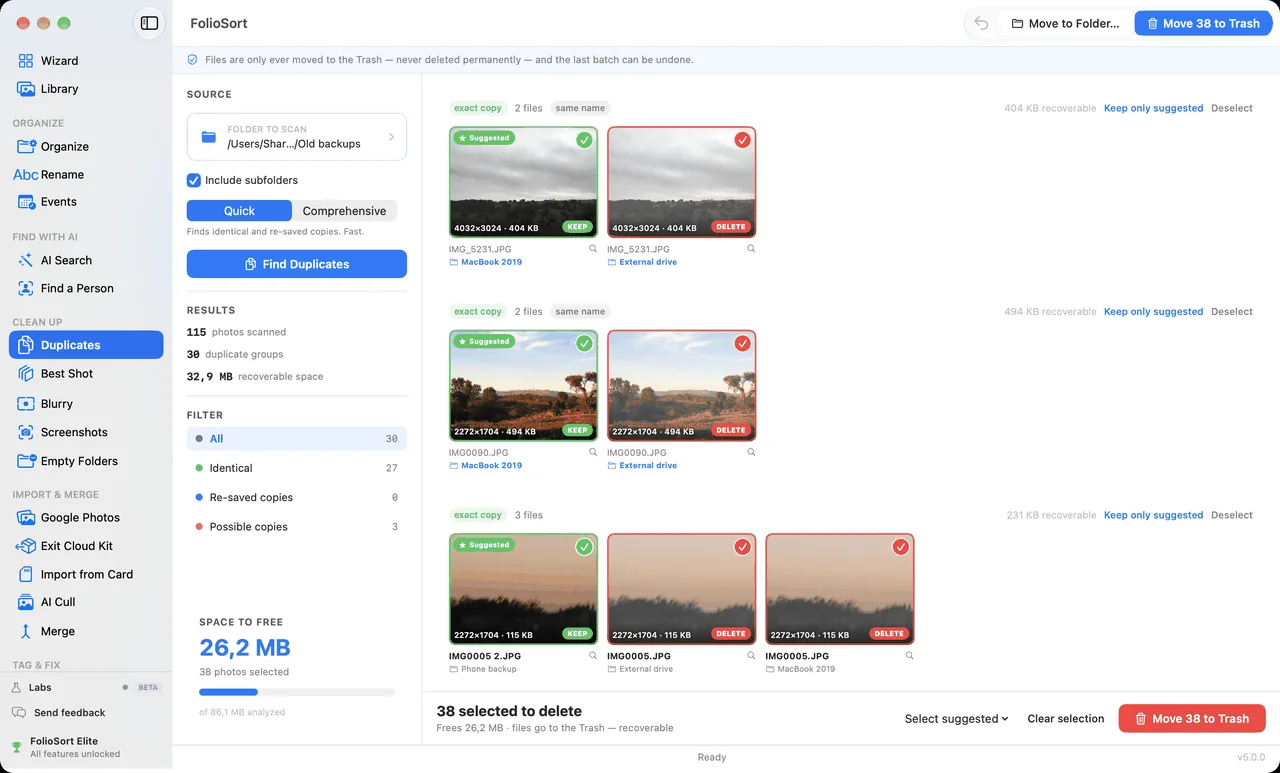
Clean out duplicate photos, blurry shots and screenshots
Years of camera dumps hide gigabytes of clutter: duplicates, blurry misfires, thousand-screenshot piles. FolioSort finds them all — you approve every deletion, nothing vanishes silently.
Duplicates
Identical files by checksum, plus re-saved copies of the same photo — never fooled by a filename.
Blurry shots
Sharpness analysis flags the misfires; you review before anything moves.
Screenshots
Content-based detection sweeps screenshots out of your photo timeline.
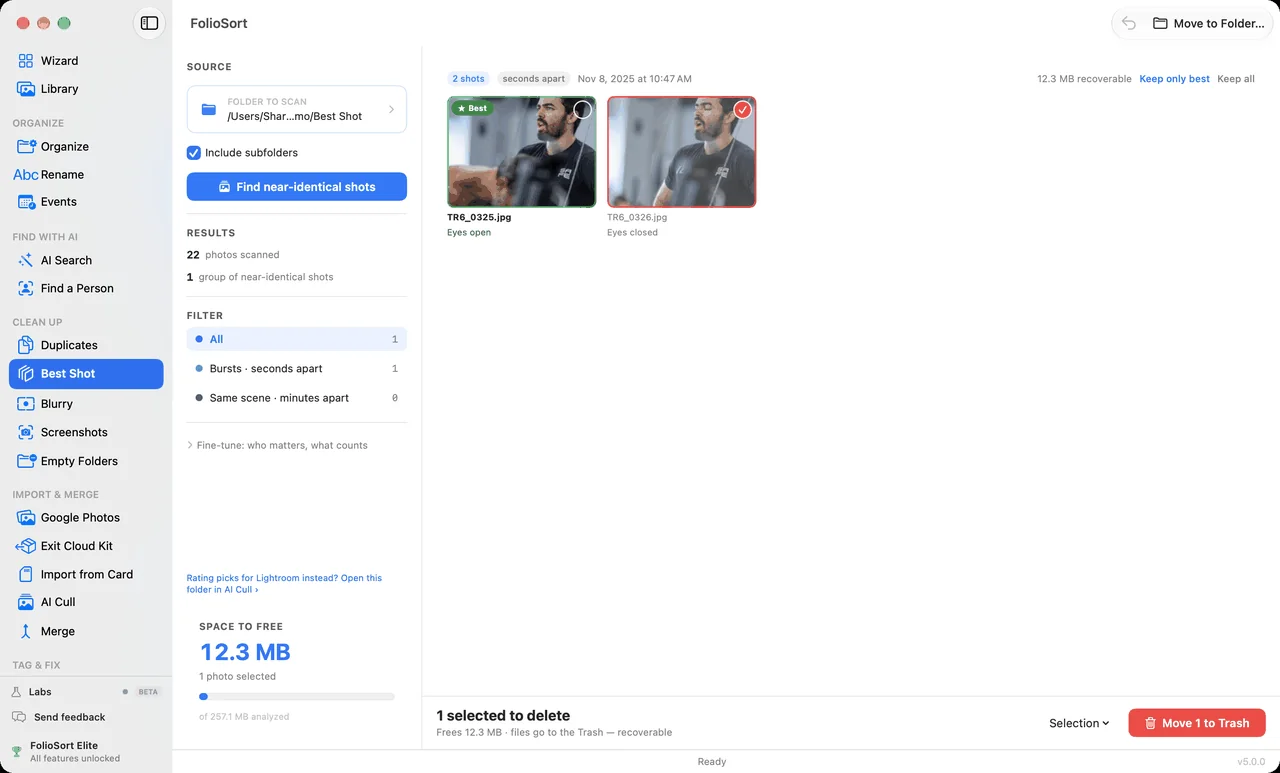
Best ShotELITE
Near-identical shots grouped, the best one marked with its reason — eyes open, best faces, eyes in focus. You confirm.
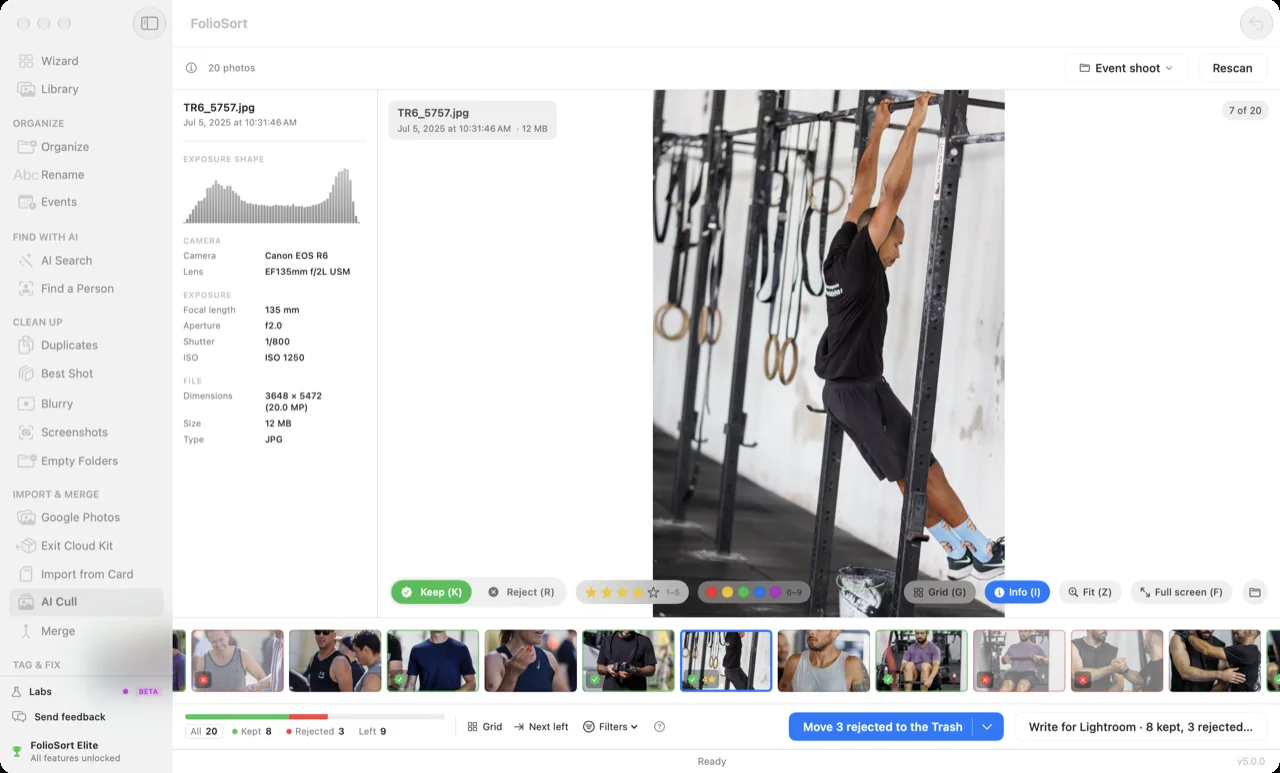
AI CullNEW
A shoot stacked into near-identical frames, the sharpest one suggested. Keep or reject with one key, then write the result as XMP ratings Lightroom reads. Free on the first 20 photos of every folder.
 real app · FolioSort 5
Act 04 — Find
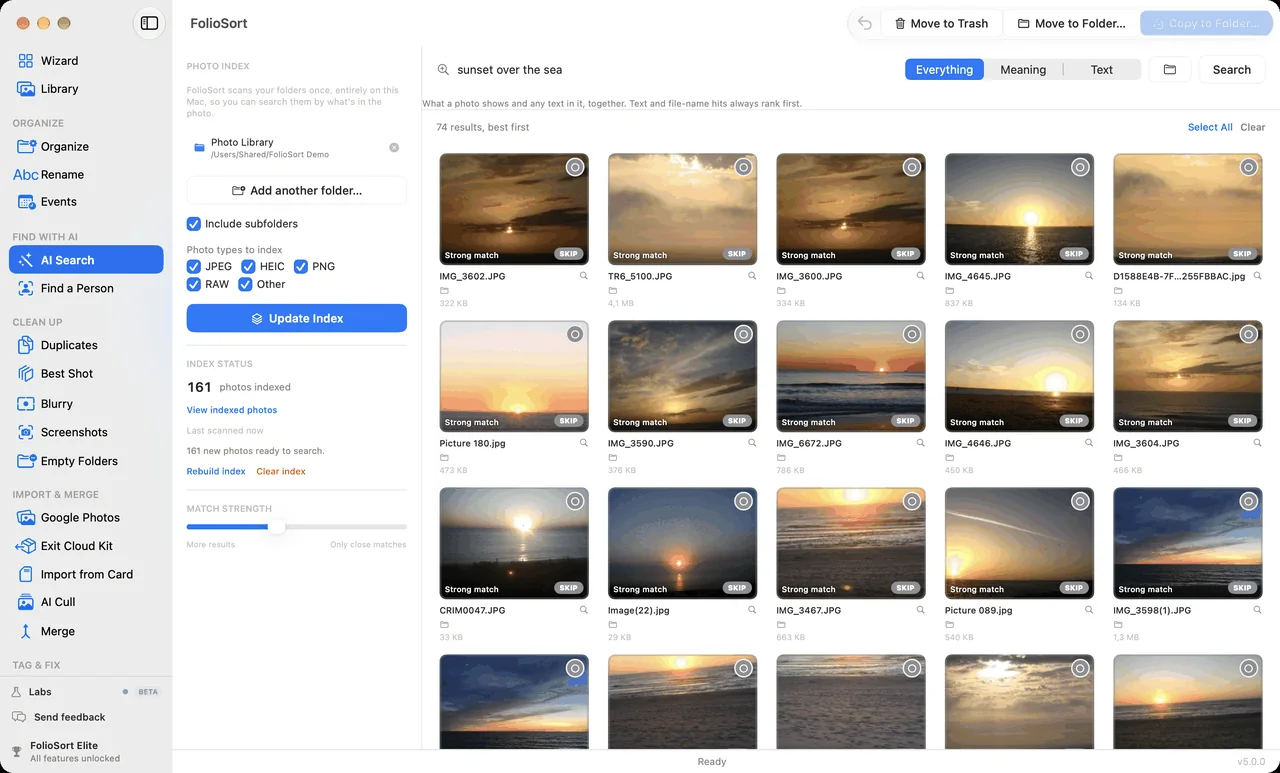
AI photo search that runs entirely on your device
Search your library like you'd ask a friend: describe a moment, name a person, or find the text inside a screenshot. The same class of AI the cloud services run on their servers — running privately on yours, with Wi-Fi off.
- Semantic search — "beach sunset with the kids" finds it, no tags needed.
- Find a Person — pick a face once, find them across two decades.
- Text in photos — OCR finds the Wi-Fi password screenshot from 2022.
- Ask in your own language — a query in Portuguese, Spanish, French or German is translated on your machine before it is matched.
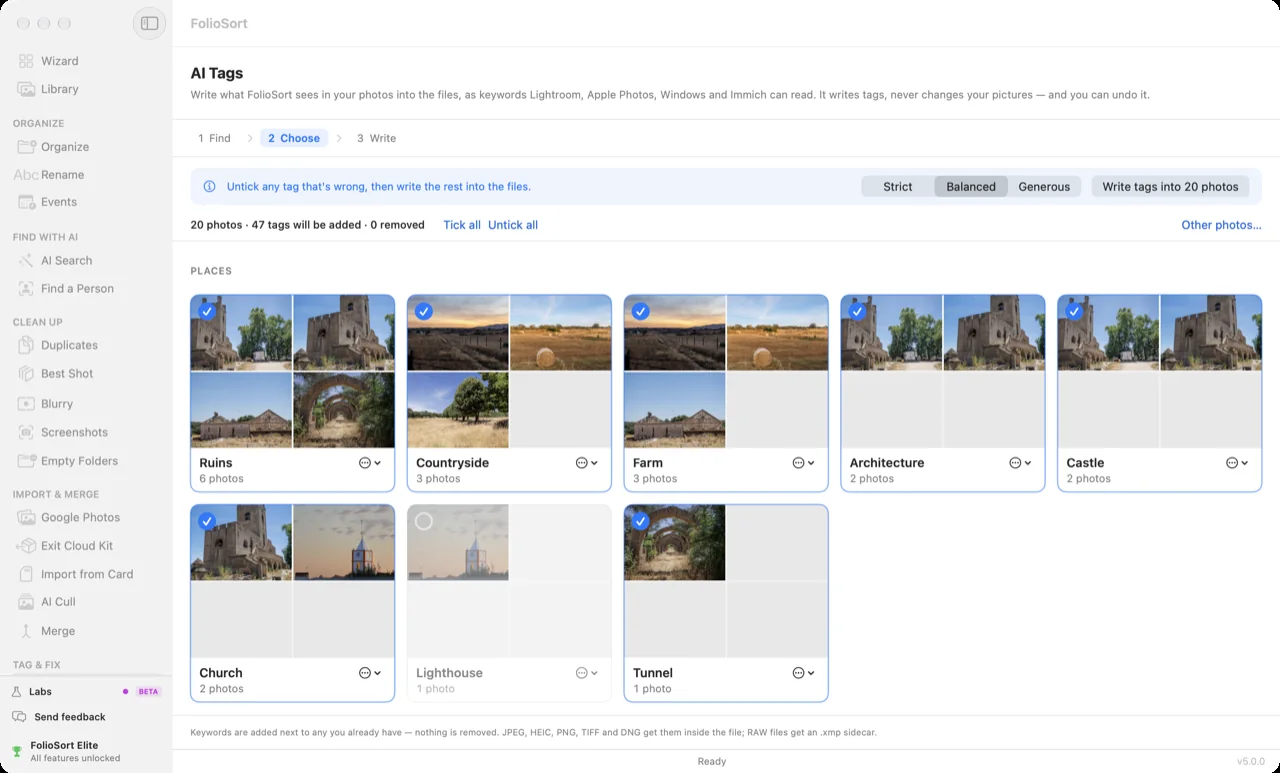
- AI TagsNEW — FolioSort proposes keywords for what it sees. Untick what's wrong and it writes the rest into the files as XMP and IPTC keywords that Lightroom, Apple Photos and Windows read.
- Free taster included — search your first 500 photos on the Free tier.
 real app · FolioSort 5
runs on your machine · no upload · no account · works offline
Act 05 — Protect
Back up your photos — and prove every copy is intact
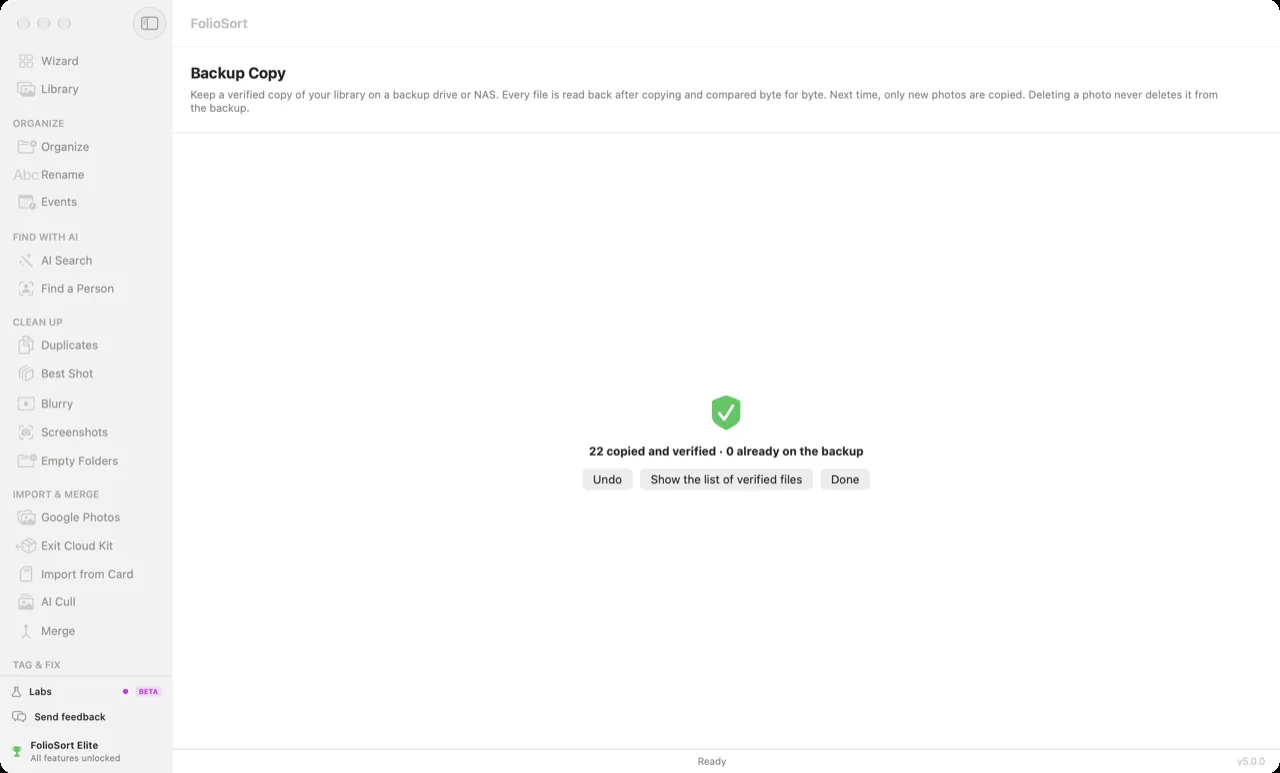
A backup nobody checks is a hope. FolioSort copies your library to another drive or a NAS, reads every file back to prove the copy is identical, and later finds the photos that changed or quietly went bad — then puts them back from the copy.
- Backup CopyNEW — the same folder structure on the backup drive, every copy compared by hash (XXHash64 or SHA-256), then only new photos. Deleting a photo never deletes it from the backup.
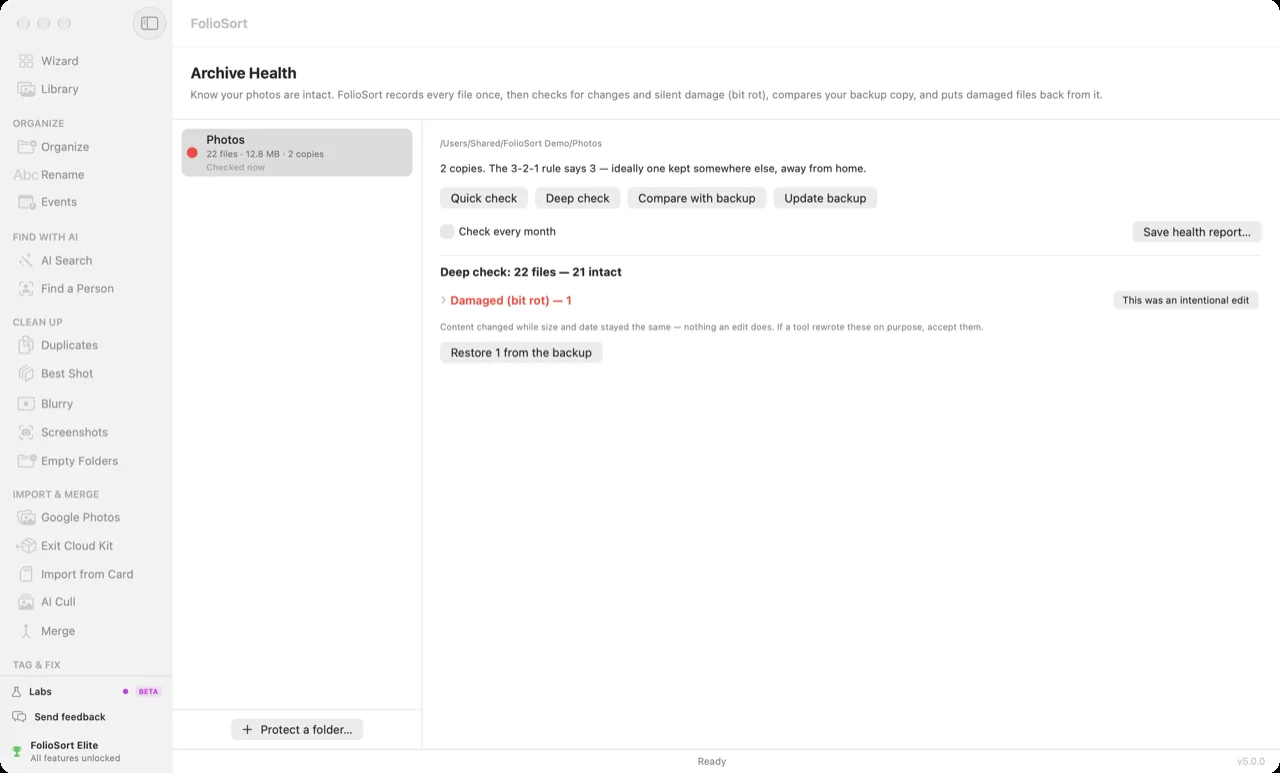
- Archive HealthNEW — every file fingerprinted once, then reported as intact, modified, corrupted, missing or new. Damaged files are restored from the verified backup.
- Monthly checkELITE — Archive Health runs on its own every month and saves an HTML health report.
- Pro, unlimited — the Free tier protects the first 100 files.
 real app · FolioSort 5
- 22 files checked
- 21 intact
- 1 damaged (bit rot)
- restored from the backup
Act 06 — Own
Fix Google Photos Takeout — and own your library again
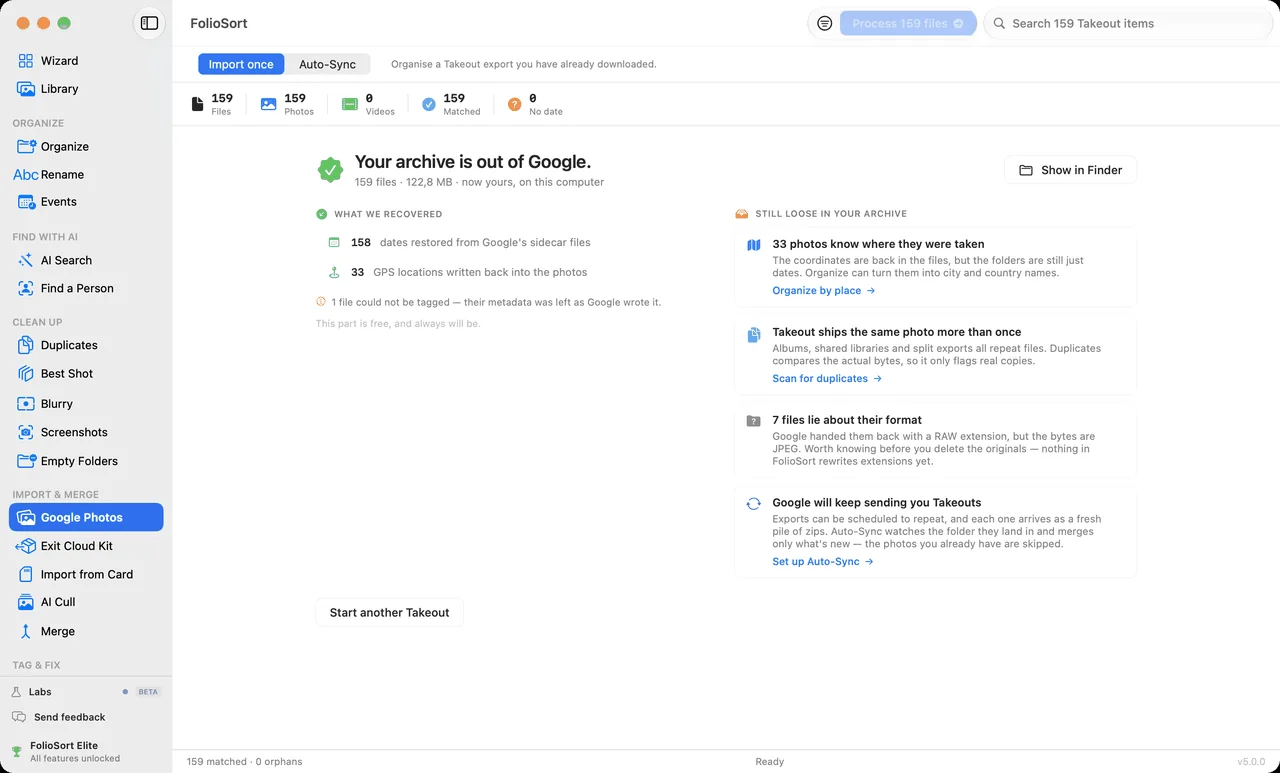
Your memories shouldn't live on someone else's computer. But leaving Google Photos or iCloud usually means a broken export: dates reset to today, GPS stripped, albums scattered. FolioSort repairs all of it and lands your library wherever you want it.
- Takeout rescue — free forever. Reads Google's JSON sidecars, restores real dates and GPS.
- The Exit Kit — a guided path out of the cloud, step by step, with verification.
- NAS-ready — Synology, QNAP, SMB/AFP shares, Immich-friendly folder structures.
- Checksum-verified transfers — XXHash64 / SHA-256 on every file. Zero silent corruption.
 real app · FolioSort 5
Act 07 — Automate
Automate photo organization — set it up once
Chain your steps — import, organize, rename, clean — into a Workflow you run with one click. Then let Watch Folders run it for you: drop files in, wake up to an organized library.
- WorkflowsELITE — your whole import ritual (organize, remove duplicates, update the backup) saved as one button.
- Watch FoldersELITE — point one at your SD-card dump folder and it organizes on arrival.
- Same safety rails — checksums, undo history and activity log on every automated run.
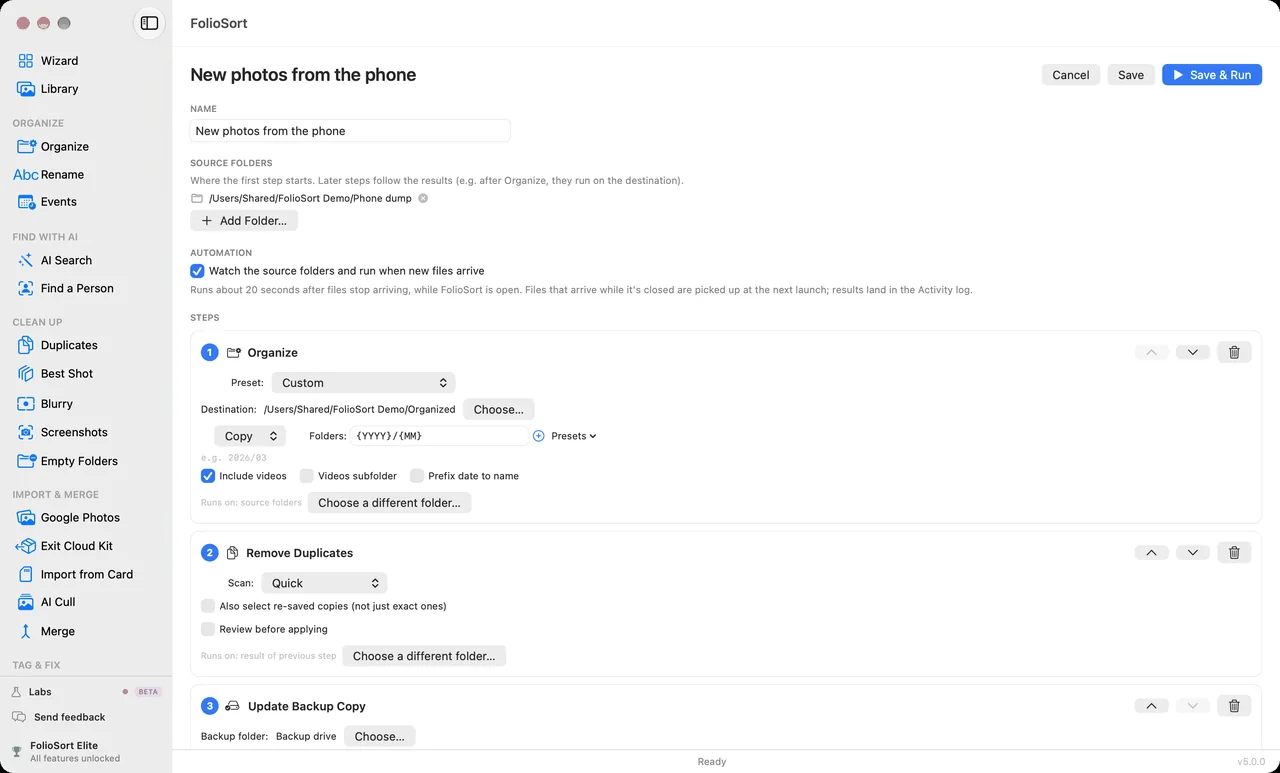 real app · FolioSort 5
Act 08 — Labs
Resize, bulk-crop and combine photos — FolioSort Labs
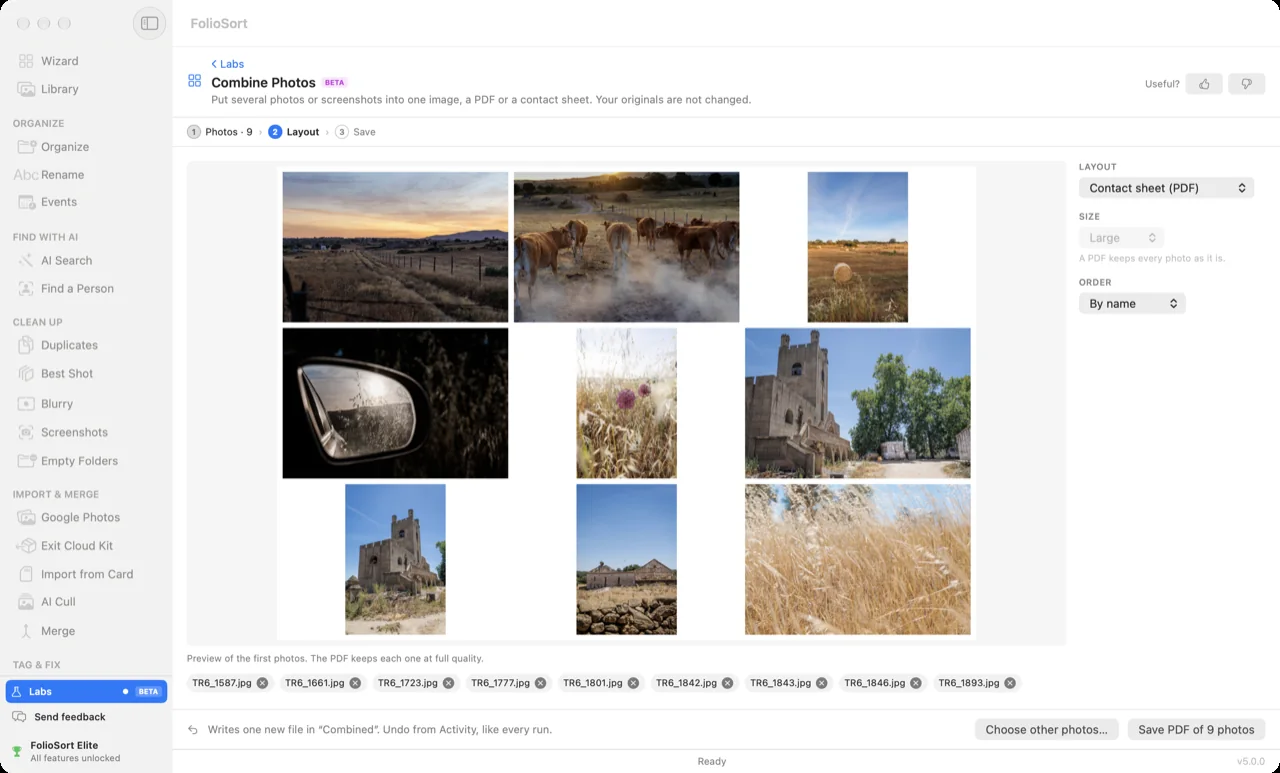
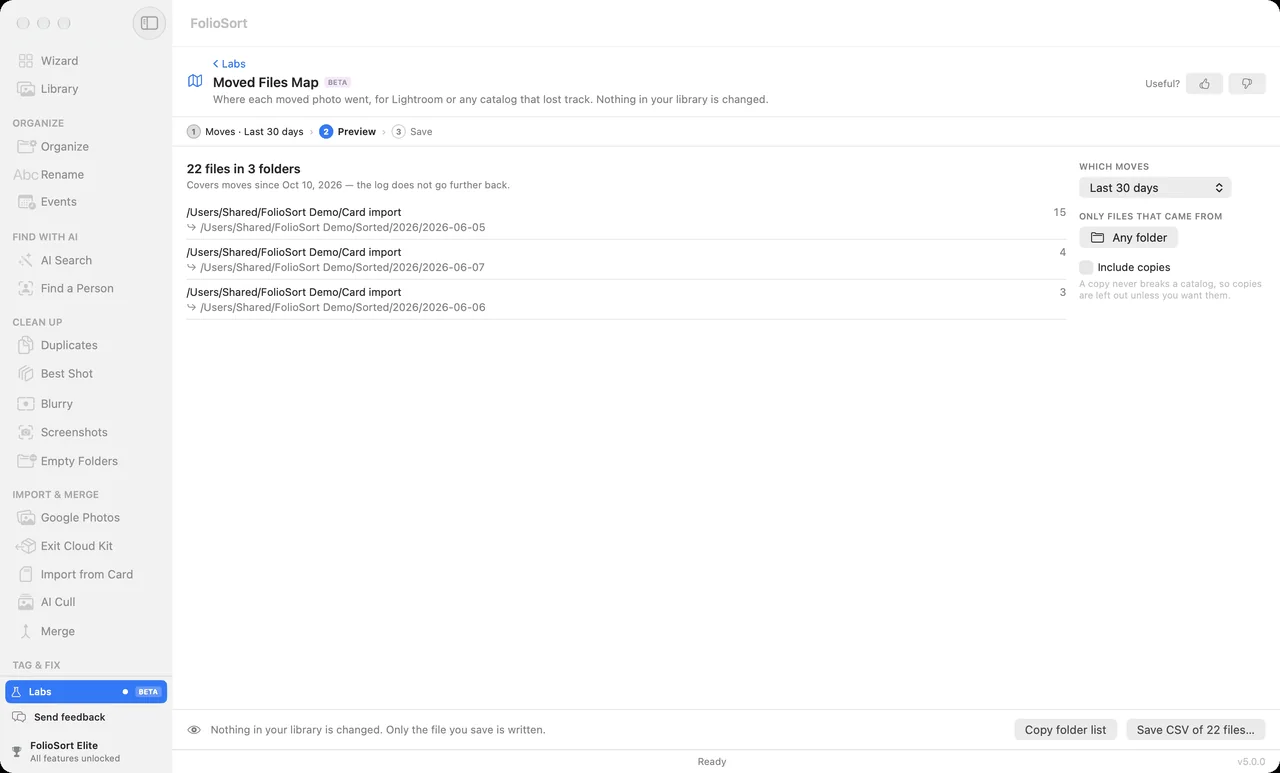
Six small tools people asked for, new in FolioSort 5 and marked BETA while they are being finished. Each one says what it does to your files before it runs; the image tools write new copies and never touch the originals.
Resize & ShrinkBETA
Smaller copies, in pixels or in megabytes.
Bulk CropBETA
One crop for every photo of the same size.
Combine PhotosBETA
Several photos into one image, a PDF or a contact sheet.
Reminder PhotosBETA
Finds the receipts, notes and signs you shot to remember something.
Moved Files MapBETA
Where every moved photo went — for a catalog that lost track.
Ask Your AIBETA
Lets Claude, ChatGPT (Codex) and other AI apps search your photos, read-only.
 real app · Labs · BETA
Full disclosure
No growth team. No fake reviews. Just receipts.
I'm Tiago. I built FolioSort because I had 28,000 unsorted photos and a deadline called "my family wants to see them". There's no venture capital behind this and no engagement metrics to feed — which is exactly why it works offline, needs no account, and is something you buy, not something you subscribe to.
You're about to trust twenty years of photographs to a piece of software. That's a fair thing to hesitate over, so everything below is checkable: signed by Apple, listed by Microsoft, and a release history you can count yourself.
If it breaks, you email us. We're the ones who answer.

Don't take my word for it
Four things you can verify without trusting me
I can't show you a five-star average, because I'd have to invent it. Here's what an independent third party has already checked on your behalf.
Notarized by Apple
Every macOS build is code-signed with a Developer ID and notarized — Apple scans the binary before your Mac will open it. Updates arrive over Sparkle, signed the same way.
Checked by AppleCertified for the Microsoft Store
The Windows build passed Microsoft's store certification and is published on their servers, not mine — see the listing.
Checked by MicrosoftI never see your card
Payments run through Lemon Squeezy as merchant of record. They handle the card, the invoice and the VAT — your details never touch a server I control.
Handled by Lemon Squeezy14 days to change your mind
Full refund within 14 days — no conditions and no questionnaire. And the free tier needs no card and no account, so you can test it on your own library first. Refund policy.
Your call, not mineThe one claim you can test in ten seconds
Turn your Wi-Fi off, then organize a folder and run an AI search. Everything still works — because the photos never left your computer in the first place. That's the whole privacy promise, and you don't have to believe me about it.
From people who bought it
Four of them. Not four million.
Thousands of people use FolioSort, and most of them never write in. These four wrote to me after buying, and the words are theirs. As the Microsoft Store ratings arrive, they'll show up here too — whatever they say.
In just one night, I organized about 100,000 photographs!
You have saved me literally hundreds of hours, and beyond that, improved my mental health beyond measure.
FolioSort’s AI scans what’s in my photos, so I can find images for social media by searching in plain English, such as “people on the beach”. It saves me tagging thousands of photos by hand.
I never thought I could organize all my family photos so fast. Truly amazing!
Pay once. Own forever.
Software you buy, like it used to be
Start free — really free, no card, no account. Upgrade once, keep it for life.
Free
Start here
Forever. No account, no card.
- The Library — every photo on every drive, no limits
- Google Takeout import — always free, no limits
- Organize, rename & merge up to 100 files per batch
- Dates, places, metadata & backup on 100 files at a time
- Duplicate & blurry review + your first 20 cleanups, fully undoable
- AI taster: search 500 photos, cull the first 20 of a folder
- 100% local — nothing ever uploaded
Pro
Organize · Clean · Protect — unlimited
Lifetime license · 1 computer
- Everything in Free, unlimited — Mover, Rename, Merge, Undo
- Exact + visual duplicate cleanup
- Blurry-photo & screenshot cleanup
- Dates, Places & Edit metadata on the whole library
- Backup Copy + Archive Health — a backup that is checked
- RAW support, custom events, profiles & regex renaming
Elite
Every act · AI included
Lifetime license · 3 devices · Mac + Windows on one key
- Everything in Pro, plus:
- AI search your whole library + Find a Person
- Text-in-photo search (OCR) + automatic event detection
- AI Tags — keywords written into your files
- AI Cull and Best Shot without limits + Smart Folders
- Workflows + Watch Folders — organizing on autopilot
- 3 devices, Mac + Windows on one key + priority support
Comparable AI photo search tools cost €199–229. Full feature comparison →
At a glance
The hard facts, in one table
| Price | Free €0 · Pro €29.99 · Elite €39.99 — one time, not a subscription |
|---|---|
| Devices per licence | Pro: 1 computer. Elite: 3 devices, Mac and Windows on one key |
| What the free tier does | Library browsing unlimited, Google Takeout import always free, organize up to 100 files per batch, dates, places and metadata on 100 files at a time, duplicate and blurry review plus your first 20 cleanups, AI taster (500-photo search index, 20 Find-a-Person actions, AI Cull on the first 20 photos of a folder) |
| Supported formats | 91 — 46 everyday photo and video formats free, 45 RAW and cinema formats with Pro (full list) |
| Requirements | macOS 14 (Sonoma) or later, Windows 10 or later. Identical feature set on both |
| Current version | 5.0.7 (macOS) · 5.0.6 (Windows) |
| Where your photos go | Nowhere. All processing is on-device and there is no account. Only anonymous, aggregated usage statistics are sent — never file names, paths or GPS |
| Refund | 14 days, whether or not the licence key has been activated (policy) |
Before you ask
The fine print, in plain words
Is it a subscription?
No. FolioSort Pro and Elite are one-time purchases with lifetime licenses. Pay once, use forever. No recurring fees, no account required.
Does it send my photos to the cloud?
No. Your photos, videos and their contents are processed 100% locally and are never uploaded anywhere. Even the AI features run entirely on your own machine — they work with Wi-Fi off.
What's new in FolioSort 5?
Four things. The Library: a timeline, map, people and events over the folders and drives your photos are already on, without importing them — free on every tier. Tag & Fix: AI Tags writes keywords into the files, Places writes city and country and gives camera photos a location from the phone photos taken around them, Dates fixes missing or wrong capture dates, and Edit metadata changes captions, keywords, author and copyright in bulk. Protect: Backup Copy keeps a verified copy on another drive, and Archive Health finds files that went bad and restores them from it. And Labs: six small tools, marked BETA. FolioSort 5 is a free update for everyone who bought Pro or Elite.
Can I see photos on a drive that isn't plugged in?
Yes. The Library keeps the photos of an unplugged drive on screen as greyed tiles that name the drive, drawn from the thumbnails FolioSort already made. Plug the drive back in and they fill in again in place — nothing is rebuilt, and nothing was removed.
Does FolioSort back up my photos?
Yes, with Backup Copy. It copies a library folder to another drive or a NAS with the same folder structure, reads every copy back and compares its hash with the original, and from then on copies only new photos. Deleting a photo never deletes it from the backup. Archive Health then checks the library for files that changed or went bad and restores them from the verified copy. Both are Pro; the Free tier covers the first 100 files.
Is my data safe while it moves files?
Yes. FolioSort verifies every transfer with checksums (XXHash64 or SHA-256), offers full undo for up to 50 batch operations, and never touches your originals without a verified copy.
Does it work with RAW files?
Yes — with the Pro license. Canon CR2/CR3, Nikon NEF, Sony ARW, Fujifilm RAF, Panasonic RW2, Olympus ORF, Pentax PEF and more, plus cinema RAW from Blackmagic, RED and ARRI.
Can I use it with my NAS?
Yes, on every tier — where your photos live is not a paid feature. FolioSort works with SMB and AFP network shares (Synology, QNAP, etc.) and iCloud Drive, with auto-download for cloud-only files and resilient retry logic. The free version organizes up to 100 files per run; Pro removes the limit.
What if something goes wrong?
Every operation can be undone with one click. FolioSort keeps a persistent history of up to 50 batch operations across sessions and cleans up empty folders when reverting.
Do I still need another photo manager, like digiKam, ACDSee or Lightroom?
No, not to manage the library. FolioSort browses it as a timeline and a map without importing it, organizes it into dated, named folders, merges several drives into one de-duplicated library, writes keywords, places and corrected dates into the files, clears out duplicates, blurry frames and screenshots, finds any photo by plain-language search, face, text inside the image or automatic event, and keeps a verified backup — all on your machine, with no catalog and no import step. A second app is only for something FolioSort deliberately does not do: developing RAW files, or serving the library to your phone over the web. Because the output is plain folders and real EXIF, any of those opens it later without converting anything.
Can I try before I buy?
Yes. The Free tier is fully functional — organize up to 100 files per batch, review duplicates and blurry shots, and taste the AI search on 500 photos. Google Takeout import is free forever.
What's the refund policy?
Full refund within 14 days of purchase — whether or not the license key has been activated, and you don't need to give a reason. Refunds are processed within 5–10 business days.
Your library won't sort itself. But this comes close.
Download free, point it at your messiest folder, and watch twenty years of chaos become a library — before your coffee gets cold.